
mckennagreek - Minecraft Skins & Skin History
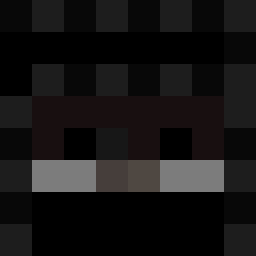
Current Minecraft skin of the player mckennagreek, loaded from the official Mojang API. Rotate the 3D model with your mouse or finger, then download the skin as a PNG file and use it in Minecraft: Bedrock Edition or Java Edition for free. When mckennagreek changes their skin, this page updates automatically and the old skin stays in the history below.
Other players with this skin (316)
mckennagreek was the 105th player we have seen with this skin, first spotted on 29.08.2026. The same skin was seen on these players. Open a nickname to see their current skin and skin history.
 rankedbqdwars null789 DieKarotte12 6xZ_ hlebushik1 ItsYomi03 LuvDashaaa
 FlyingCat03 BlockAce_ varkyz
 NICe_pvp_ TheycallmeLIL Aruneeey SwingThatSword01 isloch_ KadeHumph4 HaYYwAN _szpaku 1Neighbor Shumaher7 gliuc bingdonglive pizza1256 GuoskiJr AncientCwacker 99421 Parkita_kun ThaVortex ATLixxo RauchGiftGiraffe Dysprozo XxsnaperxX 0_antonio_0 luchiCarp siwoni22 ChienDeGuerre54 imYuuichi xyt7t0 dazai_55 Sythez MaxiScott truncate169 ProPlay131 alexzhin
 OceanvrYT FrostSmoker neon956 1000voices txrg1sh WHIFOE_ butoma superdudebro515 NUKEMAN2003 MJGH0ST0_0 AsahiPVPS 9Loki 667jad BinssK Alexej560 GewoonBobo
How to install the mckennagreek skin
- Press the Download button above to save the skin as a PNG file.
- Minecraft: Bedrock Edition (PE): open the Dressing Room from the main menu (or tap your character → Edit Character), go to Classic Skins → Owned, press the + (new skin) button, choose the downloaded PNG and pick the Classic (Steve) model. Works on PC and mobile; consoles cannot import custom skins.
- Minecraft: Java Edition: open the Minecraft Launcher, go to the Skins tab, click New Skin, load the PNG, pick the Classic (Steve) model and press Save & Use. You can also upload it at minecraft.net → Profile → Change Skin.
The skin does not show up after import - what should I do?
Restart Minecraft and open the Dressing Room again - imported skins sometimes appear only after a restart. Also make sure you selected the imported skin and picked the Classic (Steve) model.
Which model should I choose, Classic or Slim?
This skin is designed for the Classic (Steve) model. If you pick the wrong model, the arms of the skin will look stretched or squeezed.
Is the skin of mckennagreek free to download?
Yes. Press Download, save the PNG file and use it in Minecraft: Bedrock Edition or Java Edition - no payment or registration needed. The skin also works on multiplayer servers and Realms.
More skins
Looking for more? Go back to all Minecraft skins and check the top skins of the week, month and all time, or find any player's skin by nickname.