
maxiloolololo - Minecraft Skins & Skin History
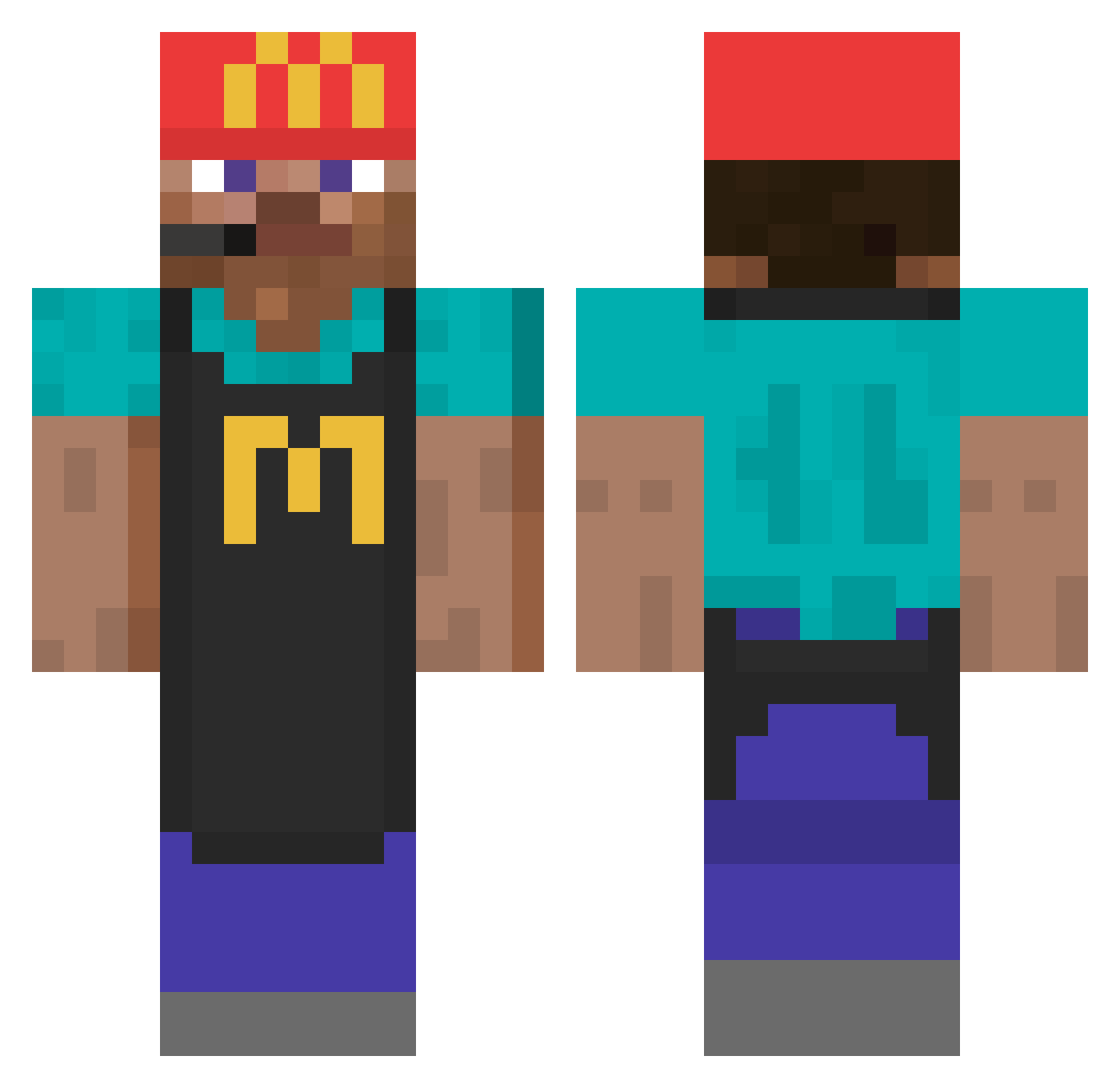
Current Minecraft skin of the player maxiloolololo, loaded from the official Mojang API. Rotate the 3D model with your mouse or finger, then download the skin as a PNG file and use it in Minecraft: Bedrock Edition or Java Edition for free. When maxiloolololo changes their skin, this page updates automatically and the old skin stays in the history below.
Other players with this skin (746)
maxiloolololo was the 661st player we have seen with this skin, first spotted on 13.10.2026. The same skin was seen on these players. Open a nickname to see their current skin and skin history.
 alban0906 LisOtaku BHZ420 paninii99 KANYEISRIGHTFR hijack_ocult Maty_Cool Yansan123 upob torscar Fachowiec bmonkey rovm3 jaydenrocks12 Dravenlime236 juliaal Tursu1 Roberts Python21 KillerCo420 PixelTbird78 wkqnd MadsTyr BorisCMoi Mehoo24 Likvmaa ZooBoon dewrim FlexPlus Sunnge EdouardLeRinguar divinitywithin67 ichballerdichweg WashingMachine__ Knycu_ zotisco papidela _ihavenolife Fenil Roschon Mitksi ohhMinxzy Danistiko jengil DounsTV magooster1 claudington ilfaso 4nDu_ ItsWanly Teflonek_ 1000lQ GrimeSink serinak Burrozo Meedlymaster NiTo6855 _GoDY BallerAlex Benjames
More Cashier Minecraft skins
How to install the maxiloolololo skin
- Press the Download button above to save the skin as a PNG file.
- Minecraft: Bedrock Edition (PE): open the Dressing Room from the main menu (or tap your character → Edit Character), go to Classic Skins → Owned, press the + (new skin) button, choose the downloaded PNG and pick the Classic (Steve) model. Works on PC and mobile; consoles cannot import custom skins.
- Minecraft: Java Edition: open the Minecraft Launcher, go to the Skins tab, click New Skin, load the PNG, pick the Classic (Steve) model and press Save & Use. You can also upload it at minecraft.net → Profile → Change Skin.
The skin does not show up after import - what should I do?
Restart Minecraft and open the Dressing Room again - imported skins sometimes appear only after a restart. Also make sure you selected the imported skin and picked the Classic (Steve) model.
Which model should I choose, Classic or Slim?
This skin is designed for the Classic (Steve) model. If you pick the wrong model, the arms of the skin will look stretched or squeezed.
Is the skin of maxiloolololo free to download?
Yes. Press Download, save the PNG file and use it in Minecraft: Bedrock Edition or Java Edition - no payment or registration needed. The skin also works on multiplayer servers and Realms.
More skins
Looking for more? Go back to all Minecraft skins and check the top skins of the week, month and all time, or find any player's skin by nickname.