
maxibesti123 - Minecraft Skins & Skin History
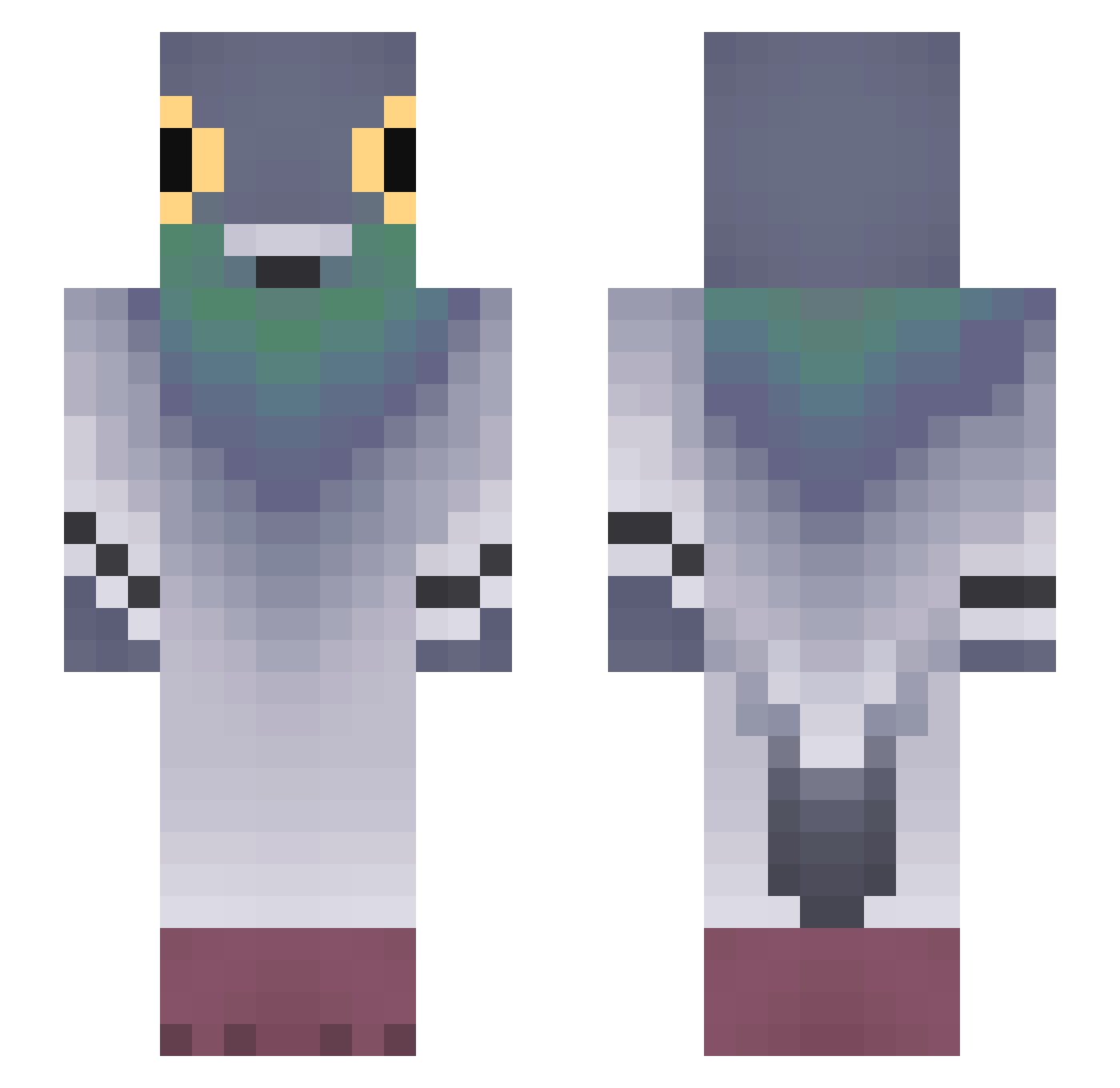
Current Minecraft skin of the player maxibesti123, loaded from the official Mojang API. Rotate the 3D model with your mouse or finger, then download the skin as a PNG file and use it in Minecraft: Bedrock Edition or Java Edition for free. When maxibesti123 changes their skin, this page updates automatically and the old skin stays in the history below.
Other players with this skin (831)
maxibesti123 was the 764th player we have seen with this skin, first spotted on 02.11.2026. The same skin was seen on these players. Open a nickname to see their current skin and skin history.
 clairvoyant__ NozaIsBad _Kohua nononoomo cheseandmaple emxma_nicole _G0rdus0bess Mongrix Diffuser130 smauglast zertyno QBQBdl 8Yuta FlightlessFiend karlitos505 ymoioo ProperKeet Ciconiidae therealpingu YMJ96 Sadysta1015 Montyou YUE025459 Uluntrak16 ItXero_ Chico_Moedas_ GFELIX256 DonJulio4 SMILEXX1 bouzhalouf lindawggy Dokema9 KolkaFasolka _ddx GodlyPolo MATTIA220210 LaAlkaparra cabbagecake4 nanaskunk Nicoocha iolandi Wids18 Fr_aer3454 Rubuskus komq22 ZumSito vinicapa67 pigeon_rage jaqisbaq Bruno_Cheese MiFu_Thighs XXXtekdoze Luchito_gaa spicyrybread Mc_WarCriminal senate22 F4ctoryP nothebestknight yin11 MartiDeLarti
More Pigeon Minecraft skins
How to install the maxibesti123 skin
- Press the Download button above to save the skin as a PNG file.
- Minecraft: Bedrock Edition (PE): open the Dressing Room from the main menu (or tap your character → Edit Character), go to Classic Skins → Owned, press the + (new skin) button, choose the downloaded PNG and pick the Slim (Alex) model. Works on PC and mobile; consoles cannot import custom skins.
- Minecraft: Java Edition: open the Minecraft Launcher, go to the Skins tab, click New Skin, load the PNG, pick the Slim (Alex) model and press Save & Use. You can also upload it at minecraft.net → Profile → Change Skin.
The skin does not show up after import - what should I do?
Restart Minecraft and open the Dressing Room again - imported skins sometimes appear only after a restart. Also make sure you selected the imported skin and picked the Slim (Alex) model.
Which model should I choose, Classic or Slim?
This skin is designed for the Slim (Alex) model. If you pick the wrong model, the arms of the skin will look stretched or squeezed.
Is the skin of maxibesti123 free to download?
Yes. Press Download, save the PNG file and use it in Minecraft: Bedrock Edition or Java Edition - no payment or registration needed. The skin also works on multiplayer servers and Realms.
More skins
Looking for more? Go back to all Minecraft skins and check the top skins of the week, month and all time, or find any player's skin by nickname.