
max4209 - Minecraft Skins & Skin History
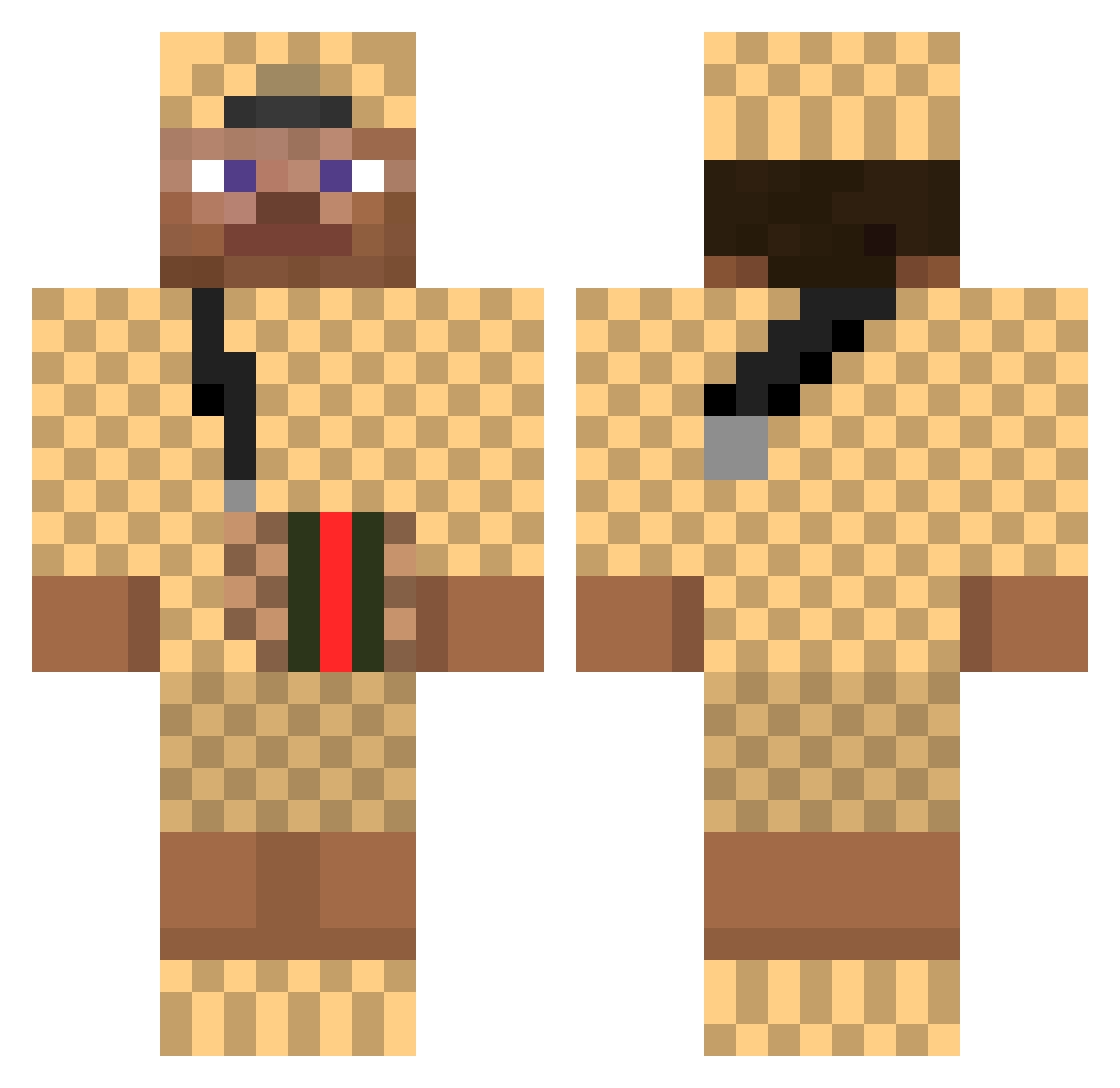
Current Minecraft skin of the player max4209, loaded from the official Mojang API. Rotate the 3D model with your mouse or finger, then download the skin as a PNG file and use it in Minecraft: Bedrock Edition or Java Edition for free. When max4209 changes their skin, this page updates automatically and the old skin stays in the history below.
Other players with this skin (376)
max4209 was the 279th player we have seen with this skin, first spotted on 04.10.2026. The same skin was seen on these players. Open a nickname to see their current skin and skin history.
 Majknnn4 9345 BarryTheBoy TiagoManolas IkHeb ufo36187 Yo846 SANECHEKKKK Travydog sbirri Toogies Archienne LionKKing LA5E pyerox Becasse Gilhyeonyee AlexHuh BOYO67 Marcel_msn FREE_LACRIM emre50512 kimjaeh PashuX MLGuy Jonathan_DD peppi2 3for1 Pelhos SoEzz9 AdeQ_MC Suhteeva Trofelito wangman Sunosh Not_Jacob JUSTUS421 Kastoe_Micha Timidopp NotAimAssist Whuut habibmachmud Alexiium sapWRLD SergundyHow rossopro lil_hajibib vePpy_14 Sezzzzzzzzzzzzz_ Shadowmaster216 AlexDerStecher Coress GiovanniZz sayasoz Cgiza LeLoustique M4rsh1916 Krollienator feistyspicy NJV2003
More Gucci Minecraft skins
How to install the max4209 skin
- Press the Download button above to save the skin as a PNG file.
- Minecraft: Bedrock Edition (PE): open the Dressing Room from the main menu (or tap your character → Edit Character), go to Classic Skins → Owned, press the + (new skin) button, choose the downloaded PNG and pick the Classic (Steve) model. Works on PC and mobile; consoles cannot import custom skins.
- Minecraft: Java Edition: open the Minecraft Launcher, go to the Skins tab, click New Skin, load the PNG, pick the Classic (Steve) model and press Save & Use. You can also upload it at minecraft.net → Profile → Change Skin.
The skin does not show up after import - what should I do?
Restart Minecraft and open the Dressing Room again - imported skins sometimes appear only after a restart. Also make sure you selected the imported skin and picked the Classic (Steve) model.
Which model should I choose, Classic or Slim?
This skin is designed for the Classic (Steve) model. If you pick the wrong model, the arms of the skin will look stretched or squeezed.
Is the skin of max4209 free to download?
Yes. Press Download, save the PNG file and use it in Minecraft: Bedrock Edition or Java Edition - no payment or registration needed. The skin also works on multiplayer servers and Realms.
More skins
Looking for more? Go back to all Minecraft skins and check the top skins of the week, month and all time, or find any player's skin by nickname.