
matsuuuuu - Minecraft Skins & Skin History
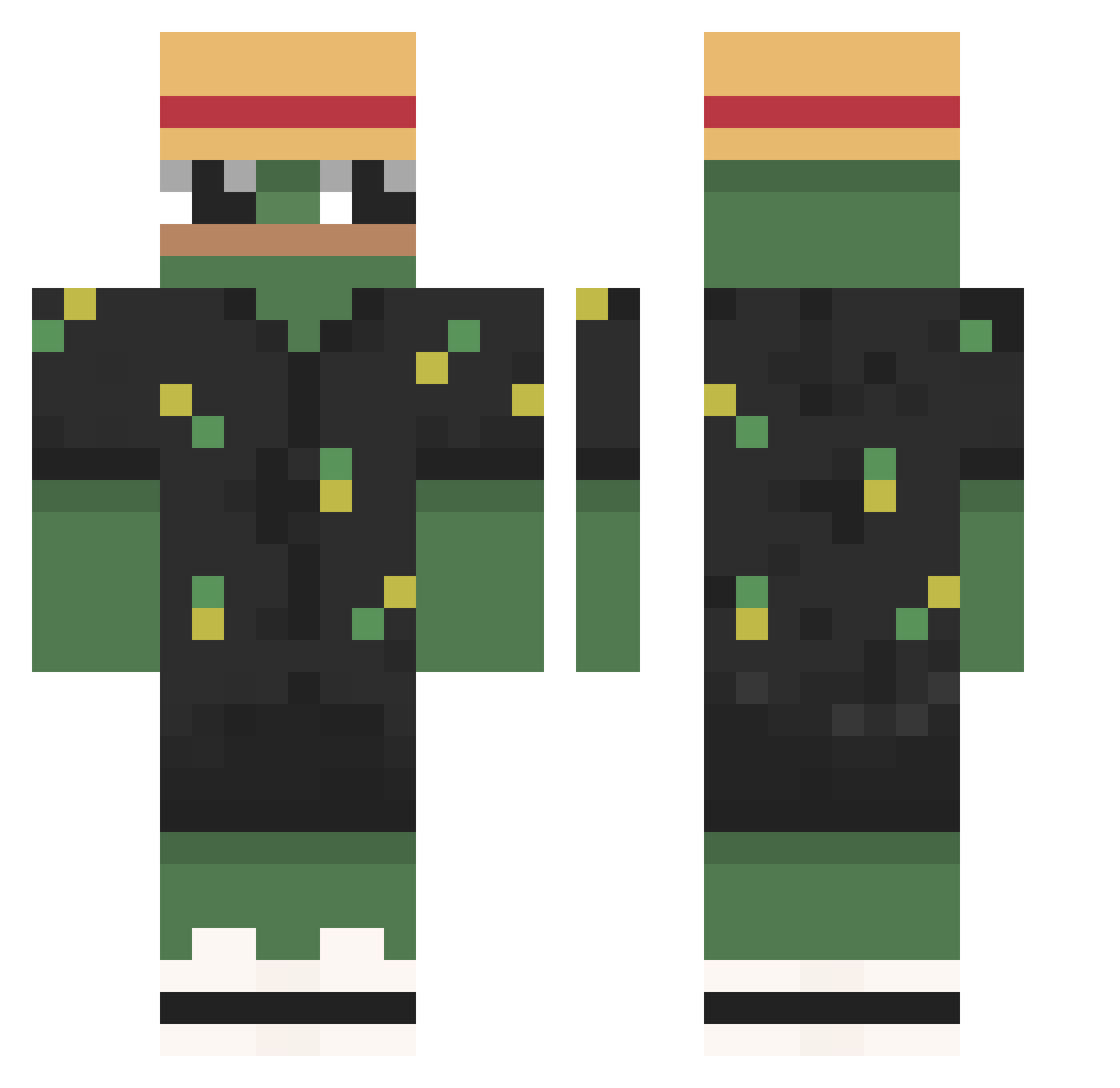
Current Minecraft skin of the player matsuuuuu, loaded from the official Mojang API. Rotate the 3D model with your mouse or finger, then download the skin as a PNG file and use it in Minecraft: Bedrock Edition or Java Edition for free. When matsuuuuu changes their skin, this page updates automatically and the old skin stays in the history below.
Other players with this skin (789)
matsuuuuu was the 545th player we have seen with this skin, first spotted on 04.10.2026. The same skin was seen on these players. Open a nickname to see their current skin and skin history.
 DEiGOP owl723 Aaronplay333 Deadpool107 Itz_Lxkas PudinMagico CavenBro OmarLeCrabe Nastya_Wh1te JustMinshawMC minseo04 _1_August_1_ Gambaradioactiva http_general tommy32po UnknownDuxs Guhmonkey Stary_tureK FrostMahias Rozmarin_Rus TorooTV Wolfmap Twutch GEFOGE _sanzo VivreMeFatigue rulas18 Mati12mati13 ExChanges420 ZARKROOOOO Sigmaking19 The_Immortal22 Casaling0 Kazator12 lookalike22 Kontselidze Kenyo2 melon6613 Babafleur HOMEMANDU Suspense__exe Demonicshift JustQwerty _MrExtreme_ SamHz voxud Skulik32 CowboyCave hassan_mc_pro11 joaoWX734 Gabryeu chad_wellington ebbdoodle FugmaJones StefansitoUwu DavidSiFeli Cm4ki Stievo94 ZerkPcs JeremDuBled
More Pepe Minecraft skins
How to install the matsuuuuu skin
- Press the Download button above to save the skin as a PNG file.
- Minecraft: Bedrock Edition (PE): open the Dressing Room from the main menu (or tap your character → Edit Character), go to Classic Skins → Owned, press the + (new skin) button, choose the downloaded PNG and pick the Classic (Steve) model. Works on PC and mobile; consoles cannot import custom skins.
- Minecraft: Java Edition: open the Minecraft Launcher, go to the Skins tab, click New Skin, load the PNG, pick the Classic (Steve) model and press Save & Use. You can also upload it at minecraft.net → Profile → Change Skin.
The skin does not show up after import - what should I do?
Restart Minecraft and open the Dressing Room again - imported skins sometimes appear only after a restart. Also make sure you selected the imported skin and picked the Classic (Steve) model.
Which model should I choose, Classic or Slim?
This skin is designed for the Classic (Steve) model. If you pick the wrong model, the arms of the skin will look stretched or squeezed.
Is the skin of matsuuuuu free to download?
Yes. Press Download, save the PNG file and use it in Minecraft: Bedrock Edition or Java Edition - no payment or registration needed. The skin also works on multiplayer servers and Realms.
More skins
Looking for more? Go back to all Minecraft skins and check the top skins of the week, month and all time, or find any player's skin by nickname.