
maticeo - Minecraft Skins & Skin History
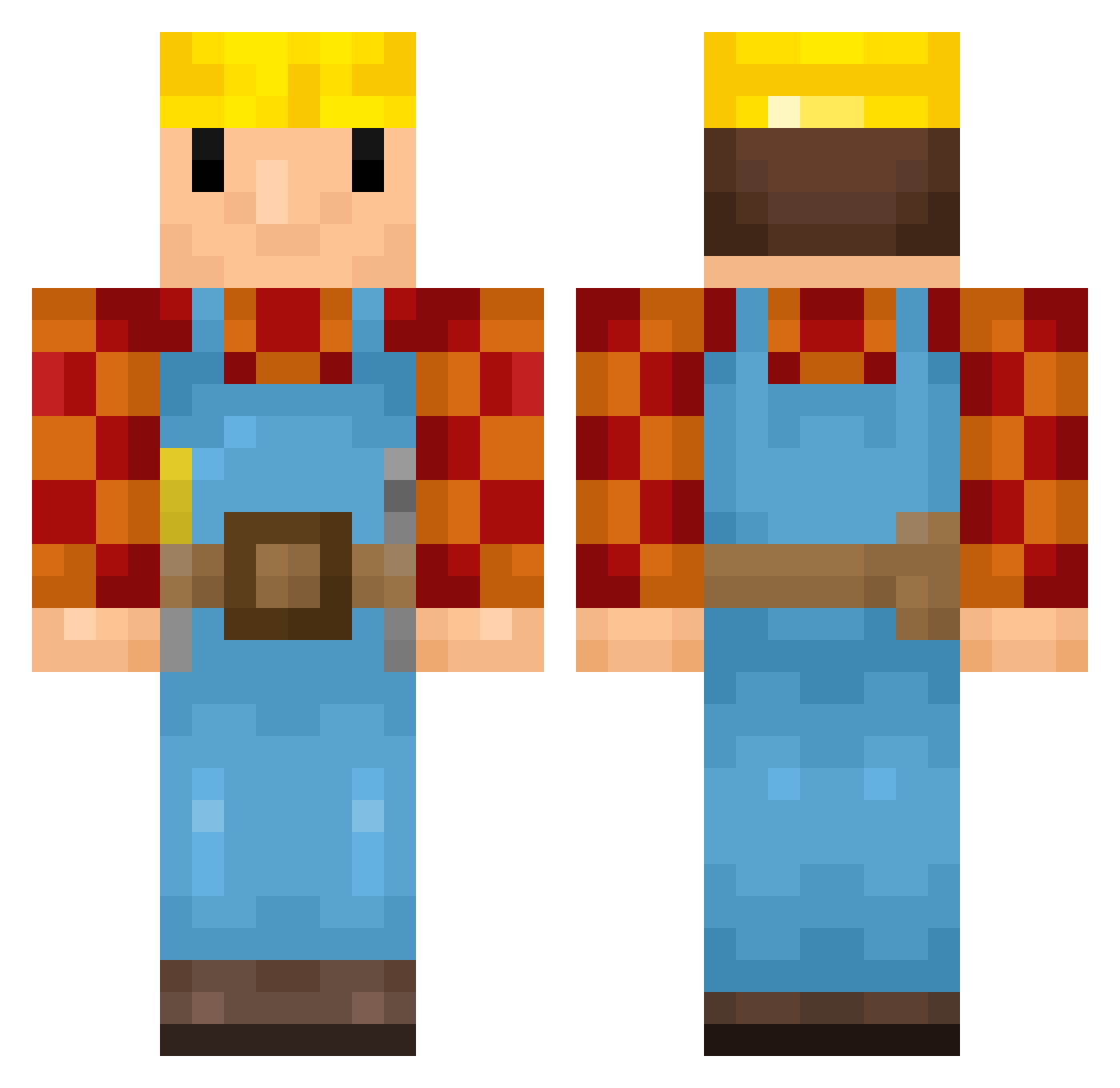
Current Minecraft skin of the player maticeo, loaded from the official Mojang API. Rotate the 3D model with your mouse or finger, then download the skin as a PNG file and use it in Minecraft: Bedrock Edition or Java Edition for free. When maticeo changes their skin, this page updates automatically and the old skin stays in the history below.
Other players with this skin (348)
maticeo was the 32nd player we have seen with this skin, first spotted on 01.08.2026. The same skin was seen on these players. Open a nickname to see their current skin and skin history.
 zipek_ mcdermott699 lilnii ItsYourBoyLukiii Rastaz0r galamp3 sunnydae01 xJaspar Tosterpl TheAlmightyCorn FlingTheFetus keEeyYy Gepfeli Ace_OfSpades miyuki_murphy Matze_01_ Eierkopf45 PaulBerthele SonderSohn vodka9 jeremykargl
 SlaveKnightGael0 ronaldano BigCpog ishadijcks ROSS_2022 Ch0pstickSensei Cygnus91 NodePackage xAlfred123 Kratetos
 HerobrineSeba Suliger mikochioson Bouwertjes DeepCycle swjasiu123 ConnaJim BartM369 __DarkOrbit648_ Moob2001 lugt BennoBube Sleggan T3ddys BobTheBuiilder_ IhrBuilder MegatonSam Rasista deblobvis54321 Hagge101 FlyingDutchman02 Nefastor B_Bobb Peppers98 Danly zimWzzy DenFirma autumnt10 Drachen129766
More Bob The Builder Minecraft skins
See all 65 Bob The Builder skins
How to install the maticeo skin
- Press the Download button above to save the skin as a PNG file.
- Minecraft: Bedrock Edition (PE): open the Dressing Room from the main menu (or tap your character → Edit Character), go to Classic Skins → Owned, press the + (new skin) button, choose the downloaded PNG and pick the Classic (Steve) model. Works on PC and mobile; consoles cannot import custom skins.
- Minecraft: Java Edition: open the Minecraft Launcher, go to the Skins tab, click New Skin, load the PNG, pick the Classic (Steve) model and press Save & Use. You can also upload it at minecraft.net → Profile → Change Skin.
The skin does not show up after import - what should I do?
Restart Minecraft and open the Dressing Room again - imported skins sometimes appear only after a restart. Also make sure you selected the imported skin and picked the Classic (Steve) model.
Which model should I choose, Classic or Slim?
This skin is designed for the Classic (Steve) model. If you pick the wrong model, the arms of the skin will look stretched or squeezed.
Is the skin of maticeo free to download?
Yes. Press Download, save the PNG file and use it in Minecraft: Bedrock Edition or Java Edition - no payment or registration needed. The skin also works on multiplayer servers and Realms.
More skins
Looking for more? Go back to all Minecraft skins and check the top skins of the week, month and all time, or find any player's skin by nickname.