
matacucas30000 - Minecraft Skins & Skin History
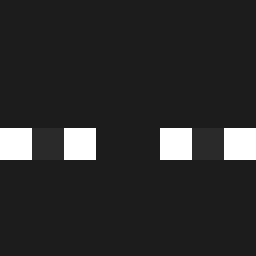
Current Minecraft skin of the player matacucas30000, loaded from the official Mojang API. Rotate the 3D model with your mouse or finger, then download the skin as a PNG file and use it in Minecraft: Bedrock Edition or Java Edition for free. When matacucas30000 changes their skin, this page updates automatically and the old skin stays in the history below.

Other players with this skin (516)
matacucas30000 was the 389th player we have seen with this skin, first spotted on 09.10.2026. The same skin was seen on these players. Open a nickname to see their current skin and skin history.
 kira342 Molazzz __9178__ Edson14 KronnosXX Light_Block12 Yesbebe Aladim22 yhb2992 e3r4q1 Leaksys Saon1an Nazar1us minddagi2297 xl_Andres Phusai DorianxU12 Blup_Y metqlic My_Name_Combo sn1xprobean pizdzikyfl lildenze DeaconBluz8527 ShadowPit suree001 Glitchi84 Egoosh Hasbullabosterp juampigirardi Inhuman66 sskonsoul Player491095523 Biteburg kosejr7 Esceptico616 Nokek_hater spaghettoboii DrblueMC Mirandaxs ogien8216 CharlesOIiveira Lafty4 P1t33r WeSmokingemkids SrAldrien alphaBoeJiden Tojt14_pl HauntzerLP __Zyann RubenVidal back2hub JLBadBlood Ceeessar VampOnBlade calaste Feriga05 Chaikata wawaeh Mr_Menacing
How to install the matacucas30000 skin
- Press the Download button above to save the skin as a PNG file.
- Minecraft: Bedrock Edition (PE): open the Dressing Room from the main menu (or tap your character → Edit Character), go to Classic Skins → Owned, press the + (new skin) button, choose the downloaded PNG and pick the Classic (Steve) model. Works on PC and mobile; consoles cannot import custom skins.
- Minecraft: Java Edition: open the Minecraft Launcher, go to the Skins tab, click New Skin, load the PNG, pick the Classic (Steve) model and press Save & Use. You can also upload it at minecraft.net → Profile → Change Skin.
The skin does not show up after import - what should I do?
Restart Minecraft and open the Dressing Room again - imported skins sometimes appear only after a restart. Also make sure you selected the imported skin and picked the Classic (Steve) model.
Which model should I choose, Classic or Slim?
This skin is designed for the Classic (Steve) model. If you pick the wrong model, the arms of the skin will look stretched or squeezed.
Is the skin of matacucas30000 free to download?
Yes. Press Download, save the PNG file and use it in Minecraft: Bedrock Edition or Java Edition - no payment or registration needed. The skin also works on multiplayer servers and Realms.
More skins
Looking for more? Go back to all Minecraft skins and check the top skins of the week, month and all time, or find any player's skin by nickname.