
mask30 - Minecraft Skins & Skin History
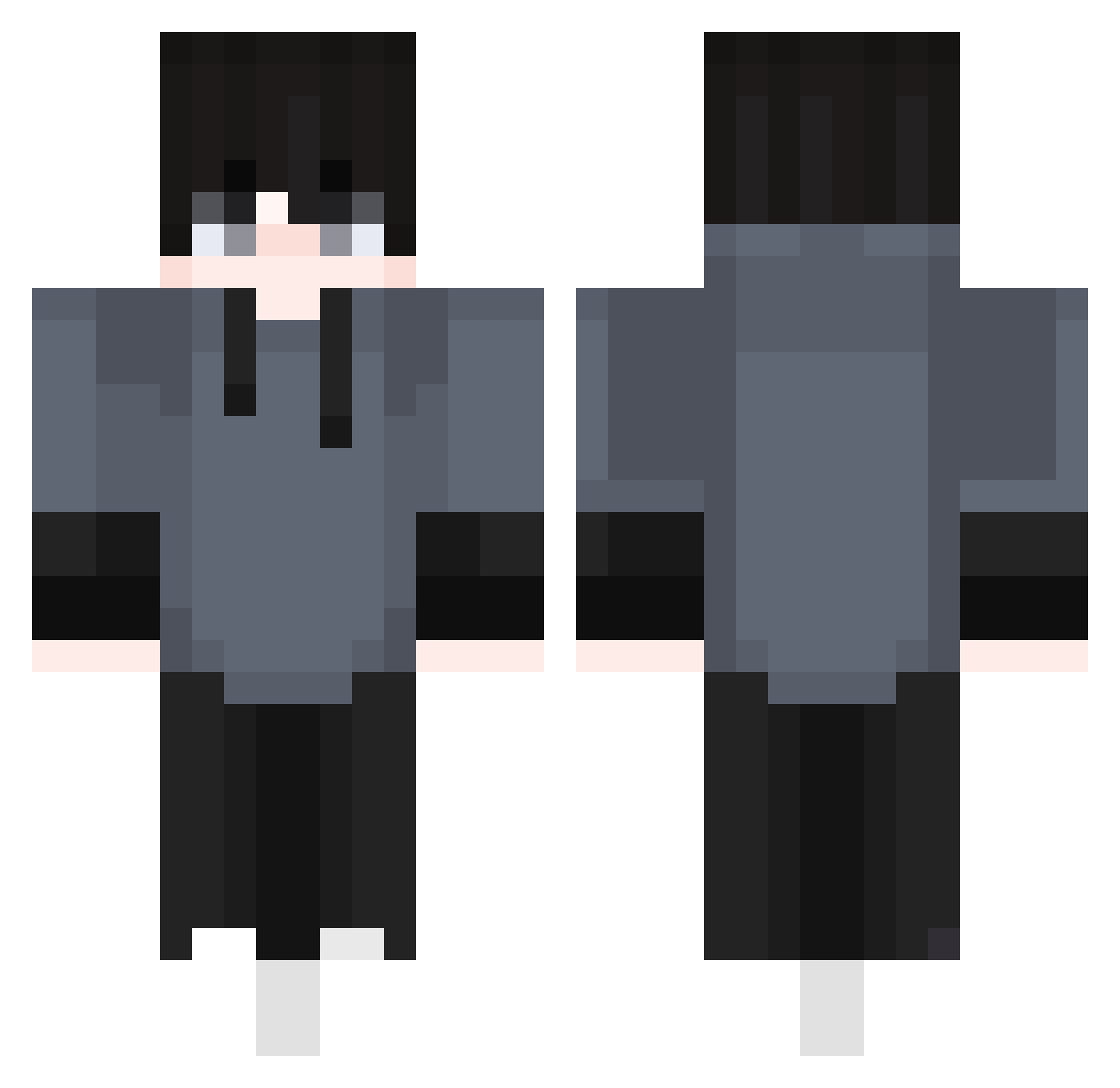
Current Minecraft skin of the player mask30, loaded from the official Mojang API. Rotate the 3D model with your mouse or finger, then download the skin as a PNG file and use it in Minecraft: Bedrock Edition or Java Edition for free. When mask30 changes their skin, this page updates automatically and the old skin stays in the history below.
Other players with this skin (410)
mask30 was the 74th player we have seen with this skin, first spotted on 13.08.2026. The same skin was seen on these players. Open a nickname to see their current skin and skin history.
 Lussiabear juanjesuzoangela KingCMG NangmanCharlie SoRineX _BitG_ GosperPL Edguavill titank44 Cristi0775 wyldcat11 Nordiiix
 AlmoundChunk2150 Azka_09 Ricoloco_1080p
 Prompt04 Fansual PK_no1 KATINEW Strqngth Ben7130 Wheezy7 _Simka Kelviiin Vinii22 Juss4F
 mold123 Nie1574 listless999 Berkomsz captainou Crazzyy69 fantian1 tng__ur Danmung_ FGeco254 Ka1Zuu Bensodz Omlyy_ shoxzee AthenaWiz27 dhalkts tus_kedimewww CuecaCagada Scalytyon AstelFang blizylol lomakevin Selionus MayUknow SrDani_MC arctickiit dagnoni22 JsnYeuaHoig dwutakt__ narutosasuke123 indolentlife0123 BreXz R628 uhamir
How to install the mask30 skin
- Press the Download button above to save the skin as a PNG file.
- Minecraft: Bedrock Edition (PE): open the Dressing Room from the main menu (or tap your character → Edit Character), go to Classic Skins → Owned, press the + (new skin) button, choose the downloaded PNG and pick the Classic (Steve) model. Works on PC and mobile; consoles cannot import custom skins.
- Minecraft: Java Edition: open the Minecraft Launcher, go to the Skins tab, click New Skin, load the PNG, pick the Classic (Steve) model and press Save & Use. You can also upload it at minecraft.net → Profile → Change Skin.
The skin does not show up after import - what should I do?
Restart Minecraft and open the Dressing Room again - imported skins sometimes appear only after a restart. Also make sure you selected the imported skin and picked the Classic (Steve) model.
Which model should I choose, Classic or Slim?
This skin is designed for the Classic (Steve) model. If you pick the wrong model, the arms of the skin will look stretched or squeezed.
Is the skin of mask30 free to download?
Yes. Press Download, save the PNG file and use it in Minecraft: Bedrock Edition or Java Edition - no payment or registration needed. The skin also works on multiplayer servers and Realms.
More skins
Looking for more? Go back to all Minecraft skins and check the top skins of the week, month and all time, or find any player's skin by nickname.