
masanaopig - Minecraft Skins & Skin History
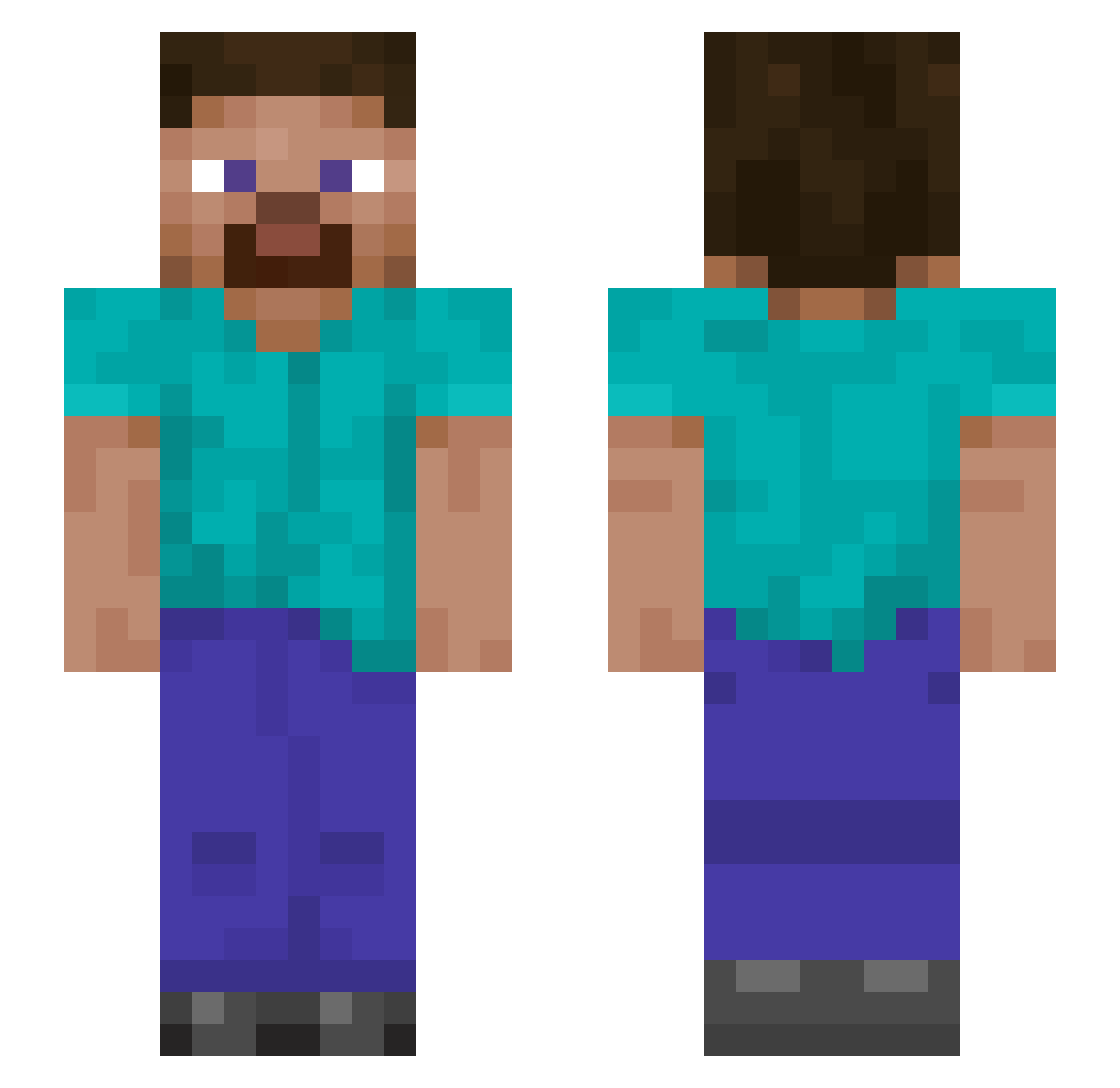
Current Minecraft skin of the player masanaopig, loaded from the official Mojang API. Rotate the 3D model with your mouse or finger, then download the skin as a PNG file and use it in Minecraft: Bedrock Edition or Java Edition for free. When masanaopig changes their skin, this page updates automatically and the old skin stays in the history below.
Other players with this skin (890)
masanaopig was the 868th player we have seen with this skin, first spotted on 17.10.2026. The same skin was seen on these players. Open a nickname to see their current skin and skin history.
 Santinago Greyroads xoliii_9 Gstyx47 Snauk Ranch09 Moondoggy1819 isaiii__ enoch90 AlmiranteNelson Mossyb Krixvy PSUZAD rtx7070 BaileyT2257 Warnock360 ph58017 dinadbomb _ElonMusk_ BROODJESWARMA big_boy12356 _m0thy The_Warrior Colossalboar MTqq laidbackmatt1 YXNGPLAYER01 Nbryan7117 CheefToad Red_is_Dead_420 AxtonCruze ChimpflipperJr thepln wuuruaa liam080308 CALVIZIO charlotte22 PrincessUseless Orphan1027 kingsuyeon RushJrr 114514hh MineCussy PaleFaceKilla Paddy_123_ Ming_Wu_ fanqioo svrdfsh Marunia8 TROIAI SleepGamer123 yamnik31 GetReckedKidd prh113 Elayu7 ochangay MightytheGamer ShadowMaster1397 Kerjo513 sergeantslapahoe
How to install the masanaopig skin
- Press the Download button above to save the skin as a PNG file.
- Minecraft: Bedrock Edition (PE): open the Dressing Room from the main menu (or tap your character → Edit Character), go to Classic Skins → Owned, press the + (new skin) button, choose the downloaded PNG and pick the Slim (Alex) model. Works on PC and mobile; consoles cannot import custom skins.
- Minecraft: Java Edition: open the Minecraft Launcher, go to the Skins tab, click New Skin, load the PNG, pick the Slim (Alex) model and press Save & Use. You can also upload it at minecraft.net → Profile → Change Skin.
The skin does not show up after import - what should I do?
Restart Minecraft and open the Dressing Room again - imported skins sometimes appear only after a restart. Also make sure you selected the imported skin and picked the Slim (Alex) model.
Which model should I choose, Classic or Slim?
This skin is designed for the Slim (Alex) model. If you pick the wrong model, the arms of the skin will look stretched or squeezed.
Is the skin of masanaopig free to download?
Yes. Press Download, save the PNG file and use it in Minecraft: Bedrock Edition or Java Edition - no payment or registration needed. The skin also works on multiplayer servers and Realms.
More skins
Looking for more? Go back to all Minecraft skins and check the top skins of the week, month and all time, or find any player's skin by nickname.