
masaki370 - Minecraft Skins & Skin History
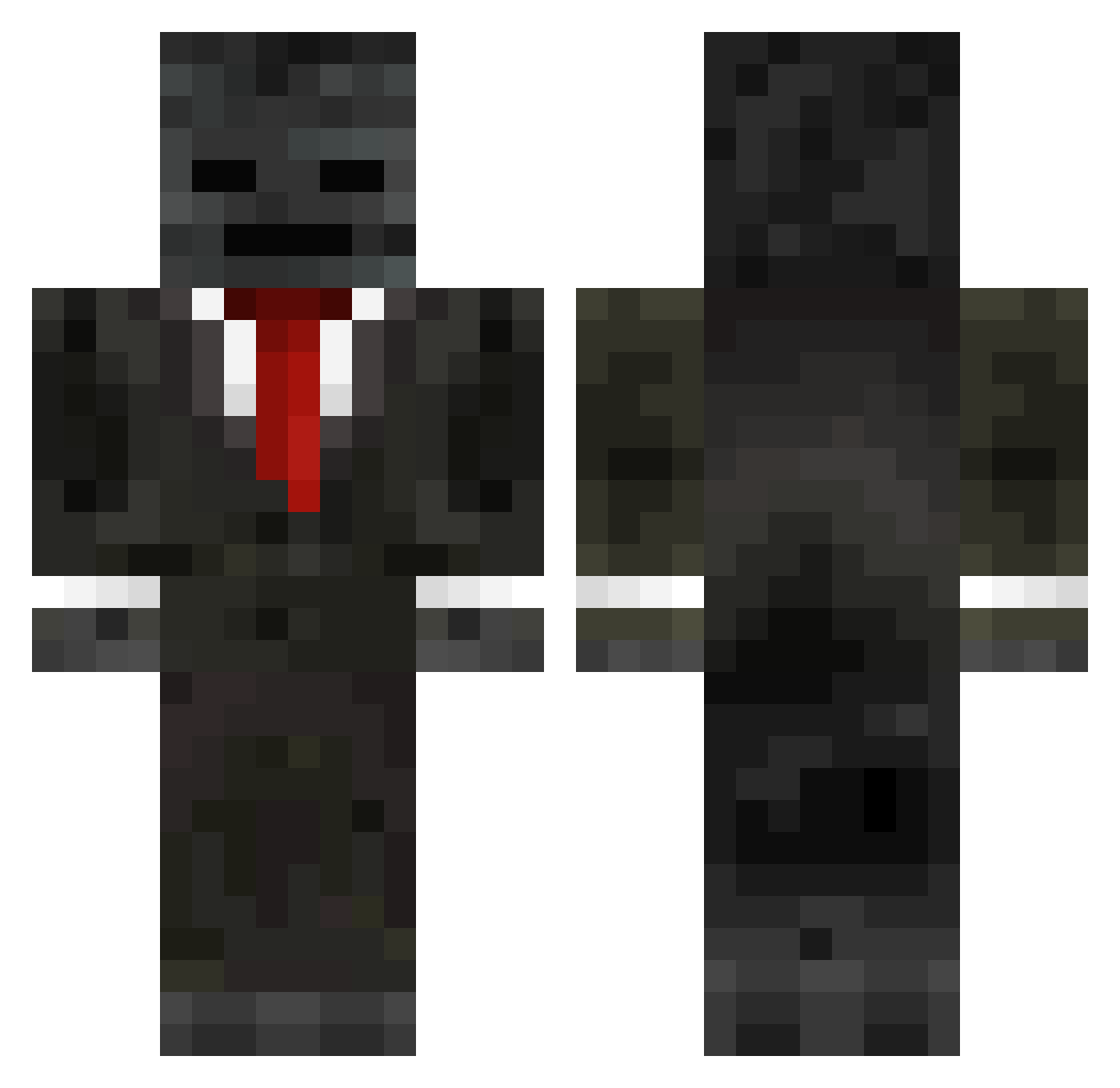
Current Minecraft skin of the player masaki370, loaded from the official Mojang API. Rotate the 3D model with your mouse or finger, then download the skin as a PNG file and use it in Minecraft: Bedrock Edition or Java Edition for free. When masaki370 changes their skin, this page updates automatically and the old skin stays in the history below.
Other players with this skin (249)
masaki370 was the 197th player we have seen with this skin, first spotted on 11.10.2026. The same skin was seen on these players. Open a nickname to see their current skin and skin history.
 skelly_cheese Sisi_0332 fair_2020 SlowCoal_Natsu Lilacsis s5N00bs5 LeGrunch Schxfield FutureArron bepiz_1 mitrenko TALLINNN awdsda Crazy203Hook Hanzofarts yinmo0 egbenboy ANDREJ2014 italokkj Tr3nchyyy Zabivnaa228 MaeruSun bibiscottes jesseames RapX144 freakz753 HamzTastisch jaleel8686 12MN Hammerhold_ JJG2016 andrebayut23 Michoso109 Alma333710 _pkdr mon2626 uTop121 Riyyaz OfficerWaschbear pimilokiooo LAURI5 DanceringCat Musti6129 mc115288 TheChosenSepp DimplyCookie Xerr02 i3_1 aazzaa9900 D00M_WAK3 p1d0r Ryebread292 ilovetoedge Sam10276 WG_rwHurD LJB7317 Karvain jerrod88jr Viboi McDrive007
More Wither Skeleton Minecraft skins
See all 409 Wither Skeleton skins
How to install the masaki370 skin
- Press the Download button above to save the skin as a PNG file.
- Minecraft: Bedrock Edition (PE): open the Dressing Room from the main menu (or tap your character → Edit Character), go to Classic Skins → Owned, press the + (new skin) button, choose the downloaded PNG and pick the Classic (Steve) model. Works on PC and mobile; consoles cannot import custom skins.
- Minecraft: Java Edition: open the Minecraft Launcher, go to the Skins tab, click New Skin, load the PNG, pick the Classic (Steve) model and press Save & Use. You can also upload it at minecraft.net → Profile → Change Skin.
The skin does not show up after import - what should I do?
Restart Minecraft and open the Dressing Room again - imported skins sometimes appear only after a restart. Also make sure you selected the imported skin and picked the Classic (Steve) model.
Which model should I choose, Classic or Slim?
This skin is designed for the Classic (Steve) model. If you pick the wrong model, the arms of the skin will look stretched or squeezed.
Is the skin of masaki370 free to download?
Yes. Press Download, save the PNG file and use it in Minecraft: Bedrock Edition or Java Edition - no payment or registration needed. The skin also works on multiplayer servers and Realms.
More skins
Looking for more? Go back to all Minecraft skins and check the top skins of the week, month and all time, or find any player's skin by nickname.