
marusyo - Minecraft Skins & Skin History
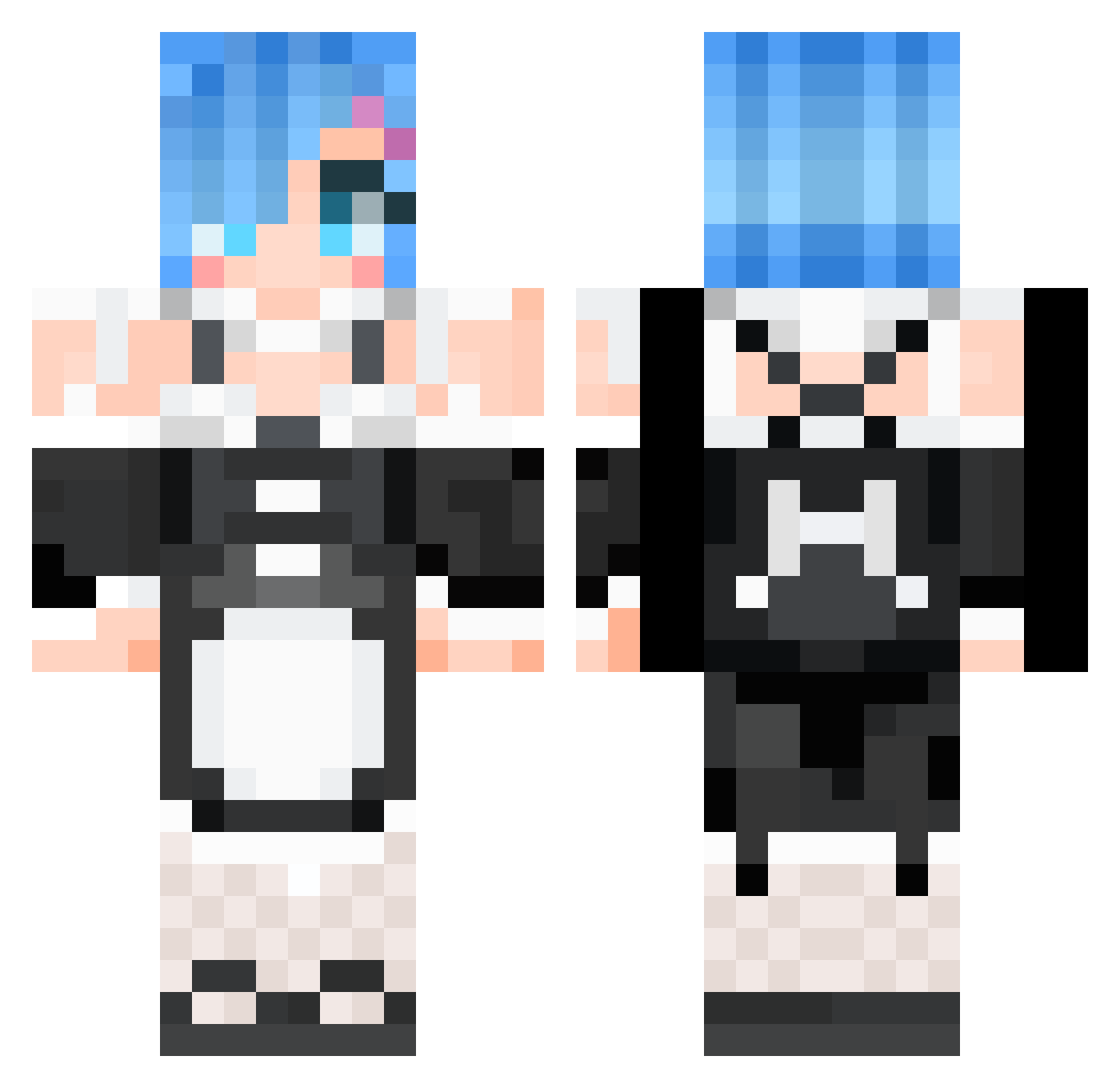
Current Minecraft skin of the player marusyo, loaded from the official Mojang API. Rotate the 3D model with your mouse or finger, then download the skin as a PNG file and use it in Minecraft: Bedrock Edition or Java Edition for free. When marusyo changes their skin, this page updates automatically and the old skin stays in the history below.
Other players with this skin (531)
marusyo was the 123rd player we have seen with this skin, first spotted on 17.08.2026. The same skin was seen on these players. Open a nickname to see their current skin and skin history.
 NullumLc Sonyaz mitotu STEVE_wkq Mityike SuperSupo QQsir SayoKy protactinium0626 Cravenlock bamtoll104 unsadzach EVANELION kingminseo112 MrStarfox64 Apple_Chen karen2424 Dopetyan Bigpie90 yomisyi Joey8c JUMYENG NoSoyVicky YKY_KING Textam Eljovencito Kevinsu118 HUMAN_L0ST AQuARing Nerinh pgBernardo Darkwarrior742 GayAnimeBooty DiDiDi_kiss SKTDRM PuiGodZ Dosom Evanmastr Maxim2404 Neet_2110 NBbuddy dragnea2001 gokevin87940 RemSan_ReZero Sonneilon97 linlin1013 LilyOfMarch GreenWolf79 BRGeeeeeee NIDIE
 OverDoseStudios NEETEST41 xxsxxsn BlackBar GingerHexed Seiki1235 Mikochan814 ETERNITY47 Maximum_wy Labyrinth0630
More Rem Minecraft skins
How to install the marusyo skin
- Press the Download button above to save the skin as a PNG file.
- Minecraft: Bedrock Edition (PE): open the Dressing Room from the main menu (or tap your character → Edit Character), go to Classic Skins → Owned, press the + (new skin) button, choose the downloaded PNG and pick the Classic (Steve) model. Works on PC and mobile; consoles cannot import custom skins.
- Minecraft: Java Edition: open the Minecraft Launcher, go to the Skins tab, click New Skin, load the PNG, pick the Classic (Steve) model and press Save & Use. You can also upload it at minecraft.net → Profile → Change Skin.
The skin does not show up after import - what should I do?
Restart Minecraft and open the Dressing Room again - imported skins sometimes appear only after a restart. Also make sure you selected the imported skin and picked the Classic (Steve) model.
Which model should I choose, Classic or Slim?
This skin is designed for the Classic (Steve) model. If you pick the wrong model, the arms of the skin will look stretched or squeezed.
Is the skin of marusyo free to download?
Yes. Press Download, save the PNG file and use it in Minecraft: Bedrock Edition or Java Edition - no payment or registration needed. The skin also works on multiplayer servers and Realms.
More skins
Looking for more? Go back to all Minecraft skins and check the top skins of the week, month and all time, or find any player's skin by nickname.