
Current Minecraft skin of the player maruQ_0220, loaded from the official Mojang API. Rotate the 3D model with your mouse or finger, then download the skin as a PNG file and use it in Minecraft: Bedrock Edition or Java Edition for free. When maruQ_0220 changes their skin, this page updates automatically and the old skin stays in the history below.
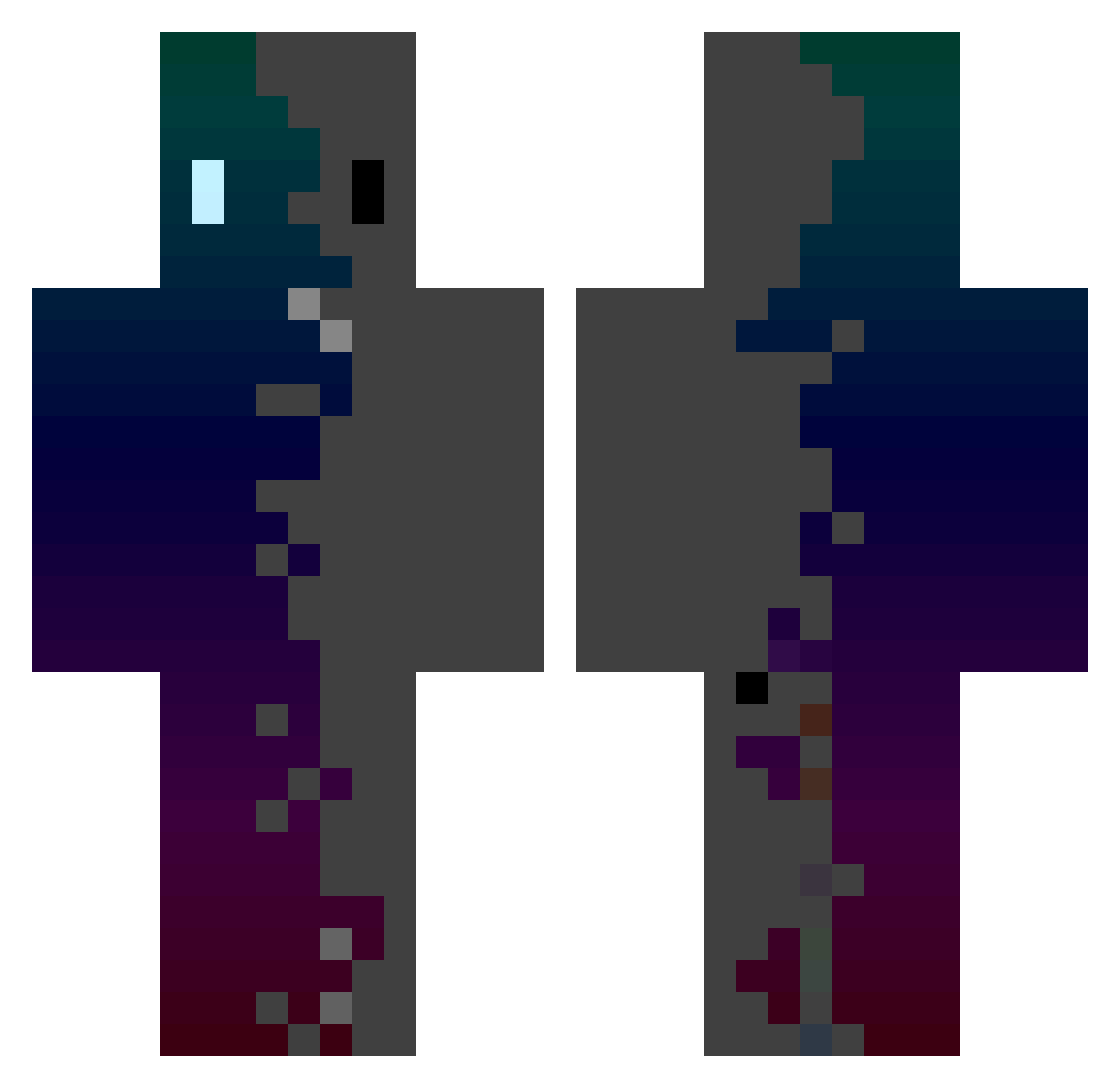
Other players with this skin (142)
The same skin was seen on these players. Open a nickname to see their current skin and skin history.
 Tontu321 GOD_TENZ yk_nandoufu YUfanJY kirbykase20 LlamaDramalol The_Krzycho snowwolf1005 WAa_07 ChenKEN1026 IDAN1905 Samurai_80 Braysool fufu01017 MTKNM tommytools Ayla260 Speedy0903 loctopus22 StoneyHarbor738 xAriokx SUNAME55 LINK_1712 ZeroRay0v0 Happy1613 h701 Helixity lalalalalalal555 Leapon stanley15 Powder99 SalvadorskYY puchupuchu Dudtzs JupiterJones04 LEE_MIKE Alphamaleee Adler38 Ezcio yzz0928 mo7a890 Santibaby23 SuperSomeTime newke1 baemooo Luna54000 onefortall LINMUMULA FussPiotrom WDDX666 hhhjjjhhh88 LAST_KWS takaiku sekiro1000HP Sebasuke SpongeBob_17 guakamolli Melking3000 airplanebtw keyfox_Z
How to install the maruQ_0220 skin
- Press the Download button above to save the skin as a PNG file.
- Minecraft: Bedrock Edition (PE): open the Dressing Room from the main menu (or tap your character → Edit Character), go to Classic Skins → Owned, press the + (new skin) button, choose the downloaded PNG and pick the Classic (Steve) model. Works on PC and mobile; consoles cannot import custom skins.
- Minecraft: Java Edition: open the Minecraft Launcher, go to the Skins tab, click New Skin, load the PNG, pick the Classic (Steve) model and press Save & Use. You can also upload it at minecraft.net → Profile → Change Skin.
The skin does not show up after import - what should I do?
Restart Minecraft and open the Dressing Room again - imported skins sometimes appear only after a restart. Also make sure you selected the imported skin and picked the Classic (Steve) model.
Which model should I choose, Classic or Slim?
This skin is designed for the Classic (Steve) model. If you pick the wrong model, the arms of the skin will look stretched or squeezed.
Is the skin of maruQ_0220 free to download?
Yes. Press Download, save the PNG file and use it in Minecraft: Bedrock Edition or Java Edition - no payment or registration needed. The skin also works on multiplayer servers and Realms.
More skins
Looking for more? Go back to all Minecraft skins and check the top skins of the week, month and all time, or find any player's skin by nickname.