
mambe21 - Minecraft Skins & Skin History
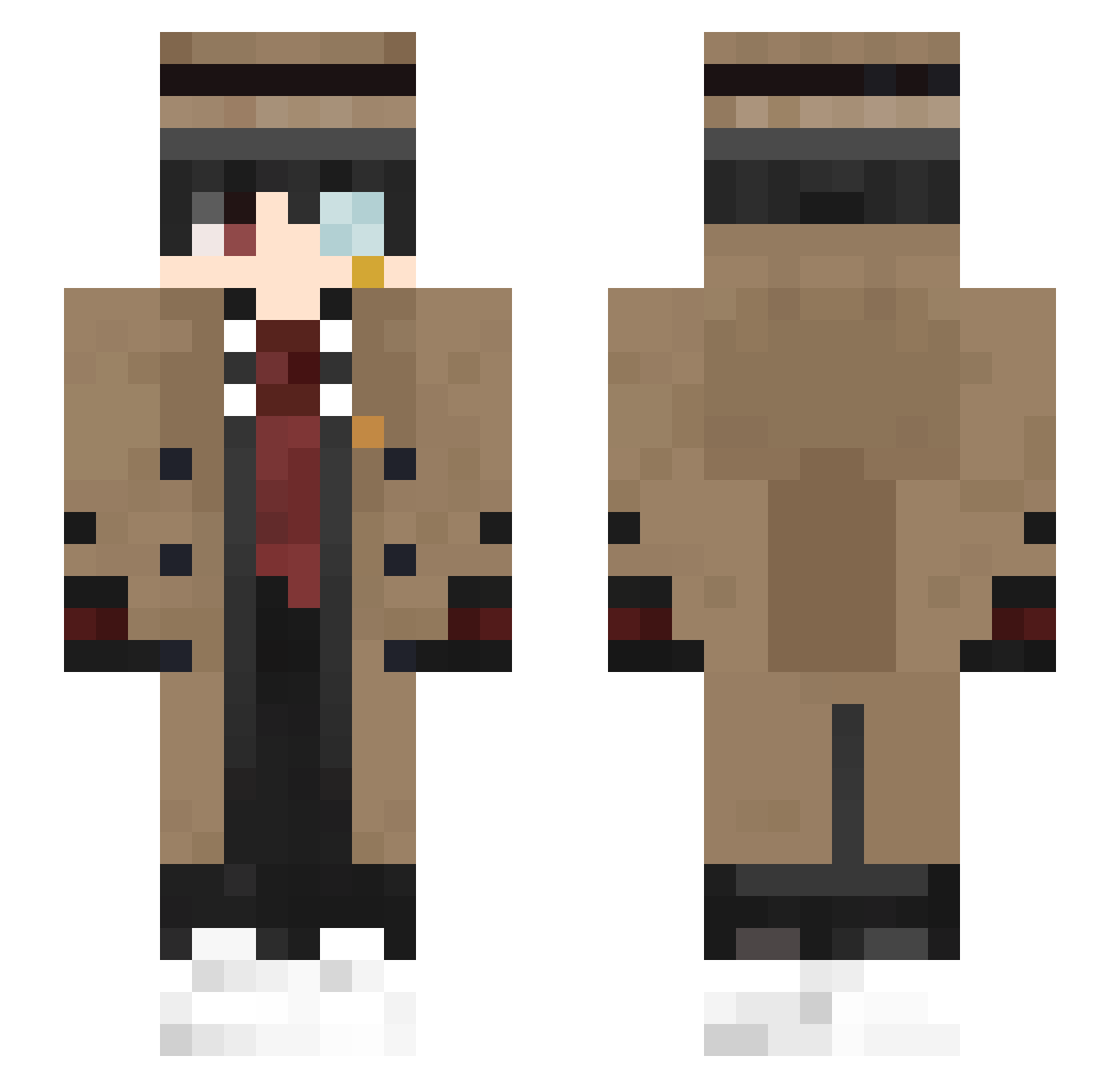
Current Minecraft skin of the player mambe21, loaded from the official Mojang API. Rotate the 3D model with your mouse or finger, then download the skin as a PNG file and use it in Minecraft: Bedrock Edition or Java Edition for free. When mambe21 changes their skin, this page updates automatically and the old skin stays in the history below.
Other players with this skin (446)
mambe21 was the 321st player we have seen with this skin, first spotted on 14.10.2026. The same skin was seen on these players. Open a nickname to see their current skin and skin history.
 Trufflecrab MuscledDuke3707 SamuelKun KillerGB112233 Goatttt1229 Sean_920502 _Akam_ Bananan0205 YagizY3 EagleTalon_97 OrenjiAme _NPK Virtuosocat sas3393 AndyWang0913 JohnnyOnM Ramenoodle35 FRCGod MrSamStreams Gatomaconha rich_communist JOHGWST Infinitas001 HANSOL_K Theisma13 creeperleech oxogamer Draygon_05 __Boba__Fett__ skrah53 Promise02 RiseMan12 CR1STOFFER Sherlock_OvO FanJin_ GabLePoussinDu54 astropappi Tit_twilium zzzoo7 Thodoris139 Dango05 PlayBoiKoe ItsMrCube_ AnSiCong Tuangok PineappI3 Teqzin Lisen_1234 MAIDOU HEDERI07 Anderweeb baimengshi Kronos_EP Voluspaa zakialzoubi run0403 MaleKeqs Noelmoya DeLux_53 EGBS_
More Yugi Amane Minecraft skins
How to install the mambe21 skin
- Press the Download button above to save the skin as a PNG file.
- Minecraft: Bedrock Edition (PE): open the Dressing Room from the main menu (or tap your character → Edit Character), go to Classic Skins → Owned, press the + (new skin) button, choose the downloaded PNG and pick the Slim (Alex) model. Works on PC and mobile; consoles cannot import custom skins.
- Minecraft: Java Edition: open the Minecraft Launcher, go to the Skins tab, click New Skin, load the PNG, pick the Slim (Alex) model and press Save & Use. You can also upload it at minecraft.net → Profile → Change Skin.
The skin does not show up after import - what should I do?
Restart Minecraft and open the Dressing Room again - imported skins sometimes appear only after a restart. Also make sure you selected the imported skin and picked the Slim (Alex) model.
Which model should I choose, Classic or Slim?
This skin is designed for the Slim (Alex) model. If you pick the wrong model, the arms of the skin will look stretched or squeezed.
Is the skin of mambe21 free to download?
Yes. Press Download, save the PNG file and use it in Minecraft: Bedrock Edition or Java Edition - no payment or registration needed. The skin also works on multiplayer servers and Realms.
More skins
Looking for more? Go back to all Minecraft skins and check the top skins of the week, month and all time, or find any player's skin by nickname.