
malacria3124 - Minecraft Skins & Skin History
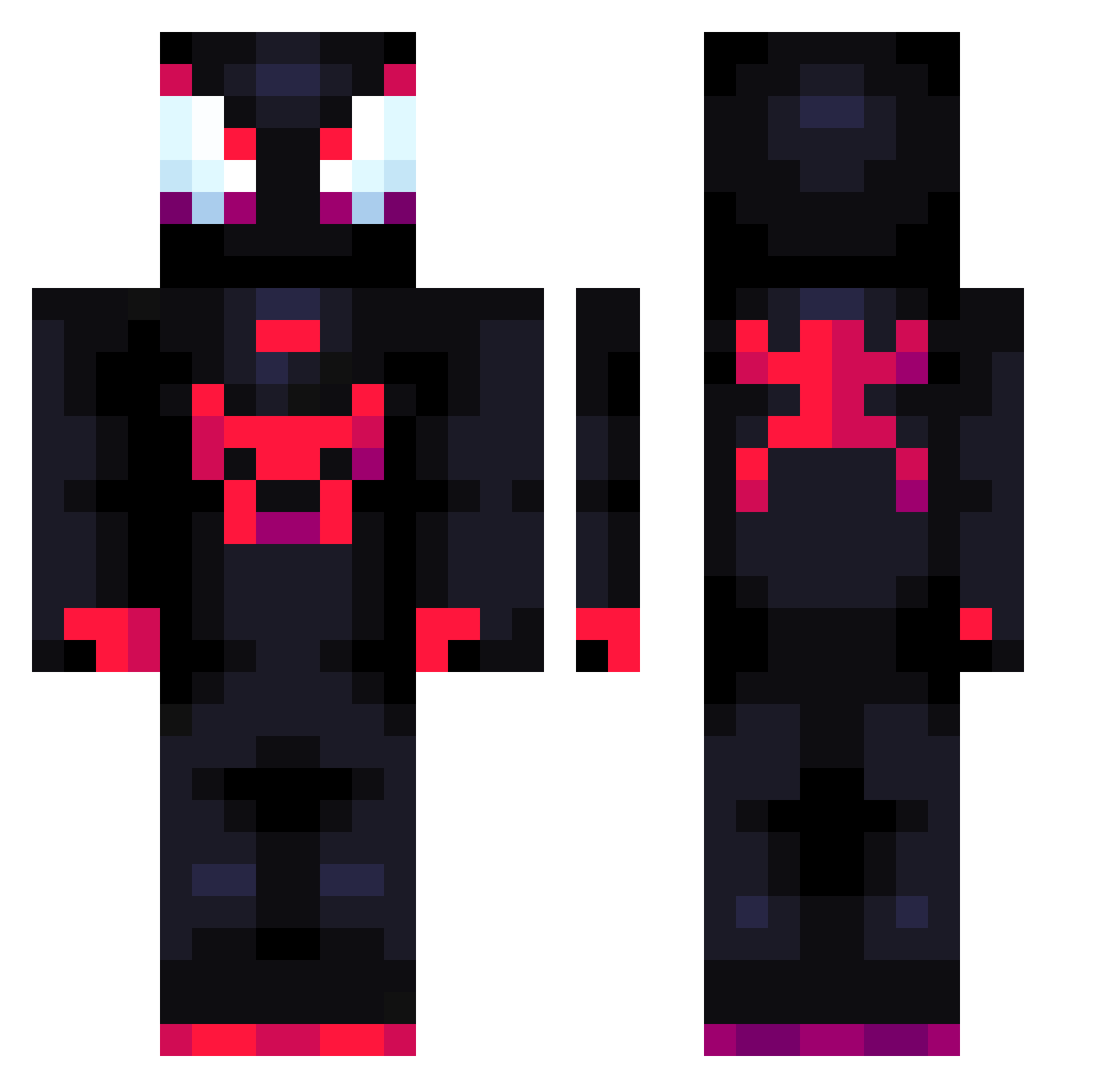
Current Minecraft skin of the player malacria3124, loaded from the official Mojang API. Rotate the 3D model with your mouse or finger, then download the skin as a PNG file and use it in Minecraft: Bedrock Edition or Java Edition for free. When malacria3124 changes their skin, this page updates automatically and the old skin stays in the history below.
Other players with this skin (792)
malacria3124 was the 365th player we have seen with this skin, first spotted on 12.09.2026. The same skin was seen on these players. Open a nickname to see their current skin and skin history.
 AMC_Theatres imStarboyz xCommanderSkull lParkeer ManuFlyFlo SizableRug stupidbent Oktikk Luiss0177 Junchinett GAIDEN4 danielpereira259 Oscar2shxt LydiasHusband stabl_ Cap10Dog LANDO0317 Klausdragonov7 DarkRepulser06 Chorin9 InnnerEve Jankesik1234 nekonecron Lil_Ph0 Frxstyy9 Franchas Minjilover geronahuel Theleobecool Averyout fuseeee____ xKriim Zielara Wittymussel noezelaya FrikU200 Elm591 Mihirgames Solojuancho dreannyh P00mmy ItsDiversify novathewise snick06 OZNE11 Gliss78 Creheda jojis2008 POTATONUV Krish2507 Im_Miles_Morales Jalzn Sakymoon TM_Joaquin j00ii CrazyWolft alive adrian02338 Mrpapu2 LucadaSavage21
More Miles Morales Minecraft skins
See all 256 Miles Morales skins
How to install the malacria3124 skin
- Press the Download button above to save the skin as a PNG file.
- Minecraft: Bedrock Edition (PE): open the Dressing Room from the main menu (or tap your character → Edit Character), go to Classic Skins → Owned, press the + (new skin) button, choose the downloaded PNG and pick the Classic (Steve) model. Works on PC and mobile; consoles cannot import custom skins.
- Minecraft: Java Edition: open the Minecraft Launcher, go to the Skins tab, click New Skin, load the PNG, pick the Classic (Steve) model and press Save & Use. You can also upload it at minecraft.net → Profile → Change Skin.
The skin does not show up after import - what should I do?
Restart Minecraft and open the Dressing Room again - imported skins sometimes appear only after a restart. Also make sure you selected the imported skin and picked the Classic (Steve) model.
Which model should I choose, Classic or Slim?
This skin is designed for the Classic (Steve) model. If you pick the wrong model, the arms of the skin will look stretched or squeezed.
Is the skin of malacria3124 free to download?
Yes. Press Download, save the PNG file and use it in Minecraft: Bedrock Edition or Java Edition - no payment or registration needed. The skin also works on multiplayer servers and Realms.
More skins
Looking for more? Go back to all Minecraft skins and check the top skins of the week, month and all time, or find any player's skin by nickname.