
magicaliceberg - Minecraft Skins & Skin History
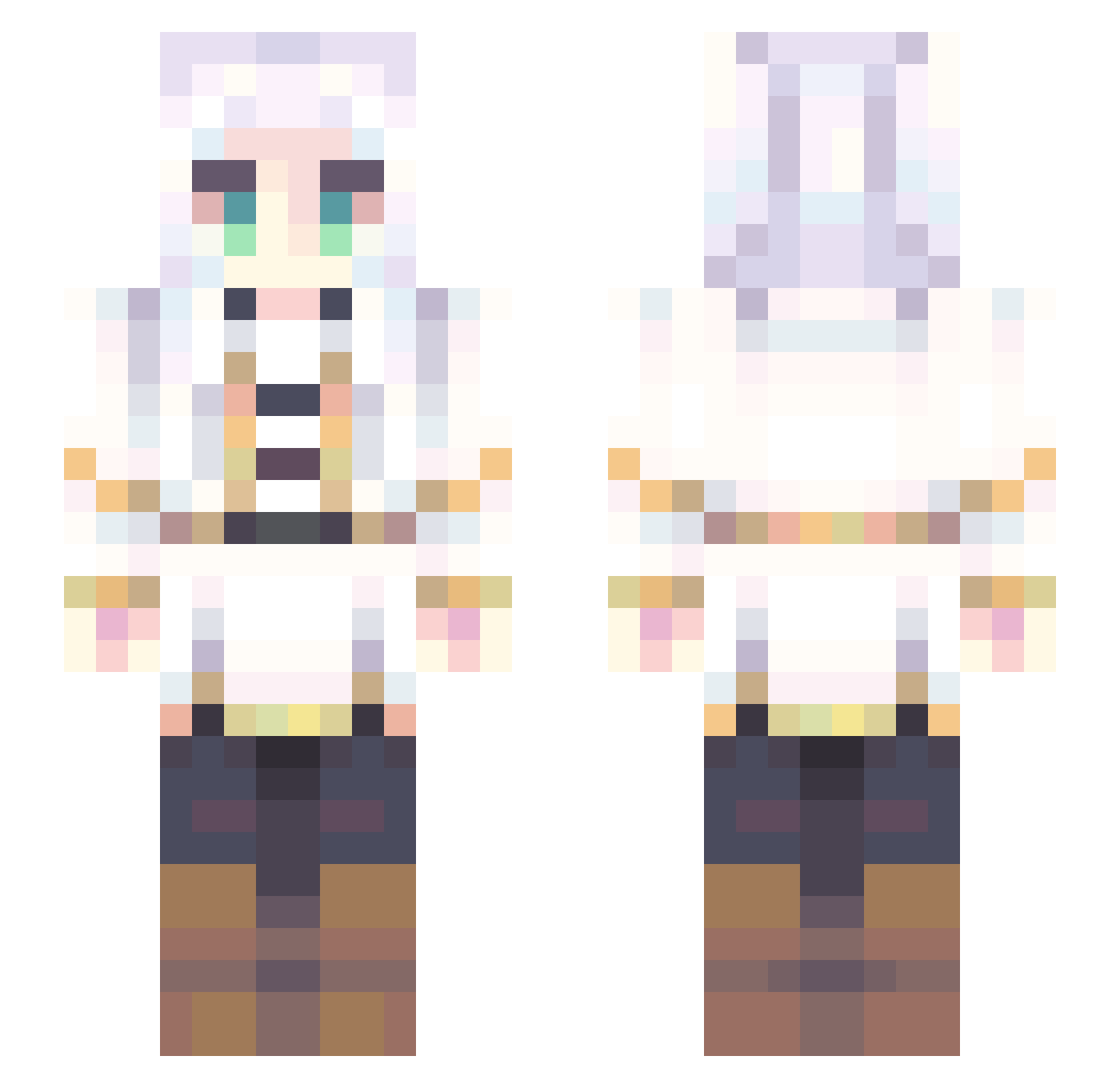
Current Minecraft skin of the player magicaliceberg, loaded from the official Mojang API. Rotate the 3D model with your mouse or finger, then download the skin as a PNG file and use it in Minecraft: Bedrock Edition or Java Edition for free. When magicaliceberg changes their skin, this page updates automatically and the old skin stays in the history below.
Other players with this skin (861)
magicaliceberg was the 825th player we have seen with this skin, first spotted on 14.11.2026. The same skin was seen on these players. Open a nickname to see their current skin and skin history.
 cerealwithnomilk Lynchie ONIICHAN3 DCNorbert annie11530 twoveggie Annakin9 Alphuuu MikeFox234 M3bo Nerynne uuRein asgosdeb Delvi000 BiawakNgaret NvsNox MeiAgiaru brian1975 So_Unlucky TimNoel2 pommepuf pisagi19 maayanei Apa11x kuroki1015 Nox_e Hadri99 pgpg333 Vampiric999 oncego pqole Triskittay Trever_05 AdamitoPL ghostgremlinbby JellyTheBelly_ VoidsSoul Delle_Alli 0_0Soul0_0 Obamasball Crush2326 Keicy1x BigThiccyBoi sarco2005 wsejk Miko20111 Mkfunney Jayzcr kurosuzuran AthenaParthenos0 NewmanXS Skyxzy LittleFox3699 Roku_JPN dongpo618 komugimaru07 Nebulon333 Nabeh777 PykeESCA1 BCDan
More Fantasy Minecraft skins
How to install the magicaliceberg skin
- Press the Download button above to save the skin as a PNG file.
- Minecraft: Bedrock Edition (PE): open the Dressing Room from the main menu (or tap your character → Edit Character), go to Classic Skins → Owned, press the + (new skin) button, choose the downloaded PNG and pick the Slim (Alex) model. Works on PC and mobile; consoles cannot import custom skins.
- Minecraft: Java Edition: open the Minecraft Launcher, go to the Skins tab, click New Skin, load the PNG, pick the Slim (Alex) model and press Save & Use. You can also upload it at minecraft.net → Profile → Change Skin.
The skin does not show up after import - what should I do?
Restart Minecraft and open the Dressing Room again - imported skins sometimes appear only after a restart. Also make sure you selected the imported skin and picked the Slim (Alex) model.
Which model should I choose, Classic or Slim?
This skin is designed for the Slim (Alex) model. If you pick the wrong model, the arms of the skin will look stretched or squeezed.
Is the skin of magicaliceberg free to download?
Yes. Press Download, save the PNG file and use it in Minecraft: Bedrock Edition or Java Edition - no payment or registration needed. The skin also works on multiplayer servers and Realms.
More skins
Looking for more? Go back to all Minecraft skins and check the top skins of the week, month and all time, or find any player's skin by nickname.