
mackan4311 - Minecraft Skins & Skin History
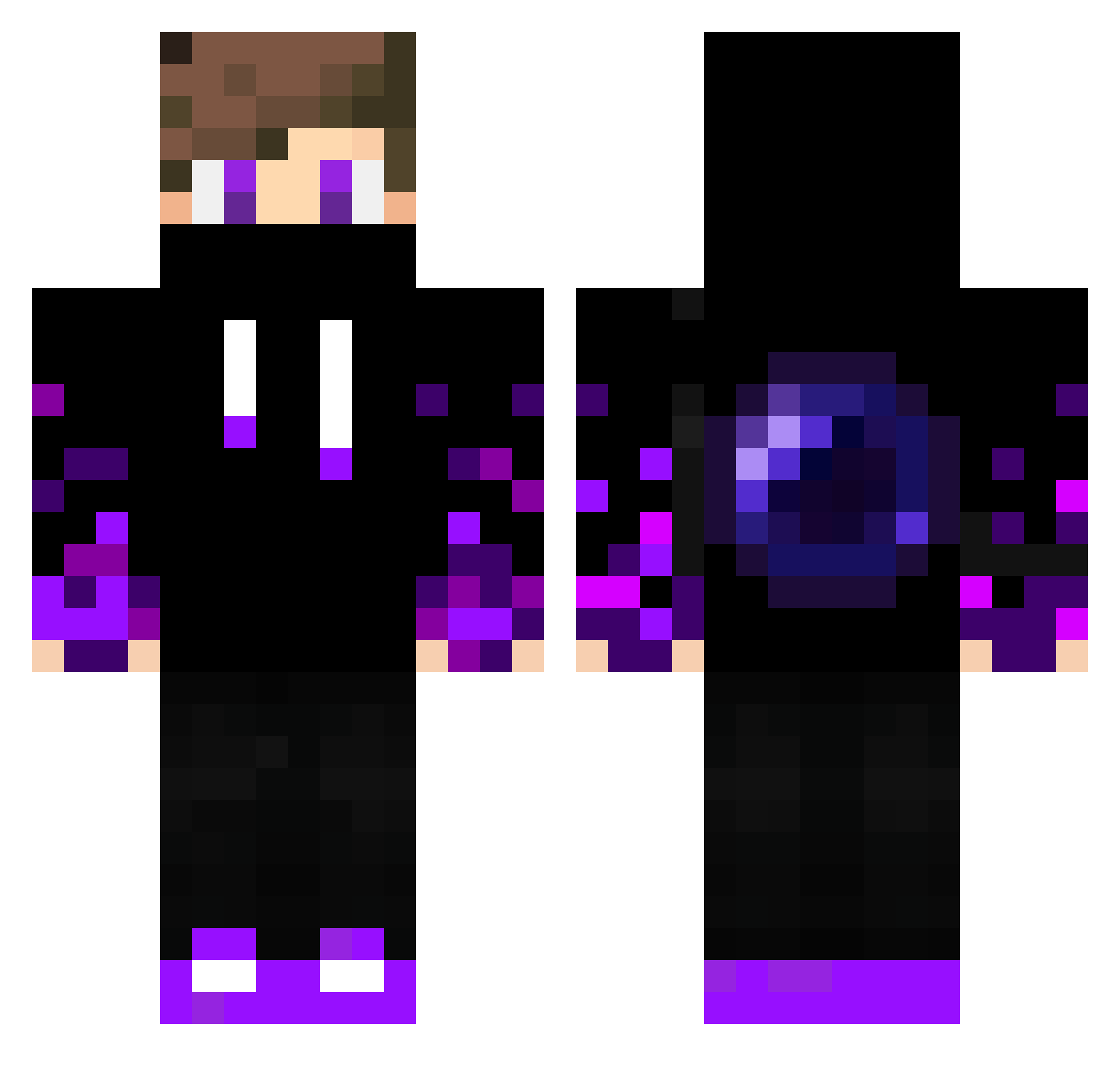
Current Minecraft skin of the player mackan4311, loaded from the official Mojang API. Rotate the 3D model with your mouse or finger, then download the skin as a PNG file and use it in Minecraft: Bedrock Edition or Java Edition for free. When mackan4311 changes their skin, this page updates automatically and the old skin stays in the history below.
Other players with this skin (399)
mackan4311 was the 399th player we have seen with this skin, first spotted on 19.11.2026. The same skin was seen on these players. Open a nickname to see their current skin and skin history.
 sweetweed444 stinkyblurta takayui Funyay12 Peyton0831 KAVADILASHH Black_Demon1 Elmar14701 BossCloud273097 Prettyboy Schiwie1234 MarickYT sstclan Larsie66 Meedd09 BachBenjamin74 GamerboyCarrots Gh0st746 Aliaslu Byngy2 Ondras1 Xenon030 elegator999 patatesdondorma WhiteTiiger16 Sykocountry Blackstacks_ Revenant4975 sky15 MrKonT007 Fluti shadowlord0011 WorxiFr schapentemmer16 TimmieTopper Tokioo07 A_Stant0n Saevvey cucubey DistortedSounds kapigacek213735 Lorys08 NumNik FourskinDealer Soda9047 Nyd3 NPCDon Comando03 Moziika JustLight RustJunky Tedi8 WonderBoy2008 seebeLeonard500 SRxMamiX Wolfis05 TheMarK1ng iNEEDtodo_urmom Zachary0323 pvsuzuki
More Ender Pearl Minecraft skins
How to install the mackan4311 skin
- Press the Download button above to save the skin as a PNG file.
- Minecraft: Bedrock Edition (PE): open the Dressing Room from the main menu (or tap your character → Edit Character), go to Classic Skins → Owned, press the + (new skin) button, choose the downloaded PNG and pick the Classic (Steve) model. Works on PC and mobile; consoles cannot import custom skins.
- Minecraft: Java Edition: open the Minecraft Launcher, go to the Skins tab, click New Skin, load the PNG, pick the Classic (Steve) model and press Save & Use. You can also upload it at minecraft.net → Profile → Change Skin.
The skin does not show up after import - what should I do?
Restart Minecraft and open the Dressing Room again - imported skins sometimes appear only after a restart. Also make sure you selected the imported skin and picked the Classic (Steve) model.
Which model should I choose, Classic or Slim?
This skin is designed for the Classic (Steve) model. If you pick the wrong model, the arms of the skin will look stretched or squeezed.
Is the skin of mackan4311 free to download?
Yes. Press Download, save the PNG file and use it in Minecraft: Bedrock Edition or Java Edition - no payment or registration needed. The skin also works on multiplayer servers and Realms.
More skins
Looking for more? Go back to all Minecraft skins and check the top skins of the week, month and all time, or find any player's skin by nickname.