
macio14 - Minecraft Skins & Skin History
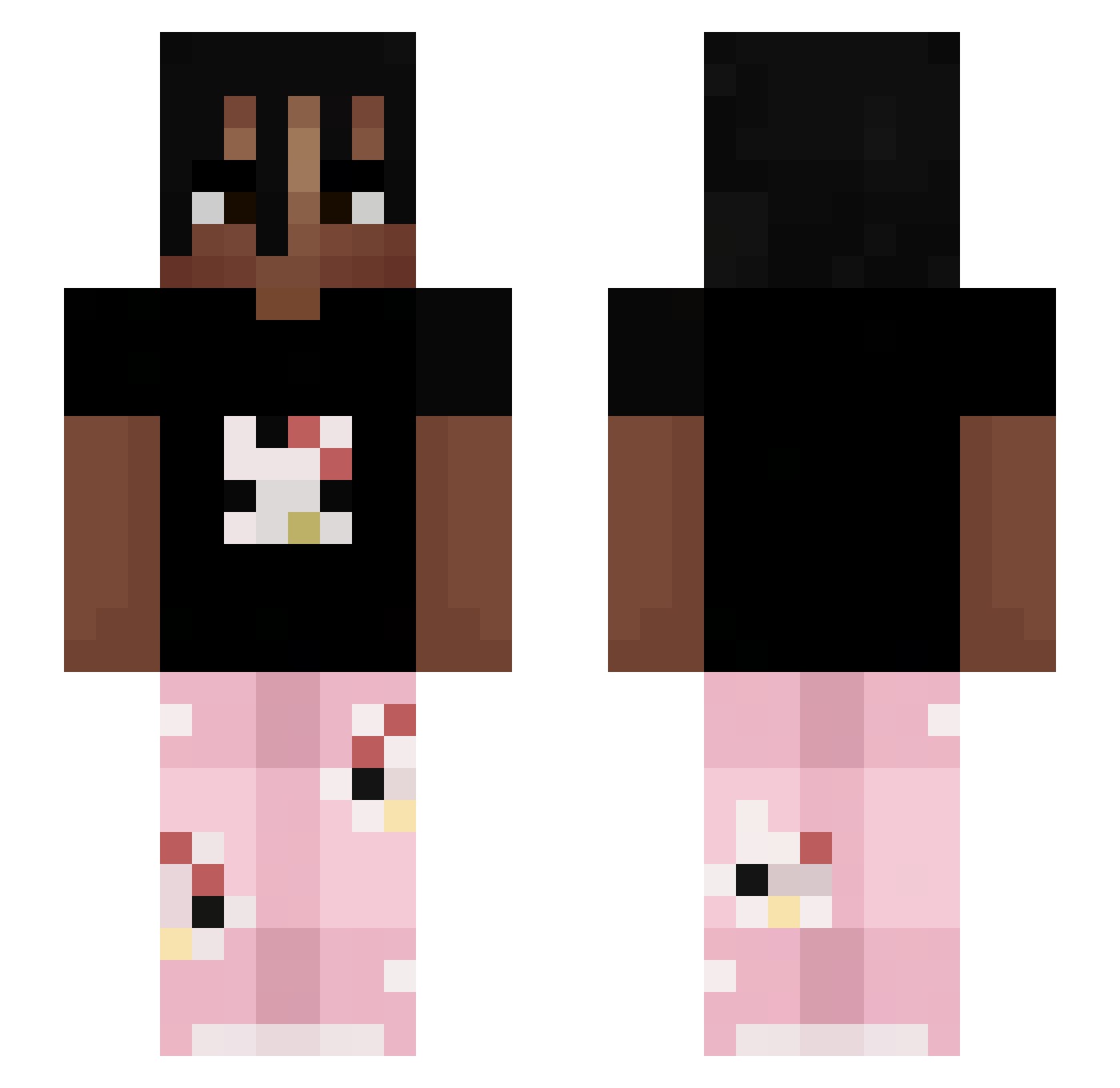
Current Minecraft skin of the player macio14, loaded from the official Mojang API. Rotate the 3D model with your mouse or finger, then download the skin as a PNG file and use it in Minecraft: Bedrock Edition or Java Edition for free. When macio14 changes their skin, this page updates automatically and the old skin stays in the history below.
Other players with this skin (263)
macio14 was the 123rd player we have seen with this skin, first spotted on 18.09.2026. The same skin was seen on these players. Open a nickname to see their current skin and skin history.
 spiderboys2 MSkt2000 Chepnor Lxon0910 ephraim7777 Martin_The_Boss Cloudy130 Plxxy nigwer Prunes3 heracheck 3_qs Stuv_ lukedluz Sasuke48214 VBomB3czka_ raid_41 SMEI_Snipezz BeeLyash The_Lost_boy19 M0ritzHD Zayjeon IGotTeetime JustCallMeAvi youngnougat huGooy Sugar2908 Narik3 Donatel0o FlitzpiepeGHG JimmyJones32 bl1kqq Gangstalker47 faeldraco energyneverdie XsfenX ae_uli Lionel_11 lil_nut_ Dwayne0501 East22 Xim5 wyxxnt Ninja_spatial EchoBruBru deadbodyrepoe Theethawat Jeronimozz JustBigBearr BCT_P4rzival Mec2Nantes sneakpeaks W0LE monkeeysniper321 Dragon6434 Bell_999 QSYDaito WORDIFIED BJRUN0 MetalStar3535
More Juice WRLD Minecraft skins
How to install the macio14 skin
- Press the Download button above to save the skin as a PNG file.
- Minecraft: Bedrock Edition (PE): open the Dressing Room from the main menu (or tap your character → Edit Character), go to Classic Skins → Owned, press the + (new skin) button, choose the downloaded PNG and pick the Slim (Alex) model. Works on PC and mobile; consoles cannot import custom skins.
- Minecraft: Java Edition: open the Minecraft Launcher, go to the Skins tab, click New Skin, load the PNG, pick the Slim (Alex) model and press Save & Use. You can also upload it at minecraft.net → Profile → Change Skin.
The skin does not show up after import - what should I do?
Restart Minecraft and open the Dressing Room again - imported skins sometimes appear only after a restart. Also make sure you selected the imported skin and picked the Slim (Alex) model.
Which model should I choose, Classic or Slim?
This skin is designed for the Slim (Alex) model. If you pick the wrong model, the arms of the skin will look stretched or squeezed.
Is the skin of macio14 free to download?
Yes. Press Download, save the PNG file and use it in Minecraft: Bedrock Edition or Java Edition - no payment or registration needed. The skin also works on multiplayer servers and Realms.
More skins
Looking for more? Go back to all Minecraft skins and check the top skins of the week, month and all time, or find any player's skin by nickname.