
mDD__ - Minecraft Skins & Skin History
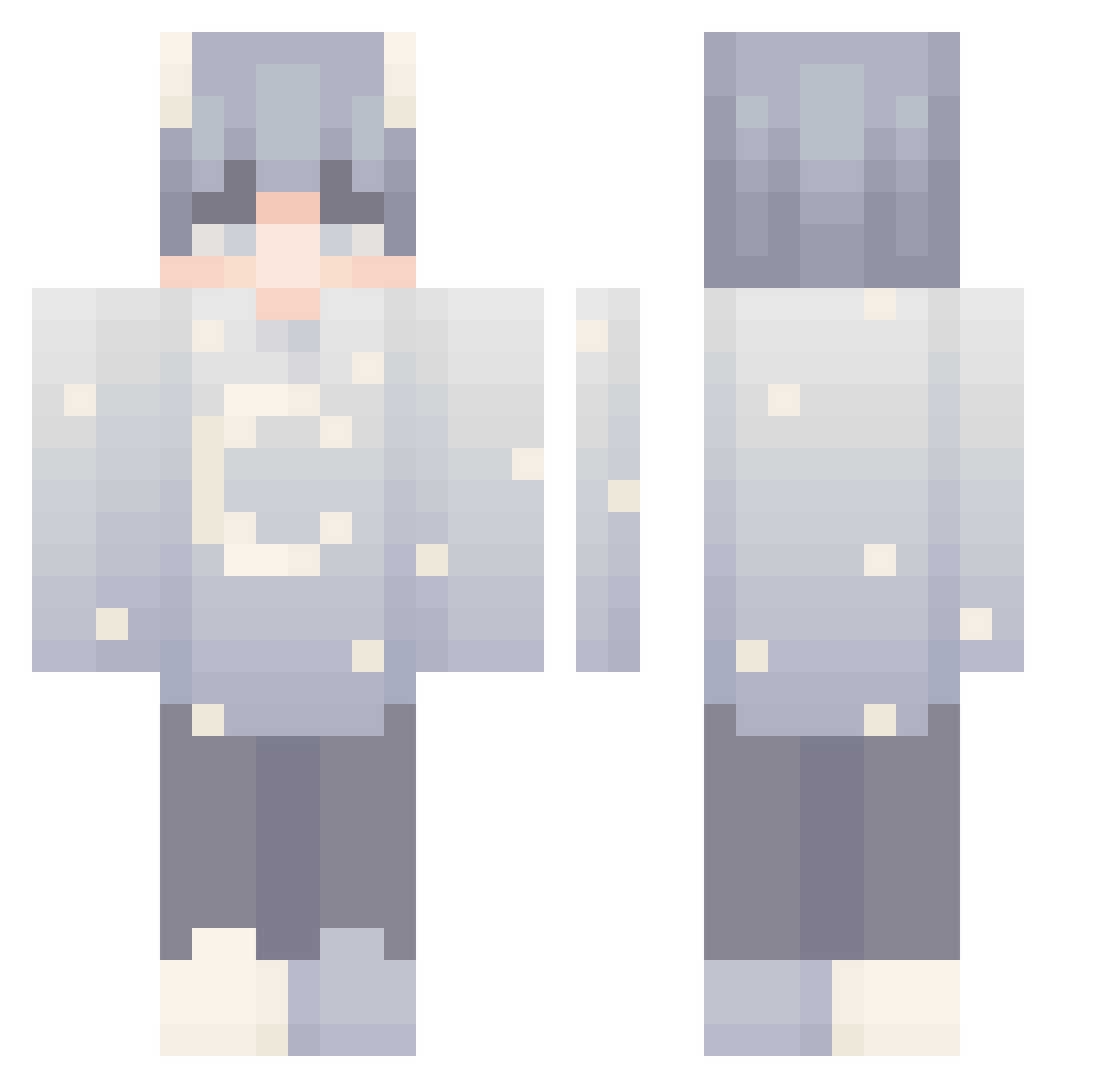
Current Minecraft skin of the player mDD__, loaded from the official Mojang API. Rotate the 3D model with your mouse or finger, then download the skin as a PNG file and use it in Minecraft: Bedrock Edition or Java Edition for free. When mDD__ changes their skin, this page updates automatically and the old skin stays in the history below.
Other players with this skin (144)
mDD__ was the 59th player we have seen with this skin, first spotted on 31.08.2026. The same skin was seen on these players. Open a nickname to see their current skin and skin history.
 FUNNY1277 MexoUwU Ilycps Alicate_ Henry_WY CactusLy cranke maxitrolha ssFFs limeparfait Darjmo Juvilix_ Anth0ny7 PazIsaac A0T25 Omnisol EatSomeSpeculoos nanUnicorn Herobluster lorymax cookie434 Taowlex Coyotepack35 sleepyboyyz random_straw Lunar_DC ProDragon1234 herohan YoungBecky FqxtY E0XIN PERHDXY Spanner_KK AzeTuT Xenobro_ they_luv_john 246_phongdz
 Nxll__ lf_tumi HYUNKIKI84 seojinne floralveined kqdr1la lbitbt AlonTheFoxy ClownShark Danigita sunset748 Salamander1453 SandBag__ AndreW_1337 Bean_Bug ottotheotto _poopy mchk_tMiip_1124 Dr31ws Steadtheplate TtwIlIghtT cat710327 LUNED4M00N
More Stars Minecraft skins
How to install the mDD__ skin
- Press the Download button above to save the skin as a PNG file.
- Minecraft: Bedrock Edition (PE): open the Dressing Room from the main menu (or tap your character → Edit Character), go to Classic Skins → Owned, press the + (new skin) button, choose the downloaded PNG and pick the Classic (Steve) model. Works on PC and mobile; consoles cannot import custom skins.
- Minecraft: Java Edition: open the Minecraft Launcher, go to the Skins tab, click New Skin, load the PNG, pick the Classic (Steve) model and press Save & Use. You can also upload it at minecraft.net → Profile → Change Skin.
The skin does not show up after import - what should I do?
Restart Minecraft and open the Dressing Room again - imported skins sometimes appear only after a restart. Also make sure you selected the imported skin and picked the Classic (Steve) model.
Which model should I choose, Classic or Slim?
This skin is designed for the Classic (Steve) model. If you pick the wrong model, the arms of the skin will look stretched or squeezed.
Is the skin of mDD__ free to download?
Yes. Press Download, save the PNG file and use it in Minecraft: Bedrock Edition or Java Edition - no payment or registration needed. The skin also works on multiplayer servers and Realms.
More skins
Looking for more? Go back to all Minecraft skins and check the top skins of the week, month and all time, or find any player's skin by nickname.