
m4rlenchen - Minecraft Skins & Skin History
Current Minecraft skin of the player m4rlenchen, loaded from the official Mojang API. Rotate the 3D model with your mouse or finger, then download the skin as a PNG file and use it in Minecraft: Bedrock Edition or Java Edition for free. When m4rlenchen changes their skin, this page updates automatically and the old skin stays in the history below.
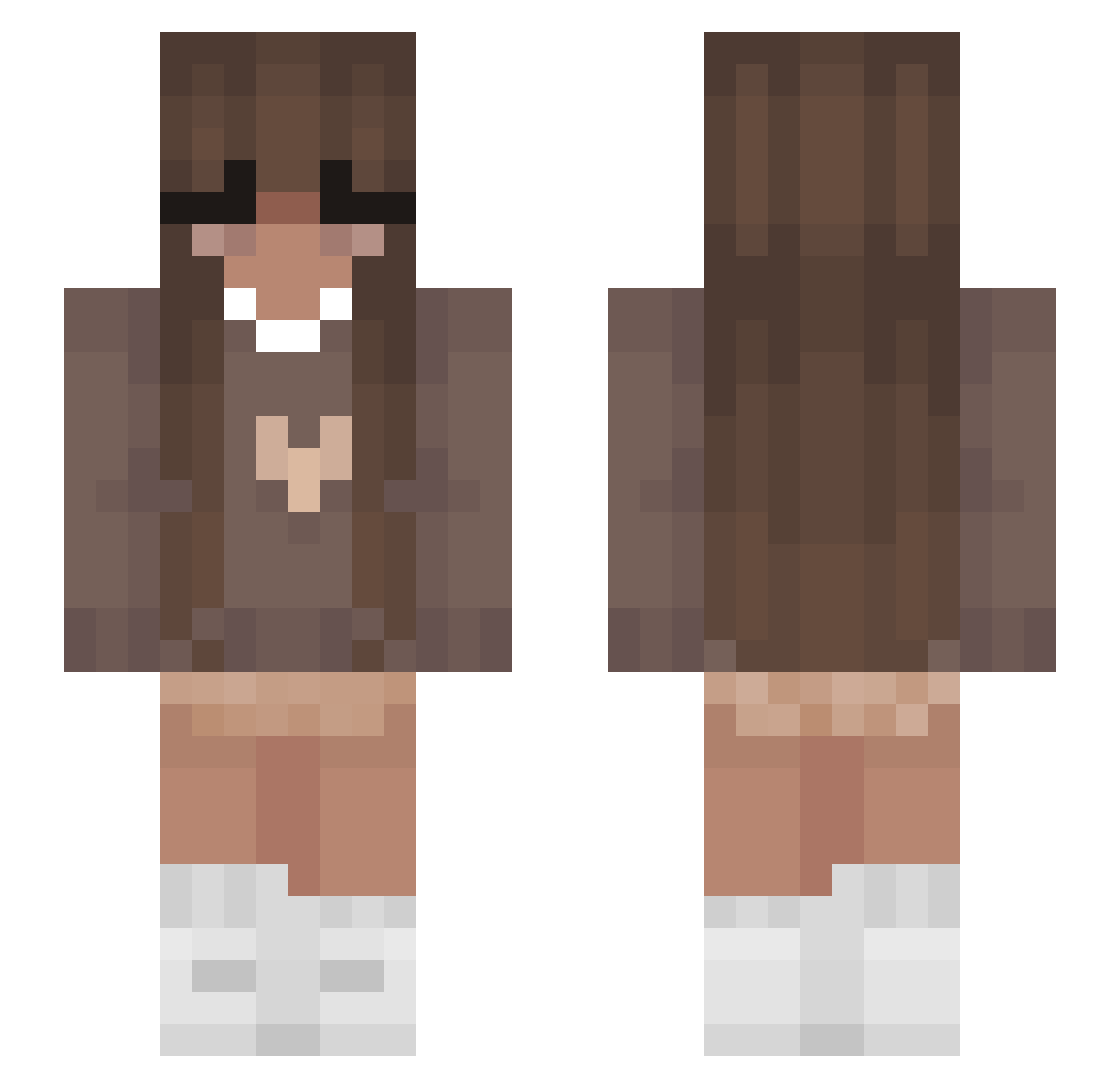
Other players with this skin (355)
m4rlenchen was the 317th player we have seen with this skin, first spotted on 22.10.2026. The same skin was seen on these players. Open a nickname to see their current skin and skin history.
 lululesbian XxxMartusxRosex xSplixe KKiko211 KebbabJullan Ota_69 Linoshka Moonylve sk84life65 sllytherin A_svna ImTheMann Mar_cyy wiwix2010 KaidaZhang Bella428 Viburnum2020 _aqx_ mvystii fabiaborza axqvnt aubbro Buenoboi ukulayle Calista253 mimikitty48 StarShatterr candipop33 minygii jen_is_robert CassidieDiane Major_baddie Remmie1 FledSaucer62978 sinemderin selma29 Nikooooool 1v22 Mononuii xSarahh TheDrifter_RR dwc_06 XxLetsPlayx1 Magicial taala_ Marie2901 GCPlays2022 matiwolf123 Chocolate_Fair orcaax qlflea lvvrgabz elizuhhh CamiWinkle ilysai mommydia SweetRoxy01 succulentpork evb10 PakisAlt2
More Cozy Minecraft skins
How to install the m4rlenchen skin
- Press the Download button above to save the skin as a PNG file.
- Minecraft: Bedrock Edition (PE): open the Dressing Room from the main menu (or tap your character → Edit Character), go to Classic Skins → Owned, press the + (new skin) button, choose the downloaded PNG and pick the Slim (Alex) model. Works on PC and mobile; consoles cannot import custom skins.
- Minecraft: Java Edition: open the Minecraft Launcher, go to the Skins tab, click New Skin, load the PNG, pick the Slim (Alex) model and press Save & Use. You can also upload it at minecraft.net → Profile → Change Skin.
The skin does not show up after import - what should I do?
Restart Minecraft and open the Dressing Room again - imported skins sometimes appear only after a restart. Also make sure you selected the imported skin and picked the Slim (Alex) model.
Which model should I choose, Classic or Slim?
This skin is designed for the Slim (Alex) model. If you pick the wrong model, the arms of the skin will look stretched or squeezed.
Is the skin of m4rlenchen free to download?
Yes. Press Download, save the PNG file and use it in Minecraft: Bedrock Edition or Java Edition - no payment or registration needed. The skin also works on multiplayer servers and Realms.
More skins
Looking for more? Go back to all Minecraft skins and check the top skins of the week, month and all time, or find any player's skin by nickname.