
m1hqi - Minecraft Skins & Skin History
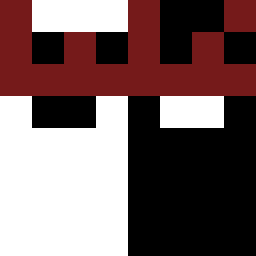
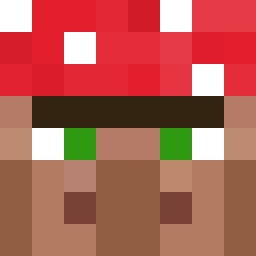
Current Minecraft skin of the player m1hqi, loaded from the official Mojang API. Rotate the 3D model with your mouse or finger, then download the skin as a PNG file and use it in Minecraft: Bedrock Edition or Java Edition for free. When m1hqi changes their skin, this page updates automatically and the old skin stays in the history below.

Other players with this skin (4115)
m1hqi was the 1462nd player we have seen with this skin, first spotted on 28.08.2026. The same skin was seen on these players. Open a nickname to see their current skin and skin history.
 ab6e sasthis fhootie 789bananao
 Delapsed FredrikNord Palorea BeKnight SJ1307 Ryu_With_SRB VegardH sldoalroqhwl HiddenFOX217 Scard4lyfe Glenfield Whatso Paleontological AmonAlit Fellwyrm EclipseLovesYou Hot_Stone
 Norhound Y4acTb NonSlip ooloops Thomas77418 embodier kobibigmeow starters
 Soldat_PL
 27th8_syndra skatism
 ShieldDisabled Bribribri Ryudaeng __Get_rEkT_ jbowlesyboy1 junesadwafs JaredFoggel69420 Hamatum Shunter Sordino Sorasuisei doublingo FIDDE187 Luckyyys Phrasing YouWantCookies Order__66__ EvanCogs Assimilator Backwerds Toivel arrowgod46 FrazerTheGamer BMWM2 PanhandlePossum DaweBerry Cloudtop_City bashuur
How to install the m1hqi skin
- Press the Download button above to save the skin as a PNG file.
- Minecraft: Bedrock Edition (PE): open the Dressing Room from the main menu (or tap your character → Edit Character), go to Classic Skins → Owned, press the + (new skin) button, choose the downloaded PNG and pick the Classic (Steve) model. Works on PC and mobile; consoles cannot import custom skins.
- Minecraft: Java Edition: open the Minecraft Launcher, go to the Skins tab, click New Skin, load the PNG, pick the Classic (Steve) model and press Save & Use. You can also upload it at minecraft.net → Profile → Change Skin.
The skin does not show up after import - what should I do?
Restart Minecraft and open the Dressing Room again - imported skins sometimes appear only after a restart. Also make sure you selected the imported skin and picked the Classic (Steve) model.
Which model should I choose, Classic or Slim?
This skin is designed for the Classic (Steve) model. If you pick the wrong model, the arms of the skin will look stretched or squeezed.
Is the skin of m1hqi free to download?
Yes. Press Download, save the PNG file and use it in Minecraft: Bedrock Edition or Java Edition - no payment or registration needed. The skin also works on multiplayer servers and Realms.
More skins
Looking for more? Go back to all Minecraft skins and check the top skins of the week, month and all time, or find any player's skin by nickname.