
m0thjpeg - Minecraft Skins & Skin History
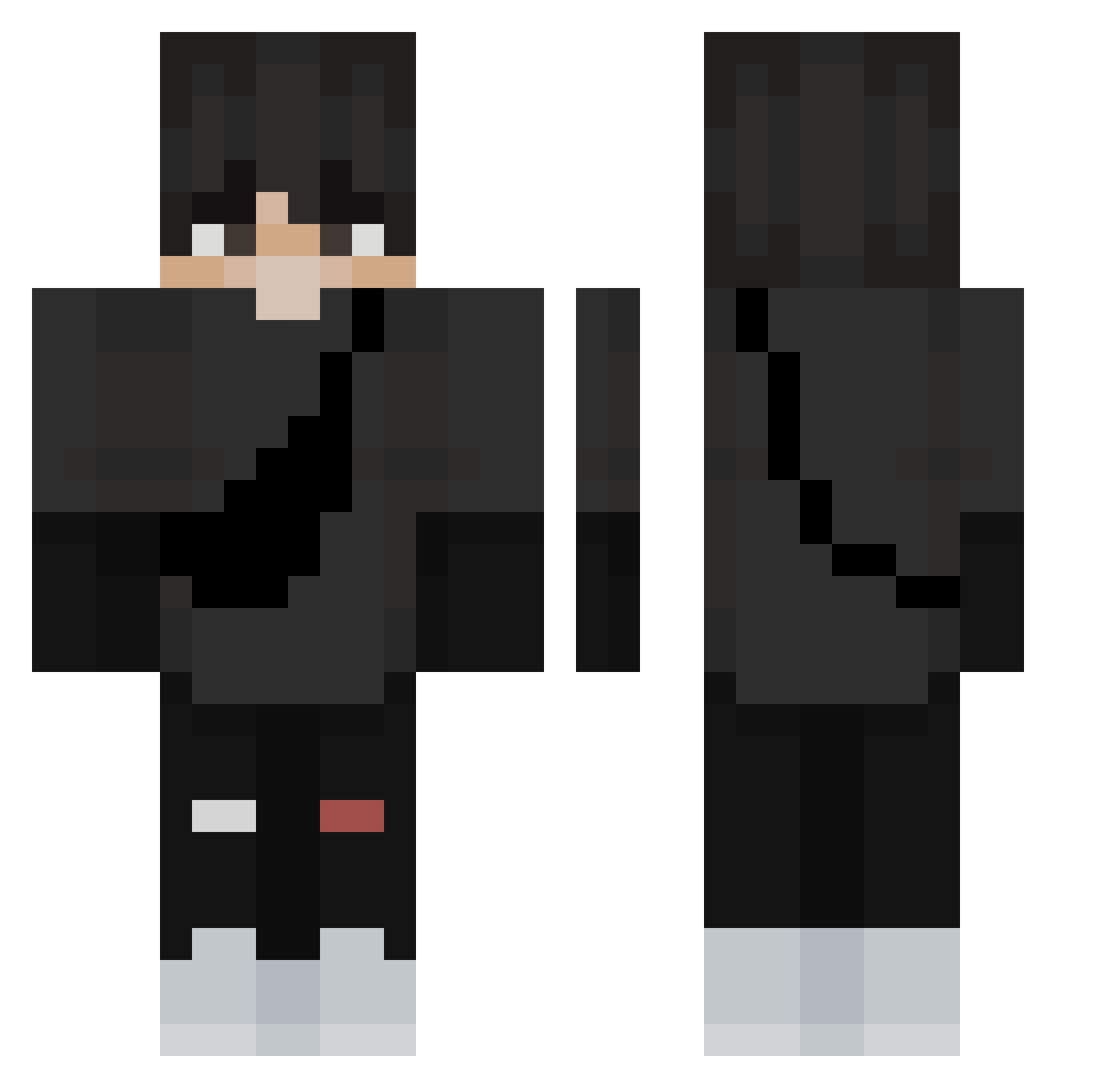
Current Minecraft skin of the player m0thjpeg, loaded from the official Mojang API. Rotate the 3D model with your mouse or finger, then download the skin as a PNG file and use it in Minecraft: Bedrock Edition or Java Edition for free. When m0thjpeg changes their skin, this page updates automatically and the old skin stays in the history below.
Other players with this skin (269)
m0thjpeg was the 208th player we have seen with this skin, first spotted on 04.10.2026. The same skin was seen on these players. Open a nickname to see their current skin and skin history.
 Alcatras04 Kaputski EuanBCFC2590 Galacsheeesh Draxer101 bernaditos Qdek69 Kaiting AnGeLx19 Skullz0911 SegaGaming Iamgull HEEMIN_N r4lfers romviolet play_2_win FireFlashh MILESRZ MrNoACL mullamatic MichalWiertarka sakucinn Ctoddmx 637crispy _BronstigeBram_ StryderKai Telesto_018 Luzifersdragon ZxRyZe ignatons miaduz vigilante2424 TheAngel_Kiddo emanuelmendes kufel xMalyszek__ TeTeu_28 blechu1 Riltro RyanShifty GawrGua EdgyCamp4379179 CoTiJeDoToho QuanGu baykx EgeCK NDTRH MASIK Speckledtat Leon3109 USAGI691 basicraids57929 LoukiSGE YOHO1000203 Paraban2 devilwidowhaze Yudonggeun0208 ANGEL810 zxitei minjae0828
More E Boy Minecraft skins
How to install the m0thjpeg skin
- Press the Download button above to save the skin as a PNG file.
- Minecraft: Bedrock Edition (PE): open the Dressing Room from the main menu (or tap your character → Edit Character), go to Classic Skins → Owned, press the + (new skin) button, choose the downloaded PNG and pick the Classic (Steve) model. Works on PC and mobile; consoles cannot import custom skins.
- Minecraft: Java Edition: open the Minecraft Launcher, go to the Skins tab, click New Skin, load the PNG, pick the Classic (Steve) model and press Save & Use. You can also upload it at minecraft.net → Profile → Change Skin.
The skin does not show up after import - what should I do?
Restart Minecraft and open the Dressing Room again - imported skins sometimes appear only after a restart. Also make sure you selected the imported skin and picked the Classic (Steve) model.
Which model should I choose, Classic or Slim?
This skin is designed for the Classic (Steve) model. If you pick the wrong model, the arms of the skin will look stretched or squeezed.
Is the skin of m0thjpeg free to download?
Yes. Press Download, save the PNG file and use it in Minecraft: Bedrock Edition or Java Edition - no payment or registration needed. The skin also works on multiplayer servers and Realms.
More skins
Looking for more? Go back to all Minecraft skins and check the top skins of the week, month and all time, or find any player's skin by nickname.