
m0ove - Minecraft Skins & Skin History
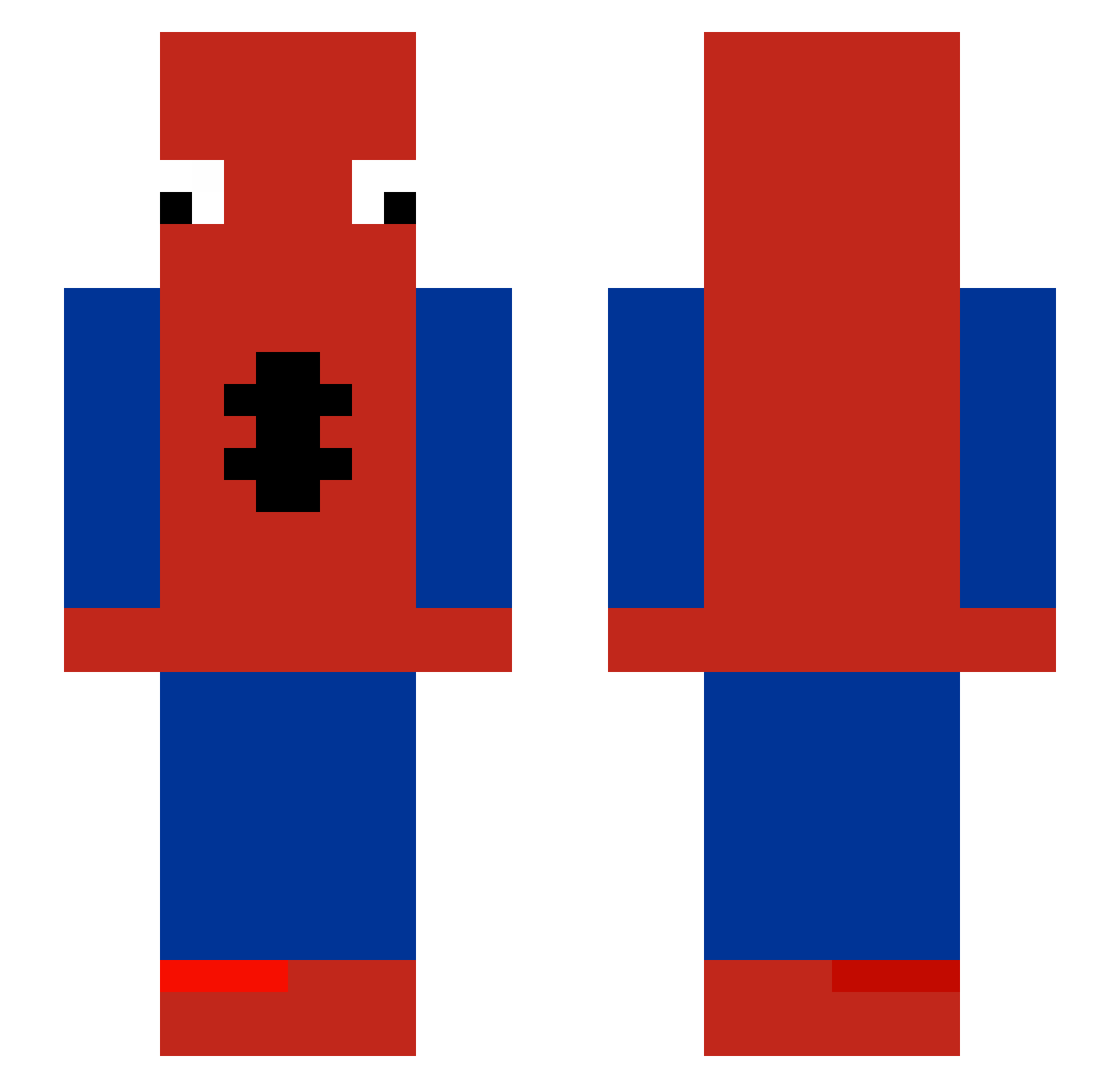
Current Minecraft skin of the player m0ove, loaded from the official Mojang API. Rotate the 3D model with your mouse or finger, then download the skin as a PNG file and use it in Minecraft: Bedrock Edition or Java Edition for free. When m0ove changes their skin, this page updates automatically and the old skin stays in the history below.
Other players with this skin (579)
m0ove was the 564th player we have seen with this skin, first spotted on 16.11.2026. The same skin was seen on these players. Open a nickname to see their current skin and skin history.
 LT3Goat1 Yussefggg baehyuk wrld_antho Pepo0008 C0de018 vincent_84c maxim231546 GERX999 diegzx cerebro19 100KI top_oh_2 RoninRevil BEN_123321 MhunTho OliveOil7898 kaviorek6999 JhiruVTK Zilverl F4S7_ xpqa_ MDNinjaks mochizouu jr2shiesty ClickCrystals Chiken_IQ Sussyskibidi69 BaoMou Heya938 Consti1231 Dream4ik_ST i2ayan Trackerpr1 TLY_TTT DonaldCR Manitinho 4bpen zimoxo15 toxicabi ItsEthans elbenet MarcusLevel2350 Haddockkk Cejis 3azii Szary8264 rqasd Icyy01 EkMak31 Ney333 earthant110 Lionse0001 Fra_francuso88 borheeze Luuhki spidermaciek aiids__exe Gejnar KernelMav
More Spider-Man Minecraft skins
How to install the m0ove skin
- Press the Download button above to save the skin as a PNG file.
- Minecraft: Bedrock Edition (PE): open the Dressing Room from the main menu (or tap your character → Edit Character), go to Classic Skins → Owned, press the + (new skin) button, choose the downloaded PNG and pick the Slim (Alex) model. Works on PC and mobile; consoles cannot import custom skins.
- Minecraft: Java Edition: open the Minecraft Launcher, go to the Skins tab, click New Skin, load the PNG, pick the Slim (Alex) model and press Save & Use. You can also upload it at minecraft.net → Profile → Change Skin.
The skin does not show up after import - what should I do?
Restart Minecraft and open the Dressing Room again - imported skins sometimes appear only after a restart. Also make sure you selected the imported skin and picked the Slim (Alex) model.
Which model should I choose, Classic or Slim?
This skin is designed for the Slim (Alex) model. If you pick the wrong model, the arms of the skin will look stretched or squeezed.
Is the skin of m0ove free to download?
Yes. Press Download, save the PNG file and use it in Minecraft: Bedrock Edition or Java Edition - no payment or registration needed. The skin also works on multiplayer servers and Realms.
More skins
Looking for more? Go back to all Minecraft skins and check the top skins of the week, month and all time, or find any player's skin by nickname.