
m0ha59 - Minecraft Skins & Skin History
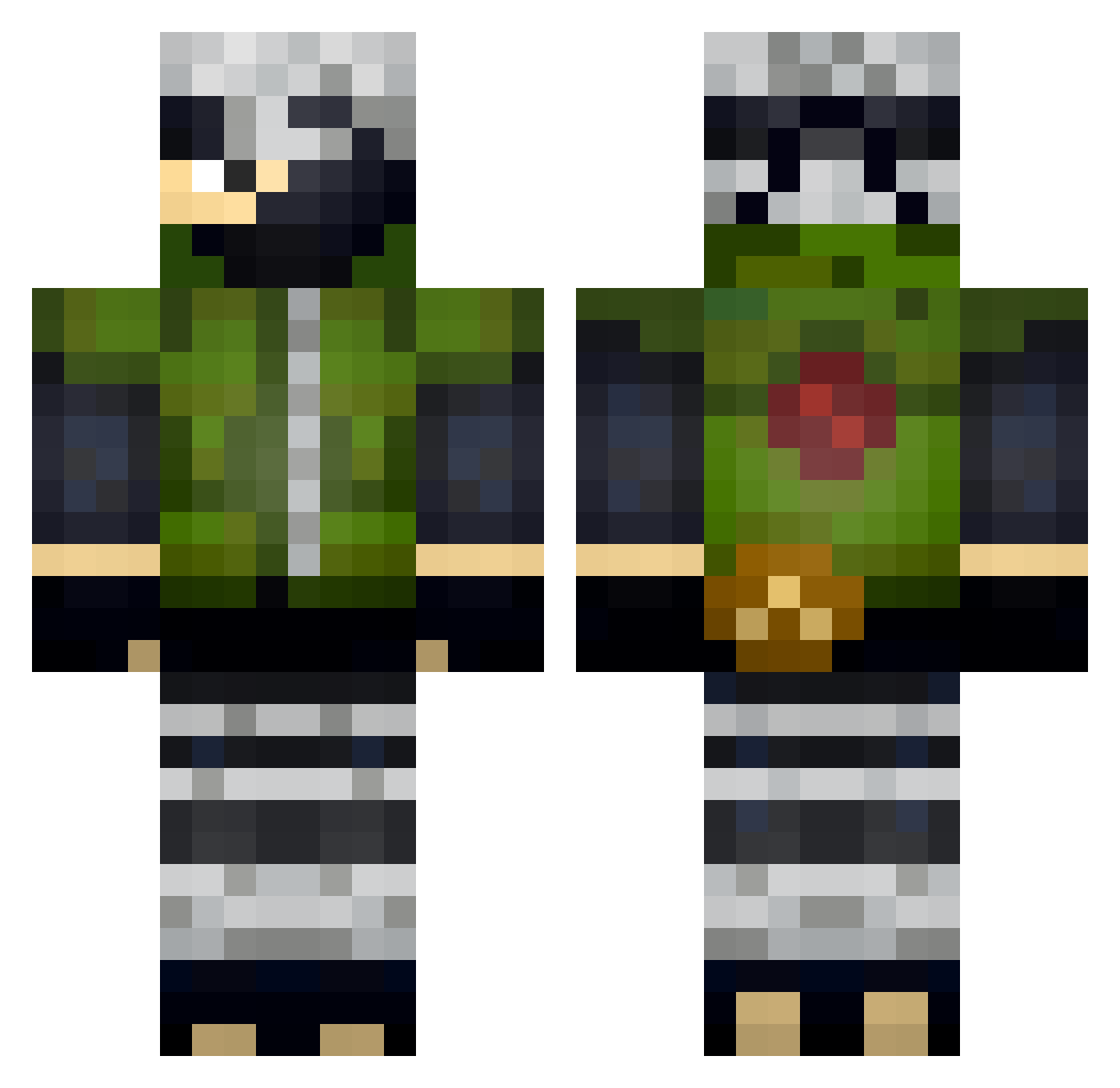
Current Minecraft skin of the player m0ha59, loaded from the official Mojang API. Rotate the 3D model with your mouse or finger, then download the skin as a PNG file and use it in Minecraft: Bedrock Edition or Java Edition for free. When m0ha59 changes their skin, this page updates automatically and the old skin stays in the history below.
Other players with this skin (401)
m0ha59 was the 372nd player we have seen with this skin, first spotted on 11.11.2026. The same skin was seen on these players. Open a nickname to see their current skin and skin history.
 Khronictrap pe_Ace Ultrafauch PotroXucro Frostyman9 Christo1301 TDMKR17 NewtonJnr the_PirranN senayakawa A5t3n Breninho_Games Viniornelas YugiohMG Diamond4585 cmte32 Noviska Vaaapor tymciks123 higurashii JasonKoJK OoKillerDemonoO Ziffo22 DEATH_SINS Max_0611 Nannyblock TKL_Nate _Alphax_ mitch69_ peachpantss SXLVRIS iumKI kakashify karma32132 dontinho StiveBolado RickBarry Cowsisland _Hant_ wolfy2243 Jaykox Kakashi_1_Hatake BobbysidS Flash3d Andrux_8pump KuyaSmurph Zenfest F34R5 Saphi_HD TimentiBog BlackGhost083 Dess_11 ajeutke stealth8fr 355352006 Vicky2022 TheRadu cirilogueijo xblamex MCh3z
More Kakashi Hatake Minecraft skins
See all 526 Kakashi Hatake skins
How to install the m0ha59 skin
- Press the Download button above to save the skin as a PNG file.
- Minecraft: Bedrock Edition (PE): open the Dressing Room from the main menu (or tap your character → Edit Character), go to Classic Skins → Owned, press the + (new skin) button, choose the downloaded PNG and pick the Classic (Steve) model. Works on PC and mobile; consoles cannot import custom skins.
- Minecraft: Java Edition: open the Minecraft Launcher, go to the Skins tab, click New Skin, load the PNG, pick the Classic (Steve) model and press Save & Use. You can also upload it at minecraft.net → Profile → Change Skin.
The skin does not show up after import - what should I do?
Restart Minecraft and open the Dressing Room again - imported skins sometimes appear only after a restart. Also make sure you selected the imported skin and picked the Classic (Steve) model.
Which model should I choose, Classic or Slim?
This skin is designed for the Classic (Steve) model. If you pick the wrong model, the arms of the skin will look stretched or squeezed.
Is the skin of m0ha59 free to download?
Yes. Press Download, save the PNG file and use it in Minecraft: Bedrock Edition or Java Edition - no payment or registration needed. The skin also works on multiplayer servers and Realms.
More skins
Looking for more? Go back to all Minecraft skins and check the top skins of the week, month and all time, or find any player's skin by nickname.