
lustreabi - Minecraft Skins & Skin History
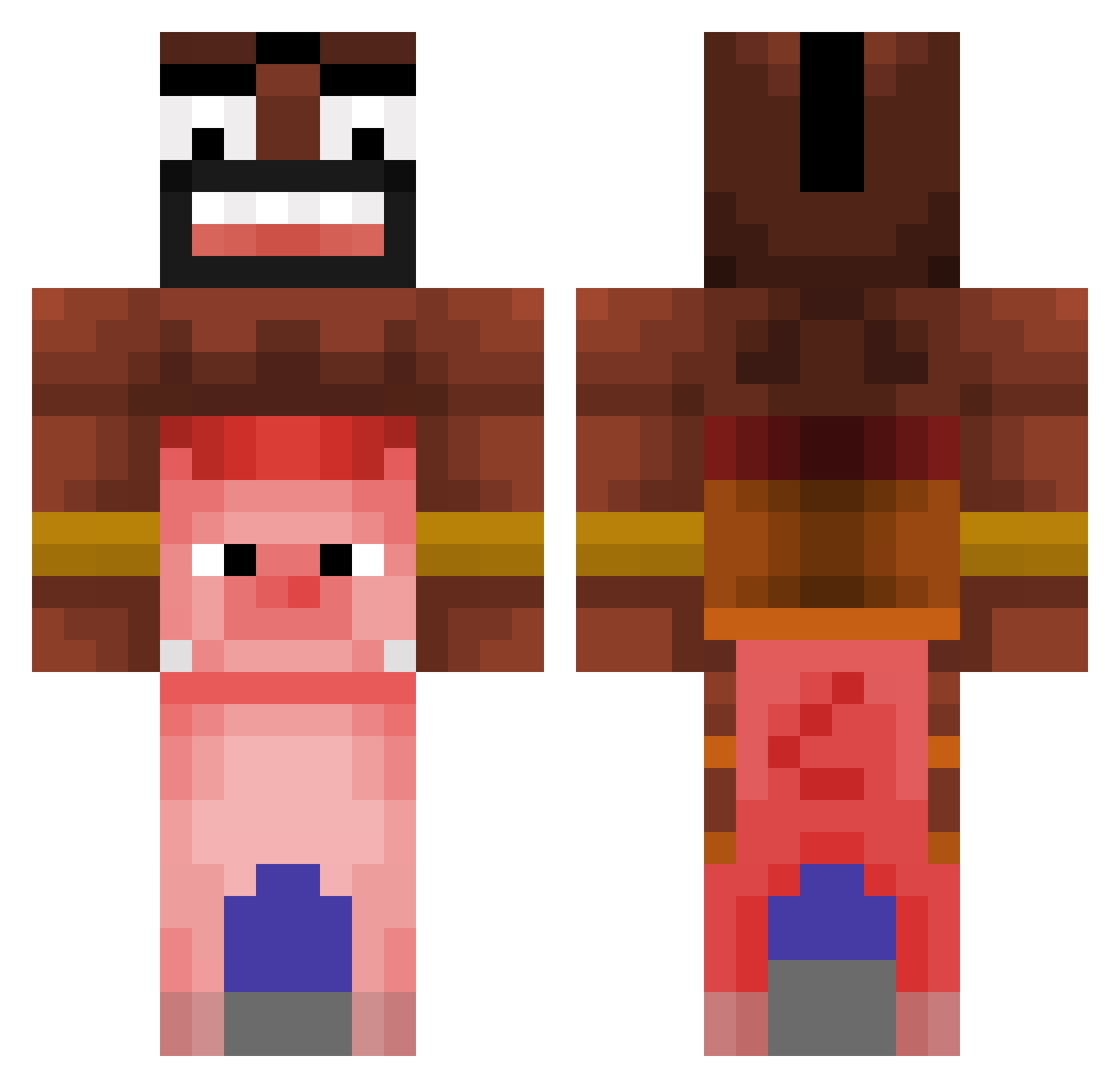
Current Minecraft skin of the player lustreabi, loaded from the official Mojang API. Rotate the 3D model with your mouse or finger, then download the skin as a PNG file and use it in Minecraft: Bedrock Edition or Java Edition for free. When lustreabi changes their skin, this page updates automatically and the old skin stays in the history below.
Other players with this skin (476)
lustreabi was the 409th player we have seen with this skin, first spotted on 24.10.2026. The same skin was seen on these players. Open a nickname to see their current skin and skin history.
 suzv HabeZahnausfall b3amer_ bistec_777 RYS1U Knyzel zvcki_ WhatThatMean jacoboiglesias3 Ikerse_posting Rafa3L MaartenM Cacizzle ben_cringe123 lellobob2 DirtySeaSlug Ae_Akashi axeperson Sergiowrld RiceCooker11 Kikt3n_ ooql lightning1717 R3kt1n0 Peteree BroYouWack neven452 eTaGz JoaozitoGS arniuxa WhiteGygaBallls defence43 Noobmasterr088 H0g_ridaaaaaaaa BZGGonly3cm fxgit prettifuun THEHOKING92 szynka2115 Teyssonneyre Zwiiss kuyuko72 Jimbo042010 bobtherebel LaRanaRenea car1712elamo EMela42 777Xendal Chadstinker CavalloLocotv assos001 MrMorris09 jacofire88 ColossalCon KingSlayer444s PapiPancake JacobWShapero Walkawayz Swishnuuu drakesvater
More Pig Minecraft skins
How to install the lustreabi skin
- Press the Download button above to save the skin as a PNG file.
- Minecraft: Bedrock Edition (PE): open the Dressing Room from the main menu (or tap your character → Edit Character), go to Classic Skins → Owned, press the + (new skin) button, choose the downloaded PNG and pick the Classic (Steve) model. Works on PC and mobile; consoles cannot import custom skins.
- Minecraft: Java Edition: open the Minecraft Launcher, go to the Skins tab, click New Skin, load the PNG, pick the Classic (Steve) model and press Save & Use. You can also upload it at minecraft.net → Profile → Change Skin.
The skin does not show up after import - what should I do?
Restart Minecraft and open the Dressing Room again - imported skins sometimes appear only after a restart. Also make sure you selected the imported skin and picked the Classic (Steve) model.
Which model should I choose, Classic or Slim?
This skin is designed for the Classic (Steve) model. If you pick the wrong model, the arms of the skin will look stretched or squeezed.
Is the skin of lustreabi free to download?
Yes. Press Download, save the PNG file and use it in Minecraft: Bedrock Edition or Java Edition - no payment or registration needed. The skin also works on multiplayer servers and Realms.
More skins
Looking for more? Go back to all Minecraft skins and check the top skins of the week, month and all time, or find any player's skin by nickname.