
lustbie - Minecraft Skins & Skin History
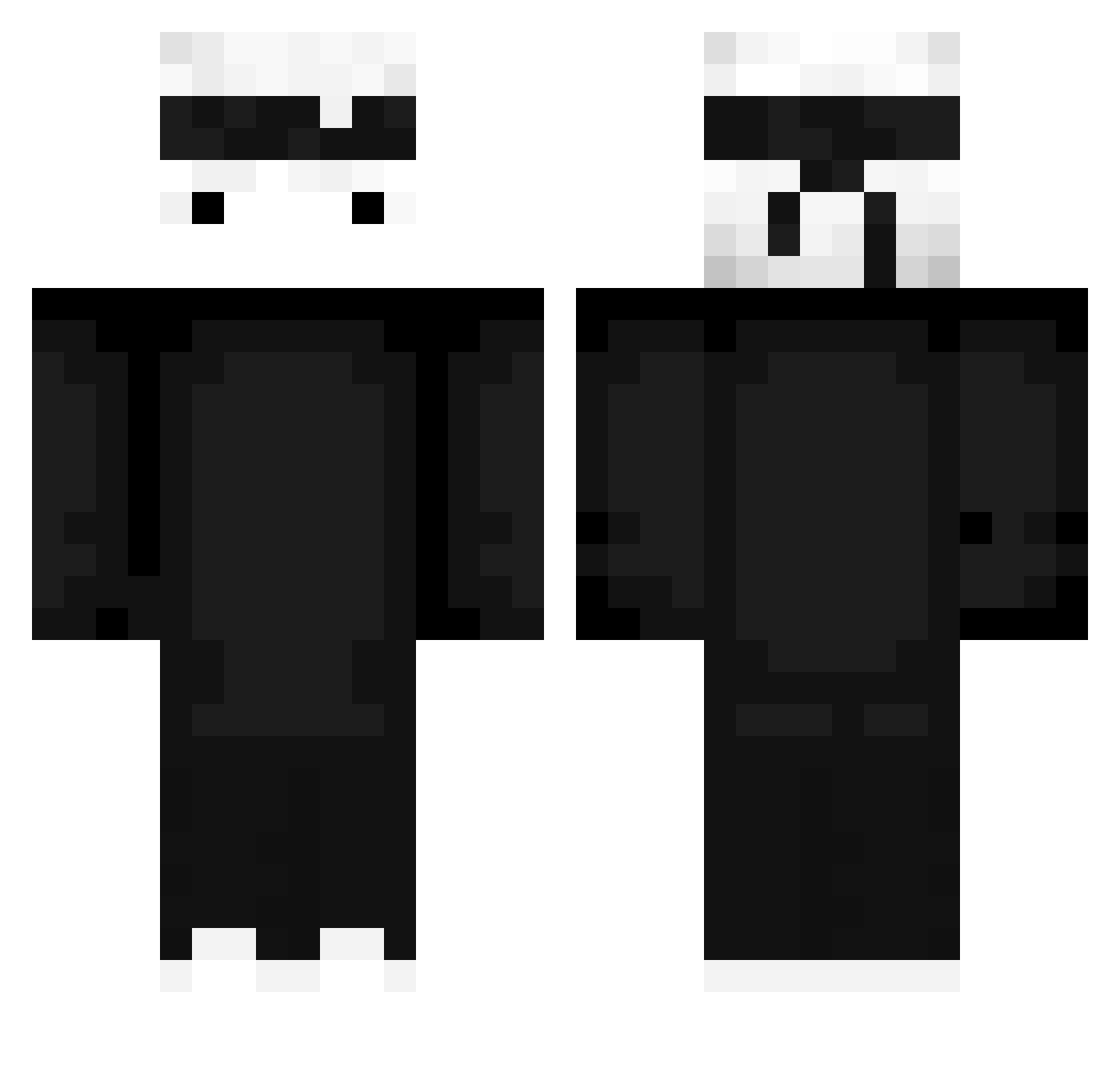
Current Minecraft skin of the player lustbie, loaded from the official Mojang API. Rotate the 3D model with your mouse or finger, then download the skin as a PNG file and use it in Minecraft: Bedrock Edition or Java Edition for free. When lustbie changes their skin, this page updates automatically and the old skin stays in the history below.
Other players with this skin (427)
lustbie was the 344th player we have seen with this skin, first spotted on 13.10.2026. The same skin was seen on these players. Open a nickname to see their current skin and skin history.
 NettoGehalt Gompita NotDebbo outswings Bartiksooon_ LofVerde RoyalYOO VISA80 MarlinDoTchan EmperorPenguino t3s jelibonselami Angelipius JoKa007 Goldkaizer Marciniol CoronaIsVirus kaishoo HammyWammyy MrLinkovic LPX7 ReFreshedPillow Hachi_man winta0227 nIc0x5 xizyk ferocious2 Bobslej_PL hacs LinJim0809 DragonJomil uhBraden kennybone K_B_HAK Proyian ToXitadoLekCorre SinCraft312 Edenpul Flyingmatzi iSAYMUN ReV_Angel kimsongwon0618 Overlord561 ItzMvpX plutobabe Dalwat On_or_Off booooooker calamashump Emerald_Gauntlet silverchan2475 ItsXoul connmonn ozro91 ReYngen Legertje08 Gewoon_J03P BEEFJERKY229 Krazo6 Arda_41
More Ninja Minecraft skins
How to install the lustbie skin
- Press the Download button above to save the skin as a PNG file.
- Minecraft: Bedrock Edition (PE): open the Dressing Room from the main menu (or tap your character → Edit Character), go to Classic Skins → Owned, press the + (new skin) button, choose the downloaded PNG and pick the Classic (Steve) model. Works on PC and mobile; consoles cannot import custom skins.
- Minecraft: Java Edition: open the Minecraft Launcher, go to the Skins tab, click New Skin, load the PNG, pick the Classic (Steve) model and press Save & Use. You can also upload it at minecraft.net → Profile → Change Skin.
The skin does not show up after import - what should I do?
Restart Minecraft and open the Dressing Room again - imported skins sometimes appear only after a restart. Also make sure you selected the imported skin and picked the Classic (Steve) model.
Which model should I choose, Classic or Slim?
This skin is designed for the Classic (Steve) model. If you pick the wrong model, the arms of the skin will look stretched or squeezed.
Is the skin of lustbie free to download?
Yes. Press Download, save the PNG file and use it in Minecraft: Bedrock Edition or Java Edition - no payment or registration needed. The skin also works on multiplayer servers and Realms.
More skins
Looking for more? Go back to all Minecraft skins and check the top skins of the week, month and all time, or find any player's skin by nickname.