
luke__seahawk - Minecraft Skins & Skin History
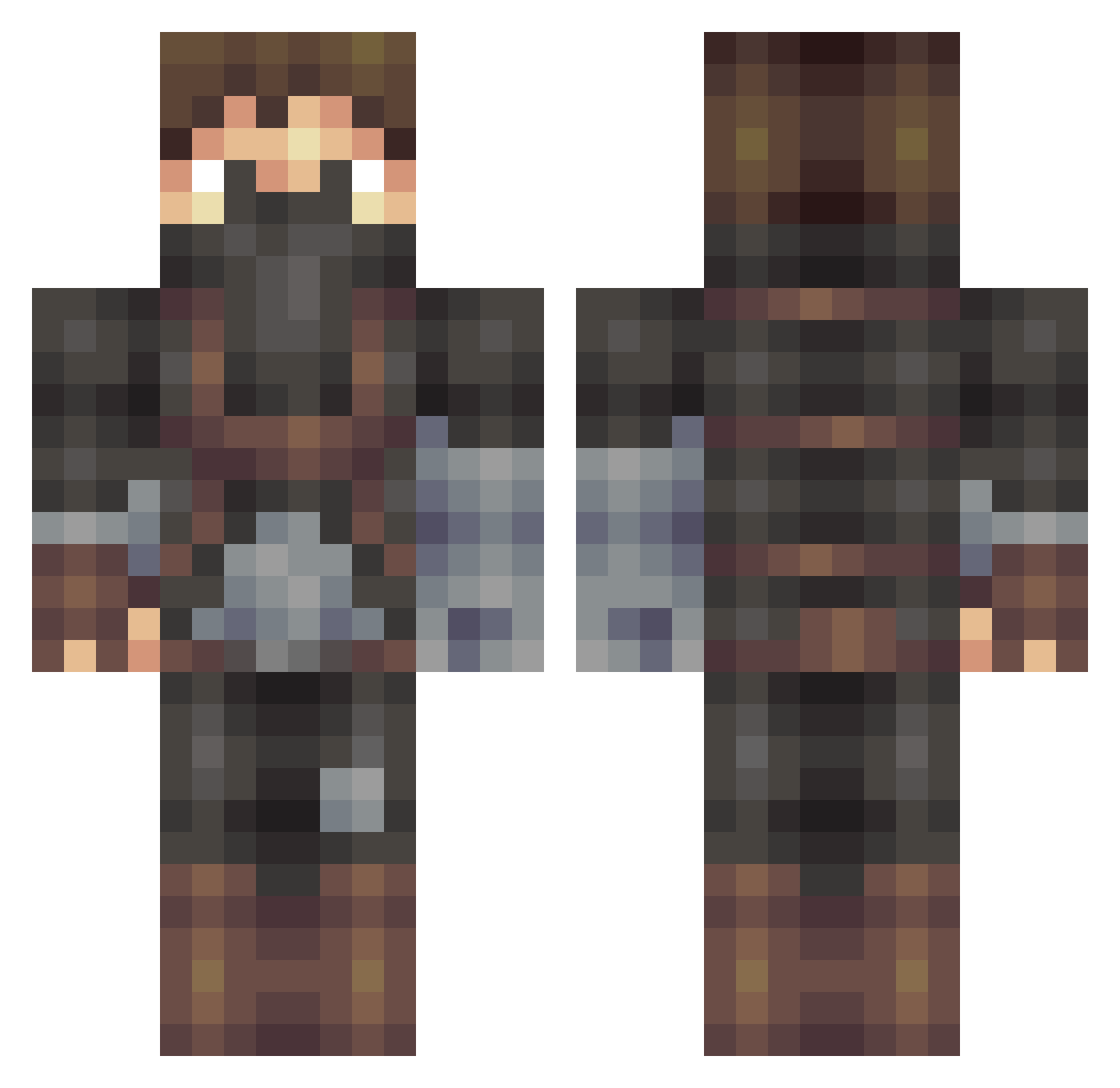
Current Minecraft skin of the player luke__seahawk, loaded from the official Mojang API. Rotate the 3D model with your mouse or finger, then download the skin as a PNG file and use it in Minecraft: Bedrock Edition or Java Edition for free. When luke__seahawk changes their skin, this page updates automatically and the old skin stays in the history below.
Other players with this skin (406)
luke__seahawk was the 108th player we have seen with this skin, first spotted on 23.08.2026. The same skin was seen on these players. Open a nickname to see their current skin and skin history.
 MsAfro12 andrew13243 Gqnoosh JustinCredible Schnabelbier94
 Tarovski vidal_33 ToVer23 RidfaDzz Aplon OrangeFruit101 Jerzykkk ArkTx ForkingsPC Vonee500 geXuPL AlphaFHD AzalFen J4RVI5 Kayvaaan_Shrike Rippahs reikaliuks Lapae PotionLag Volk_SWAG_en BuBu369 Everingy Faarr3ll Craberelique SeoJinHaN dany_danger LOL_Jaggi Oruap MrCopy77 Taldniw Raz0rgrin DaveThegamerCZ Matiizs Bender692 longlif Alawakbar cotin Fridi5602 Bgigan974 Artemis339 Bullen_2005 WoahAnxiety x_IrishLuck_x MATX2010 Nocklas Magnusas7 Simonparma Taarn JoelP98 Saller Jac_Ky27 SBOCCO
 Maxsuth22 Airwar Sensi09
More Rogue Minecraft skins
How to install the luke__seahawk skin
- Press the Download button above to save the skin as a PNG file.
- Minecraft: Bedrock Edition (PE): open the Dressing Room from the main menu (or tap your character → Edit Character), go to Classic Skins → Owned, press the + (new skin) button, choose the downloaded PNG and pick the Classic (Steve) model. Works on PC and mobile; consoles cannot import custom skins.
- Minecraft: Java Edition: open the Minecraft Launcher, go to the Skins tab, click New Skin, load the PNG, pick the Classic (Steve) model and press Save & Use. You can also upload it at minecraft.net → Profile → Change Skin.
The skin does not show up after import - what should I do?
Restart Minecraft and open the Dressing Room again - imported skins sometimes appear only after a restart. Also make sure you selected the imported skin and picked the Classic (Steve) model.
Which model should I choose, Classic or Slim?
This skin is designed for the Classic (Steve) model. If you pick the wrong model, the arms of the skin will look stretched or squeezed.
Is the skin of luke__seahawk free to download?
Yes. Press Download, save the PNG file and use it in Minecraft: Bedrock Edition or Java Edition - no payment or registration needed. The skin also works on multiplayer servers and Realms.
More skins
Looking for more? Go back to all Minecraft skins and check the top skins of the week, month and all time, or find any player's skin by nickname.