
loveccc_ - Minecraft Skins & Skin History
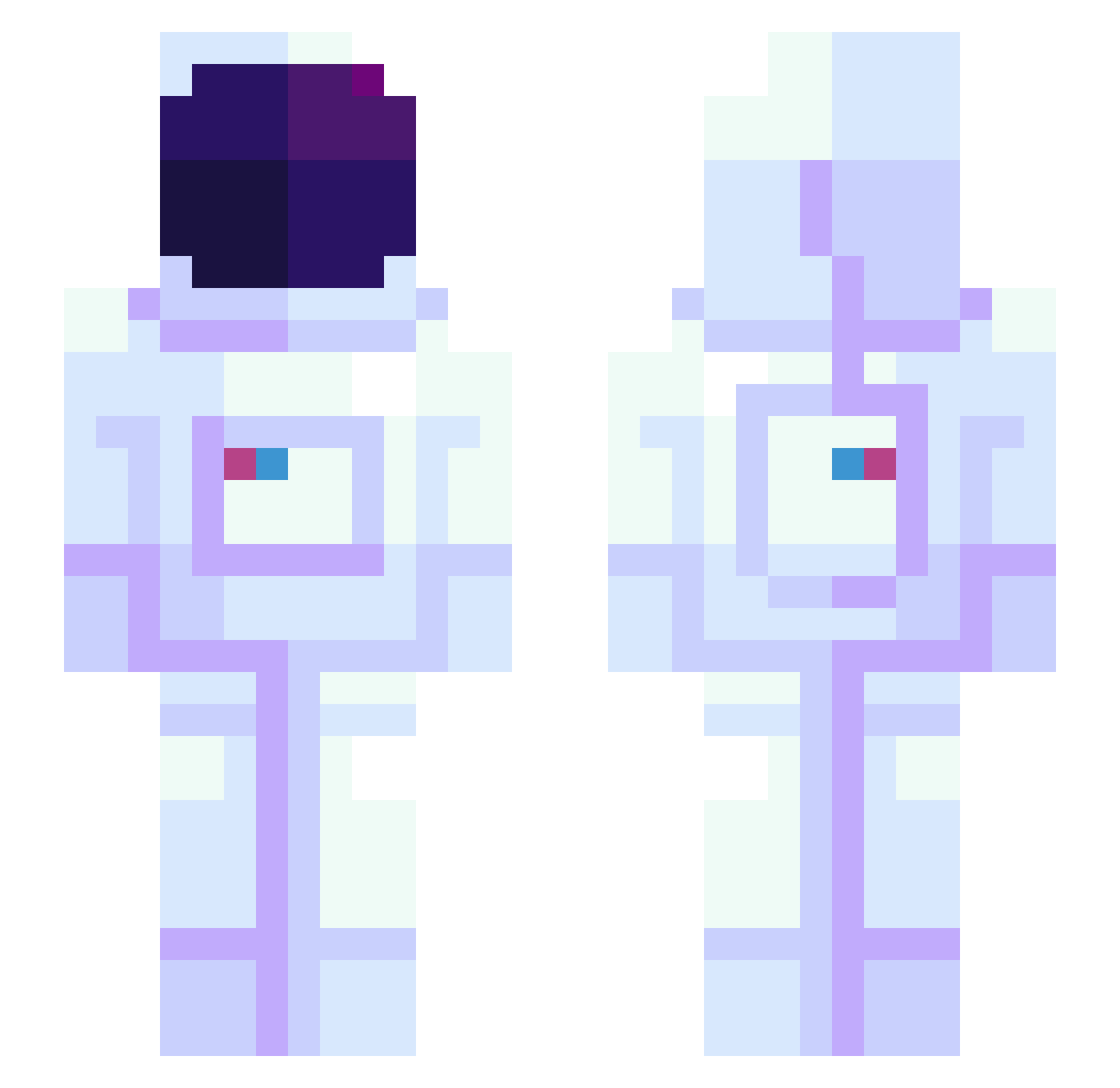
Current Minecraft skin of the player loveccc_, loaded from the official Mojang API. Rotate the 3D model with your mouse or finger, then download the skin as a PNG file and use it in Minecraft: Bedrock Edition or Java Edition for free. When loveccc_ changes their skin, this page updates automatically and the old skin stays in the history below.
Other players with this skin (1172)
loveccc_ was the 1116th player we have seen with this skin, first spotted on 14.11.2026. The same skin was seen on these players. Open a nickname to see their current skin and skin history.
 Eften JupiterRey MrTaite DomasDomasDomas snilon Radaljin GOKUUUUU Frittzzy_ mkdsmka genuuh cmallory Balleroo Zoore bigblunky Dachep MildMallard sevenfawm FunnyHouse184 Ning9015 HIJIPAPA BananaInPajama santanyang zeldrik_ aoisoranatsu reqz0 TheRealist7 iKoniig RENOF Mancio_Phoenix YoGekko Sixtreme YounGiSang blueclovers 00CREEPERS Harlo2000 SanJinnie Schnoowoops Stulle88 zam_boa sofegvan NikyStella Xiaochuno Chonchon_18 Zeus512 Kowa_EXE RepzoGG Lunatorin Sammm001 swampyness Kiirby007 kepee0 xHerobrinex123 APPLETEA_A FormigaHard Laakso1K Dratsoc SpartanMat117 Amelo_33 Get_Litty AEques
More Astronaut Minecraft skins
How to install the loveccc_ skin
- Press the Download button above to save the skin as a PNG file.
- Minecraft: Bedrock Edition (PE): open the Dressing Room from the main menu (or tap your character → Edit Character), go to Classic Skins → Owned, press the + (new skin) button, choose the downloaded PNG and pick the Slim (Alex) model. Works on PC and mobile; consoles cannot import custom skins.
- Minecraft: Java Edition: open the Minecraft Launcher, go to the Skins tab, click New Skin, load the PNG, pick the Slim (Alex) model and press Save & Use. You can also upload it at minecraft.net → Profile → Change Skin.
The skin does not show up after import - what should I do?
Restart Minecraft and open the Dressing Room again - imported skins sometimes appear only after a restart. Also make sure you selected the imported skin and picked the Slim (Alex) model.
Which model should I choose, Classic or Slim?
This skin is designed for the Slim (Alex) model. If you pick the wrong model, the arms of the skin will look stretched or squeezed.
Is the skin of loveccc_ free to download?
Yes. Press Download, save the PNG file and use it in Minecraft: Bedrock Edition or Java Edition - no payment or registration needed. The skin also works on multiplayer servers and Realms.
More skins
Looking for more? Go back to all Minecraft skins and check the top skins of the week, month and all time, or find any player's skin by nickname.