
louiechikayak - Minecraft Skins & Skin History
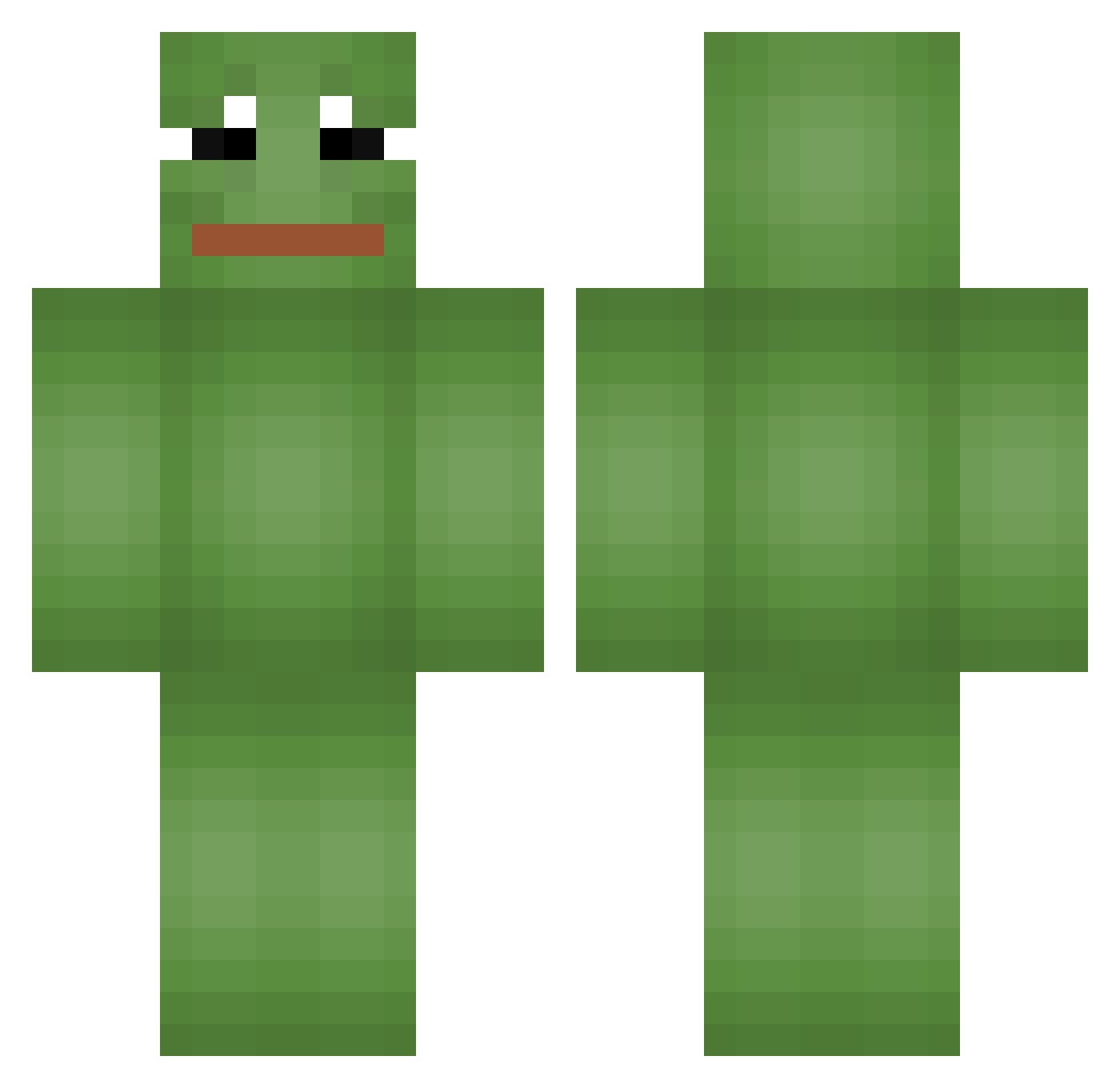
Current Minecraft skin of the player louiechikayak, loaded from the official Mojang API. Rotate the 3D model with your mouse or finger, then download the skin as a PNG file and use it in Minecraft: Bedrock Edition or Java Edition for free. When louiechikayak changes their skin, this page updates automatically and the old skin stays in the history below.
Other players with this skin (665)
louiechikayak was the 48th player we have seen with this skin, first spotted on 01.08.2026. The same skin was seen on these players. Open a nickname to see their current skin and skin history.
 Maatthhi Serthos Escargot_y FanKolei_ Eoghan_21 Pond1927 _Motty_ zer0w7 Gaguna Viperus2009 Ya_hooo Jenks2549 Efaf Kairu22 ShiroiNora Nom_mu Nole5 rdx_x dilating1 CL500_ Synapsey C0ckrat Mayoruwu chandch jessepiepma ViciousPati TrimDaddy10 Juliutzzz W1TER FraGGer224 MamFarta specialyy anfaksen123 feathersmoon K118_ smapi Ssmudggee RS4GRISNARD0 GaymertagKR gingging12 Mohasky fightmoney bohyeong_01 lyj06 haribo1401 Lxgix Lucsobomba97 MutsukiSolo DDfrog KLOSOWSKI Shunnyxd EpicGamer3001 Kimmal_2 PrimeMouni QuiZu hws0 k1rura SoggieSocks Dangmoo3 Knoten_BoB
More Pepe Minecraft skins
How to install the louiechikayak skin
- Press the Download button above to save the skin as a PNG file.
- Minecraft: Bedrock Edition (PE): open the Dressing Room from the main menu (or tap your character → Edit Character), go to Classic Skins → Owned, press the + (new skin) button, choose the downloaded PNG and pick the Classic (Steve) model. Works on PC and mobile; consoles cannot import custom skins.
- Minecraft: Java Edition: open the Minecraft Launcher, go to the Skins tab, click New Skin, load the PNG, pick the Classic (Steve) model and press Save & Use. You can also upload it at minecraft.net → Profile → Change Skin.
The skin does not show up after import - what should I do?
Restart Minecraft and open the Dressing Room again - imported skins sometimes appear only after a restart. Also make sure you selected the imported skin and picked the Classic (Steve) model.
Which model should I choose, Classic or Slim?
This skin is designed for the Classic (Steve) model. If you pick the wrong model, the arms of the skin will look stretched or squeezed.
Is the skin of louiechikayak free to download?
Yes. Press Download, save the PNG file and use it in Minecraft: Bedrock Edition or Java Edition - no payment or registration needed. The skin also works on multiplayer servers and Realms.
More skins
Looking for more? Go back to all Minecraft skins and check the top skins of the week, month and all time, or find any player's skin by nickname.