
loriols - Minecraft Skins & Skin History
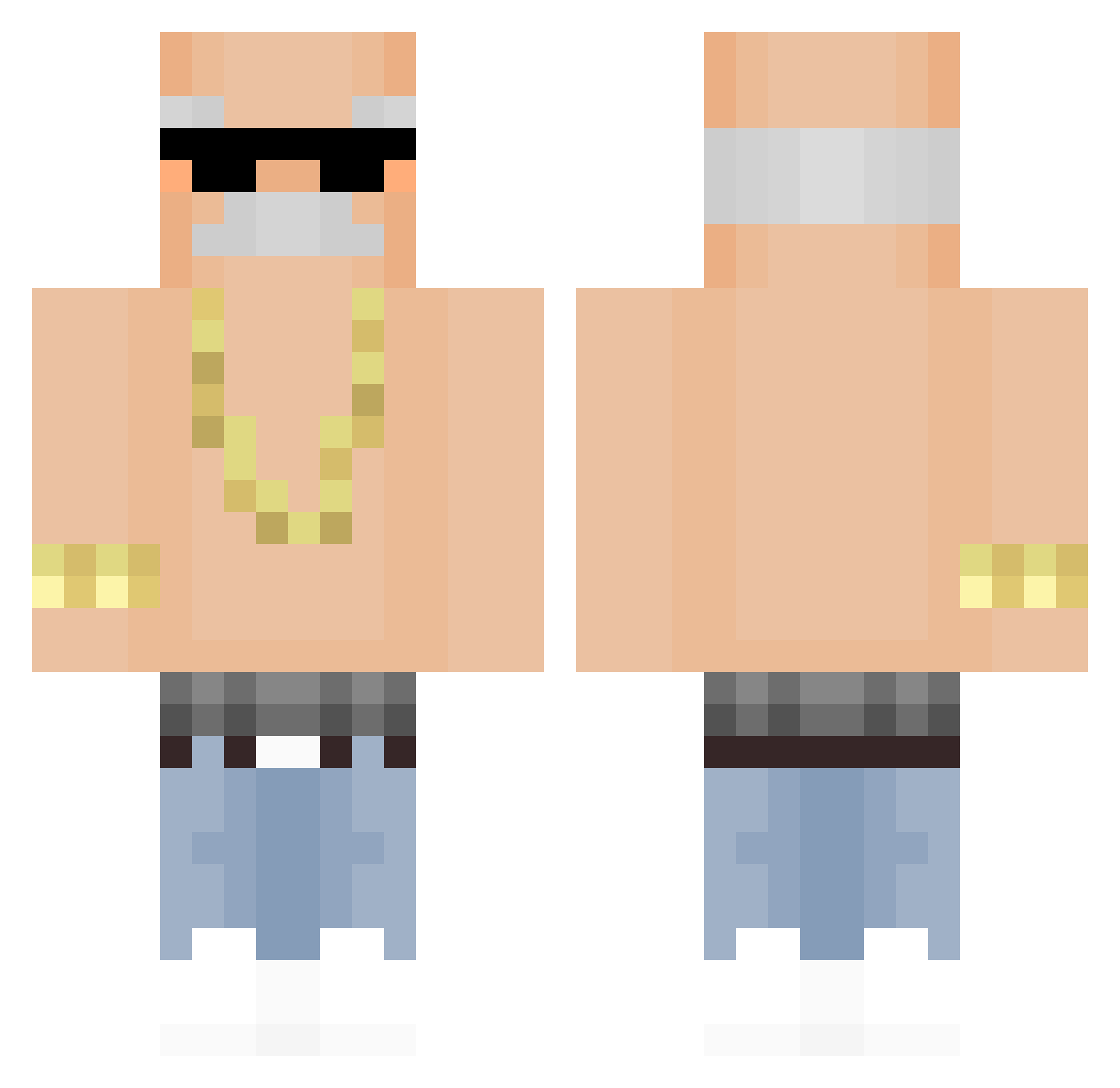
Current Minecraft skin of the player loriols, loaded from the official Mojang API. Rotate the 3D model with your mouse or finger, then download the skin as a PNG file and use it in Minecraft: Bedrock Edition or Java Edition for free. When loriols changes their skin, this page updates automatically and the old skin stays in the history below.
Other players with this skin (321)
loriols was the 46th player we have seen with this skin, first spotted on 11.08.2026. The same skin was seen on these players. Open a nickname to see their current skin and skin history.
 lamp74 EthanPZ1 Oezmann jinhoyoo _TheTrueDexter_ frazzeusz RogerioCareca 1soooo KingBunz_ Tiven4729 Flower_Ze BrancoHypado OosnoopOo OscarXu dorukmdk SenileTator
 44_Gibek JamierellaZockt pan_od_matmy Pl4sty DDanyel 0StrawBerryCake PrimedPvp meric59 Severance22 StuffPadaria Alexxx1002 Tino_753616 Cambam12121 tunmao Hyromh2 Sin_KC HackerJopa2001RU erickiitos AHunSaMa Wandren FarmerFran2014 Vxev1 weeraptor2045 ParmesanIII Marvin9771 hkshw MOON501 zNeat AnthonyNaze ManelDosGames summer464 bvbyy cocohollywood98 Arcoile MoiTooSexc IRainbovvI Soup_Sun sxdc888 koxux0 JS202 WeenArisen zhanglangeba2
 Youngmanjenkins2 ryh26
More Grandpa Minecraft skins
How to install the loriols skin
- Press the Download button above to save the skin as a PNG file.
- Minecraft: Bedrock Edition (PE): open the Dressing Room from the main menu (or tap your character → Edit Character), go to Classic Skins → Owned, press the + (new skin) button, choose the downloaded PNG and pick the Classic (Steve) model. Works on PC and mobile; consoles cannot import custom skins.
- Minecraft: Java Edition: open the Minecraft Launcher, go to the Skins tab, click New Skin, load the PNG, pick the Classic (Steve) model and press Save & Use. You can also upload it at minecraft.net → Profile → Change Skin.
The skin does not show up after import - what should I do?
Restart Minecraft and open the Dressing Room again - imported skins sometimes appear only after a restart. Also make sure you selected the imported skin and picked the Classic (Steve) model.
Which model should I choose, Classic or Slim?
This skin is designed for the Classic (Steve) model. If you pick the wrong model, the arms of the skin will look stretched or squeezed.
Is the skin of loriols free to download?
Yes. Press Download, save the PNG file and use it in Minecraft: Bedrock Edition or Java Edition - no payment or registration needed. The skin also works on multiplayer servers and Realms.
More skins
Looking for more? Go back to all Minecraft skins and check the top skins of the week, month and all time, or find any player's skin by nickname.