
logosis - Minecraft Skins & Skin History
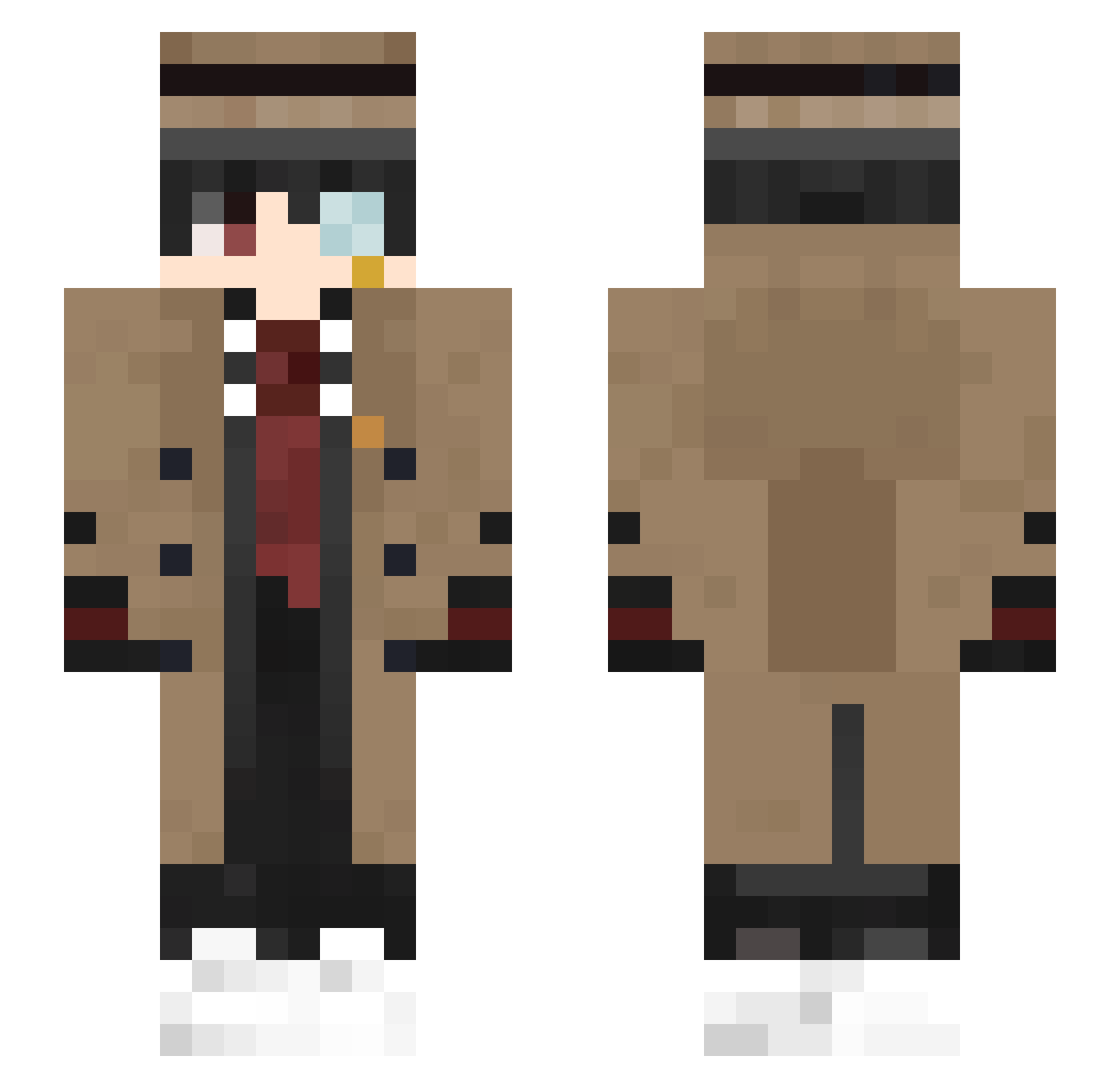
Current Minecraft skin of the player logosis, loaded from the official Mojang API. Rotate the 3D model with your mouse or finger, then download the skin as a PNG file and use it in Minecraft: Bedrock Edition or Java Edition for free. When logosis changes their skin, this page updates automatically and the old skin stays in the history below.
Other players with this skin (409)
logosis was the 133rd player we have seen with this skin, first spotted on 25.08.2026. The same skin was seen on these players. Open a nickname to see their current skin and skin history.
 That_Angry_Brit PhilFri Dragonfire3034 rocketrooom NummT1ger fabiox20 albator_14 FuegoYHielo Anonymchik f1ood Qilotx JM1Ao Unallow Kukkuri Nox1458 PapaWarlord ONLAUN Ozicimnapiyon Deksand Leviastr shaw2011 Acidated Mr_sangsoon Plutonnium Bartender_south Twilight0323 RoSBigD Hmoxie Falcodrip Ballzach_42 PleinSoleil qkqhwkd Mateus_RKY A92302027 Leever29 Mozzy4Ever_ Cosinusss hapigou13 67Boy_CN hell2k Clerkie_ Michael247 AndzeB Coldcoffee7 PX_Piao_Xue 7h3wh173r48817 Lu_Ber CuzImChewbacca Grixmm lonelycatus Mythico_Hunter noodles3140 ThijsyBoB KentaFreecss Meiaummm ForgeMaster4042 NiZhaoL jjj0812 LkXIII robin100502
More Yugi Amane Minecraft skins
How to install the logosis skin
- Press the Download button above to save the skin as a PNG file.
- Minecraft: Bedrock Edition (PE): open the Dressing Room from the main menu (or tap your character → Edit Character), go to Classic Skins → Owned, press the + (new skin) button, choose the downloaded PNG and pick the Slim (Alex) model. Works on PC and mobile; consoles cannot import custom skins.
- Minecraft: Java Edition: open the Minecraft Launcher, go to the Skins tab, click New Skin, load the PNG, pick the Slim (Alex) model and press Save & Use. You can also upload it at minecraft.net → Profile → Change Skin.
The skin does not show up after import - what should I do?
Restart Minecraft and open the Dressing Room again - imported skins sometimes appear only after a restart. Also make sure you selected the imported skin and picked the Slim (Alex) model.
Which model should I choose, Classic or Slim?
This skin is designed for the Slim (Alex) model. If you pick the wrong model, the arms of the skin will look stretched or squeezed.
Is the skin of logosis free to download?
Yes. Press Download, save the PNG file and use it in Minecraft: Bedrock Edition or Java Edition - no payment or registration needed. The skin also works on multiplayer servers and Realms.
More skins
Looking for more? Go back to all Minecraft skins and check the top skins of the week, month and all time, or find any player's skin by nickname.