
logan0909logan - Minecraft Skins & Skin History
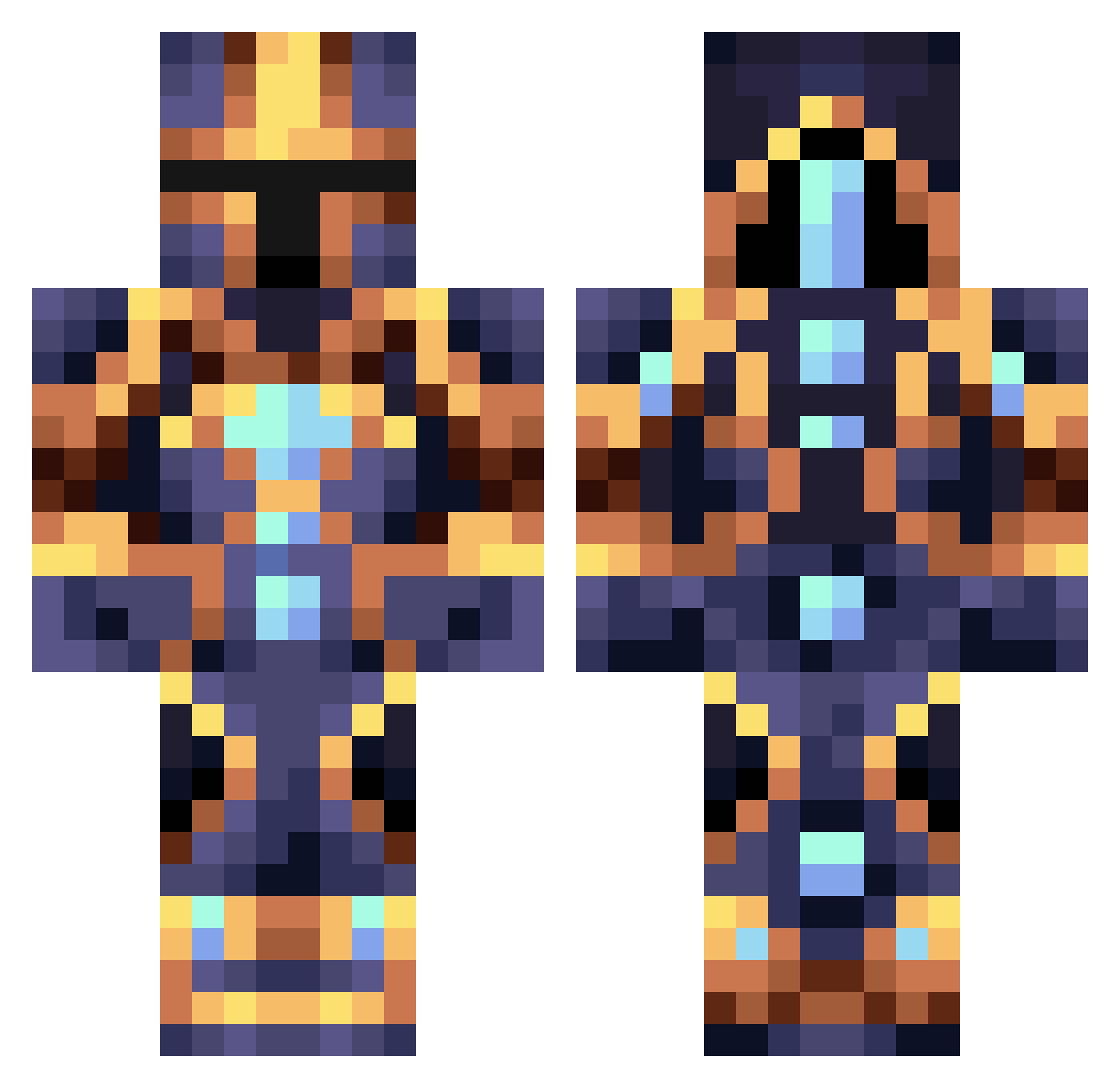
Current Minecraft skin of the player logan0909logan, loaded from the official Mojang API. Rotate the 3D model with your mouse or finger, then download the skin as a PNG file and use it in Minecraft: Bedrock Edition or Java Edition for free. When logan0909logan changes their skin, this page updates automatically and the old skin stays in the history below.
Other players with this skin (440)
logan0909logan was the 372nd player we have seen with this skin, first spotted on 03.11.2026. The same skin was seen on these players. Open a nickname to see their current skin and skin history.
 NOWHER3KING Max54C MrWiftik Zesty_Zenitsu BlamedMeteor10 Iasislav KingOFWar101 King_Joachim HIWEDWADDWDW ilovepwnage INCOGNIITA Kisha__ TheDanceMaster ViniRosan 7thspike dipaso caiozera__ Iodorobantu Borgeril EldestHawk83611 Menntall 0range_0o0 Rasheke Kai1603 Jamskiclovek xVegecy picogame15 HarryGarv Architonygron Alderon1734 Dementor1219 KnightZ2 MOR3X Re9uin ckc019 ByniuBudyniu Ashilo Horcrux69420 DRnV Mattmerguez12 Ale_6300 tertial_foure Fitzowen Bray_Kombat GalaxyWolf313 ItsOBEY15 DorionGrey _XxTheLordxX_ AnticMouse starconoma Tomate3311 bb27k MasterDantes xiaopiqiu2018 Kripto385 WooWooTeam Crypt0_Freezer Coinemperor3604 JastonGamer wilvegas
More Sci Fi Minecraft skins
How to install the logan0909logan skin
- Press the Download button above to save the skin as a PNG file.
- Minecraft: Bedrock Edition (PE): open the Dressing Room from the main menu (or tap your character → Edit Character), go to Classic Skins → Owned, press the + (new skin) button, choose the downloaded PNG and pick the Classic (Steve) model. Works on PC and mobile; consoles cannot import custom skins.
- Minecraft: Java Edition: open the Minecraft Launcher, go to the Skins tab, click New Skin, load the PNG, pick the Classic (Steve) model and press Save & Use. You can also upload it at minecraft.net → Profile → Change Skin.
The skin does not show up after import - what should I do?
Restart Minecraft and open the Dressing Room again - imported skins sometimes appear only after a restart. Also make sure you selected the imported skin and picked the Classic (Steve) model.
Which model should I choose, Classic or Slim?
This skin is designed for the Classic (Steve) model. If you pick the wrong model, the arms of the skin will look stretched or squeezed.
Is the skin of logan0909logan free to download?
Yes. Press Download, save the PNG file and use it in Minecraft: Bedrock Edition or Java Edition - no payment or registration needed. The skin also works on multiplayer servers and Realms.
More skins
Looking for more? Go back to all Minecraft skins and check the top skins of the week, month and all time, or find any player's skin by nickname.