
lobazinha1 - Minecraft Skins & Skin History
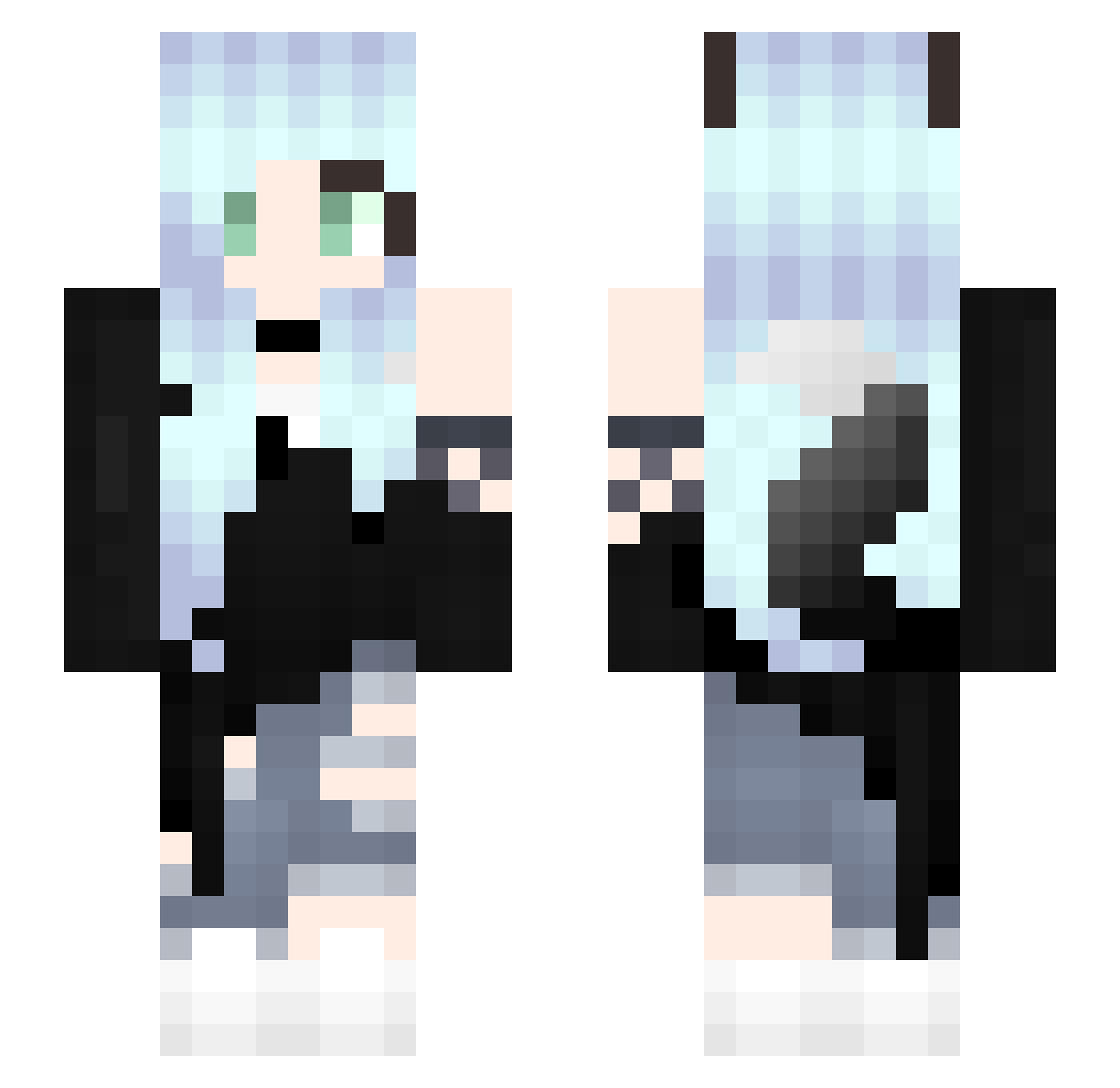
Current Minecraft skin of the player lobazinha1, loaded from the official Mojang API. Rotate the 3D model with your mouse or finger, then download the skin as a PNG file and use it in Minecraft: Bedrock Edition or Java Edition for free. When lobazinha1 changes their skin, this page updates automatically and the old skin stays in the history below.
Other players with this skin (312)
lobazinha1 was the 157th player we have seen with this skin, first spotted on 20.09.2026. The same skin was seen on these players. Open a nickname to see their current skin and skin history.
 ZILINGLING Lovepanda0945 _Voide Yukaneki Kimberlyss_ mg6_maguro Guardedbear9 Uniunichan w9hh AngelicKatelyn XymaKsio Minami86 Soso_47 countrygirl4 milenixxx MilowTheFox ForgivingSilence Ritz_Shelly Velary _qp_11_12 Kiaraa_008 long_desu ByDrix atoriaogane Rebi11 FoxiGodi Wynter_Wolfie253 MiyukiKitty CR0SSZ1T0 Fiflok48 KingPing000 Baigel_Tw Lini211 An_Annnn LeonaLeBean Genykins iwsadb Ratzkar crime_craft YuYuxox Dudinea KittyElita_1 Jellyfish223344 Guramii1512 Donnacar SrtaCapybara PKJC DJButtons syuuya423 yoz_p Luleemi xXRuby_KitsuneXx Glitzerfeechen Nyra_Wolfy MeganLucyParker InfinityFoxTail Akuromi funduruk Kristipunia Halon3
More Fox Ears Minecraft skins
How to install the lobazinha1 skin
- Press the Download button above to save the skin as a PNG file.
- Minecraft: Bedrock Edition (PE): open the Dressing Room from the main menu (or tap your character → Edit Character), go to Classic Skins → Owned, press the + (new skin) button, choose the downloaded PNG and pick the Slim (Alex) model. Works on PC and mobile; consoles cannot import custom skins.
- Minecraft: Java Edition: open the Minecraft Launcher, go to the Skins tab, click New Skin, load the PNG, pick the Slim (Alex) model and press Save & Use. You can also upload it at minecraft.net → Profile → Change Skin.
The skin does not show up after import - what should I do?
Restart Minecraft and open the Dressing Room again - imported skins sometimes appear only after a restart. Also make sure you selected the imported skin and picked the Slim (Alex) model.
Which model should I choose, Classic or Slim?
This skin is designed for the Slim (Alex) model. If you pick the wrong model, the arms of the skin will look stretched or squeezed.
Is the skin of lobazinha1 free to download?
Yes. Press Download, save the PNG file and use it in Minecraft: Bedrock Edition or Java Edition - no payment or registration needed. The skin also works on multiplayer servers and Realms.
More skins
Looking for more? Go back to all Minecraft skins and check the top skins of the week, month and all time, or find any player's skin by nickname.