
loANDYol - Minecraft Skins & Skin History
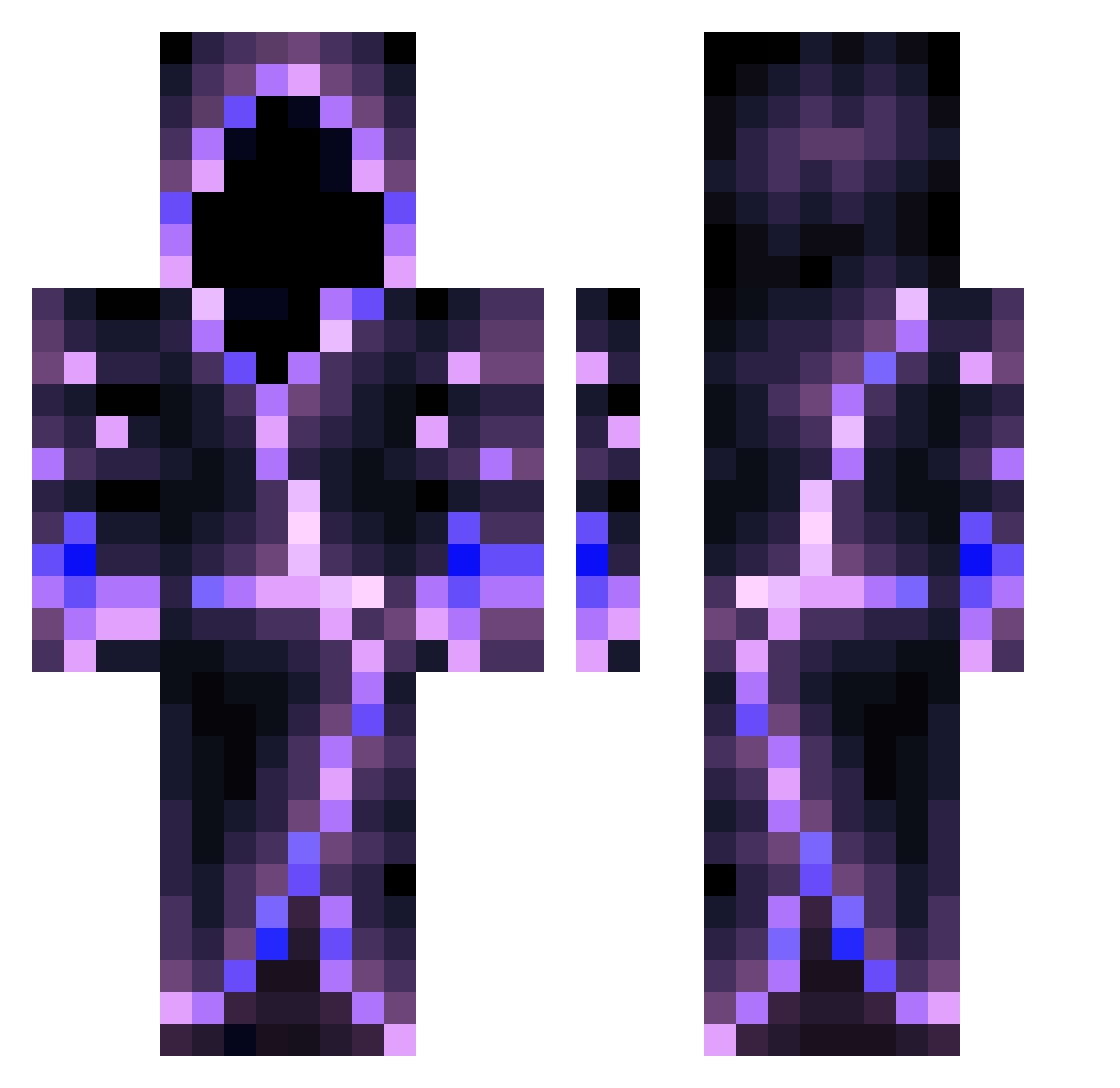
Current Minecraft skin of the player loANDYol, loaded from the official Mojang API. Rotate the 3D model with your mouse or finger, then download the skin as a PNG file and use it in Minecraft: Bedrock Edition or Java Edition for free. When loANDYol changes their skin, this page updates automatically and the old skin stays in the history below.
Other players with this skin (558)
loANDYol was the 177th player we have seen with this skin, first spotted on 27.08.2026. The same skin was seen on these players. Open a nickname to see their current skin and skin history.
 Ocbroller Psveiga ShadowBjorn MjYe13 Dune0098 kyokusinichi Chloster_21 Hisoka_2009 ArgeGamer Peyton_is_INSANE Dragonner447 JasonVoorheees Sixsense95 Darkfire2578 VOYDBOI AussieDemonxx Azure_715 Elitesniperm A0K1GAHARA wraithofvengance CosmicKalliope Zyroqe KrypticMisery DreamCrusher924 Lazarus_713 LucianLHS Vortexia21 Crazy_DragonKing The_YOVERLORDY Nimbuzz AryOz05 Spenii Enderworlder eryungz IWaZaBiI Bizounours_1 DiFrak04 MentulTach MCDoov_Legends Konaukko999 AJ_2timez nipad MrEBI FervantRabbit69 Eszak Nadirx P3NGUIN74 SegmentedWolf StringiZakonnicy Informal76 Parentall nqsw Hacker5637AB Logaspool DarkDays9000 Zqlegigabg Prygin SynergyVirus XSNuZza quenzio2
More Hooded Figure Minecraft skins
See all 1222 Hooded Figure skins
How to install the loANDYol skin
- Press the Download button above to save the skin as a PNG file.
- Minecraft: Bedrock Edition (PE): open the Dressing Room from the main menu (or tap your character → Edit Character), go to Classic Skins → Owned, press the + (new skin) button, choose the downloaded PNG and pick the Classic (Steve) model. Works on PC and mobile; consoles cannot import custom skins.
- Minecraft: Java Edition: open the Minecraft Launcher, go to the Skins tab, click New Skin, load the PNG, pick the Classic (Steve) model and press Save & Use. You can also upload it at minecraft.net → Profile → Change Skin.
The skin does not show up after import - what should I do?
Restart Minecraft and open the Dressing Room again - imported skins sometimes appear only after a restart. Also make sure you selected the imported skin and picked the Classic (Steve) model.
Which model should I choose, Classic or Slim?
This skin is designed for the Classic (Steve) model. If you pick the wrong model, the arms of the skin will look stretched or squeezed.
Is the skin of loANDYol free to download?
Yes. Press Download, save the PNG file and use it in Minecraft: Bedrock Edition or Java Edition - no payment or registration needed. The skin also works on multiplayer servers and Realms.
More skins
Looking for more? Go back to all Minecraft skins and check the top skins of the week, month and all time, or find any player's skin by nickname.