
lnb_msmc_4ic - Minecraft Skins & Skin History
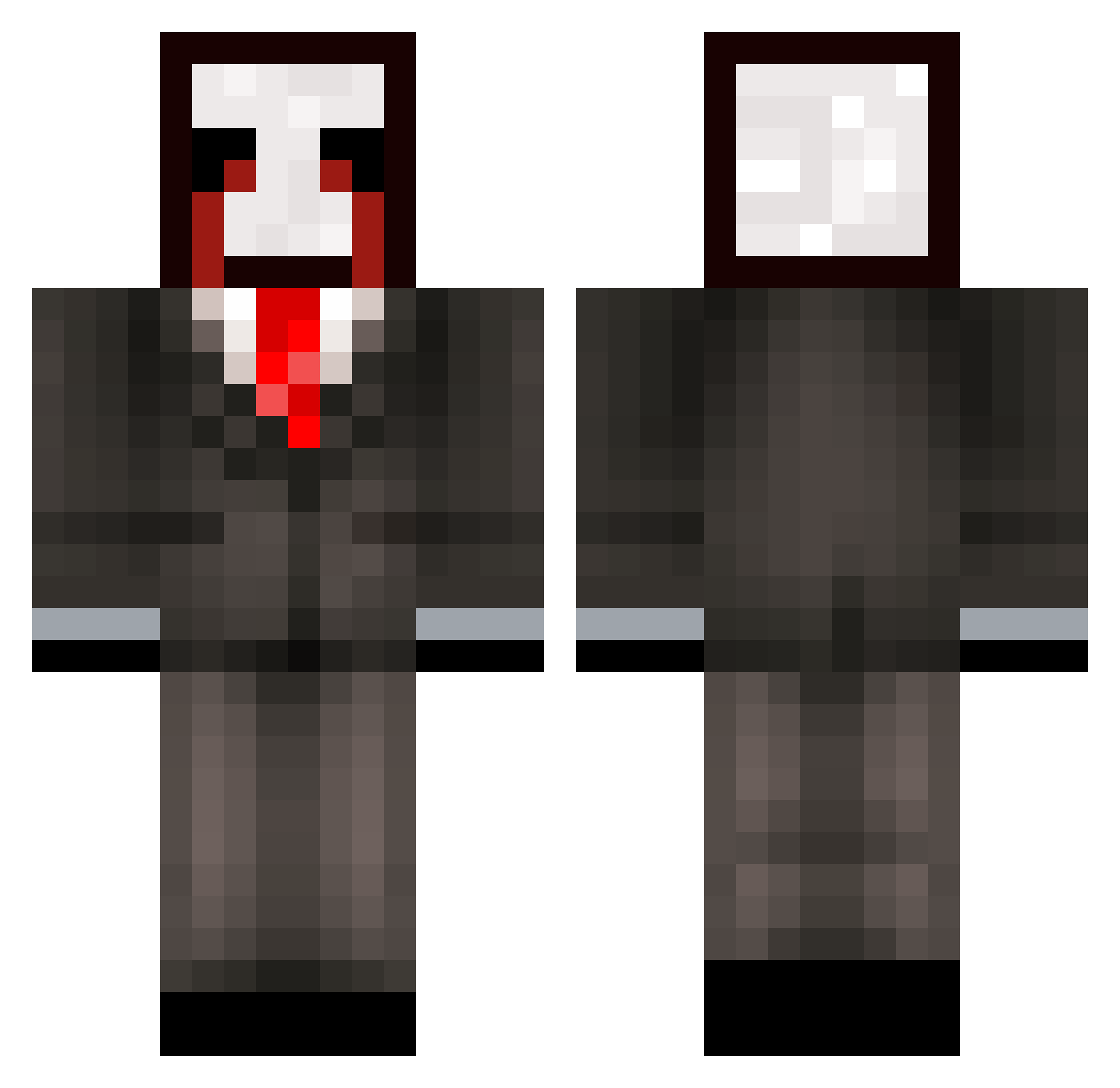
Current Minecraft skin of the player lnb_msmc_4ic, loaded from the official Mojang API. Rotate the 3D model with your mouse or finger, then download the skin as a PNG file and use it in Minecraft: Bedrock Edition or Java Edition for free. When lnb_msmc_4ic changes their skin, this page updates automatically and the old skin stays in the history below.
Other players with this skin (297)
lnb_msmc_4ic was the 49th player we have seen with this skin, first spotted on 09.08.2026. The same skin was seen on these players. Open a nickname to see their current skin and skin history.
 meow_clvxw_21 835_msmc_98h s2d_msmc_fbv KingstonEsquire zhd_YaWtP_11_29 Itz_Amer dle_msmc_d4b raveAflE85Zr rave8pOU10CV xMergy tzi_EWALm_11_25 Sv2Gold5ye zz_zgKJj_12_06 kik1n_WDWBB_1220 Xx_Cheatsss_xX L0w0ngSwift1cn_ 877_msmc_38c PASIRhtbmrgcaq48 Tucek79silent739 ka89incomplete75 Osvoldblack6 v7m_msmc_uzm MysicSumo1 zr5_msmc_dv5 cat_hGhC1_10_05 Baughcum_creamy8 cs1_msmc_b0i bz_EWedQ_09_14 gle14wonderful94 qgg_msmc_j59 kc9_msmc_54l xthonkismhIzrt 3ft_Evil_7gj u38_msmc_gid AltVerse_ubx_AV 267_msmc_yi5 yug_msmc_dm9 zzxgp_yfVxa Z4chud vertex_wutua_ tad_unwritten712 LShadeyifUwU Hastrill LinhpeHzX0107 de_motionless744 Jokerkid1324 rro92colorless55 bqq_msmc_gyo XOLEP_Ice_ib7 tzi_0gD4R_09_09 zz_JcoXL_25 wpf_EjUzj_10_05 vgz_msmc_xhf rsf_msmc_xeb LabubuTeam_nlxns WicigoShawty G0LDALTS_lFvFFA LinhKCPHo0115 rave2afTPb1O Rhamy2genuine801
More Slenderman Minecraft skins
How to install the lnb_msmc_4ic skin
- Press the Download button above to save the skin as a PNG file.
- Minecraft: Bedrock Edition (PE): open the Dressing Room from the main menu (or tap your character → Edit Character), go to Classic Skins → Owned, press the + (new skin) button, choose the downloaded PNG and pick the Classic (Steve) model. Works on PC and mobile; consoles cannot import custom skins.
- Minecraft: Java Edition: open the Minecraft Launcher, go to the Skins tab, click New Skin, load the PNG, pick the Classic (Steve) model and press Save & Use. You can also upload it at minecraft.net → Profile → Change Skin.
The skin does not show up after import - what should I do?
Restart Minecraft and open the Dressing Room again - imported skins sometimes appear only after a restart. Also make sure you selected the imported skin and picked the Classic (Steve) model.
Which model should I choose, Classic or Slim?
This skin is designed for the Classic (Steve) model. If you pick the wrong model, the arms of the skin will look stretched or squeezed.
Is the skin of lnb_msmc_4ic free to download?
Yes. Press Download, save the PNG file and use it in Minecraft: Bedrock Edition or Java Edition - no payment or registration needed. The skin also works on multiplayer servers and Realms.
More skins
Looking for more? Go back to all Minecraft skins and check the top skins of the week, month and all time, or find any player's skin by nickname.