
llpmoin - Minecraft Skins & Skin History
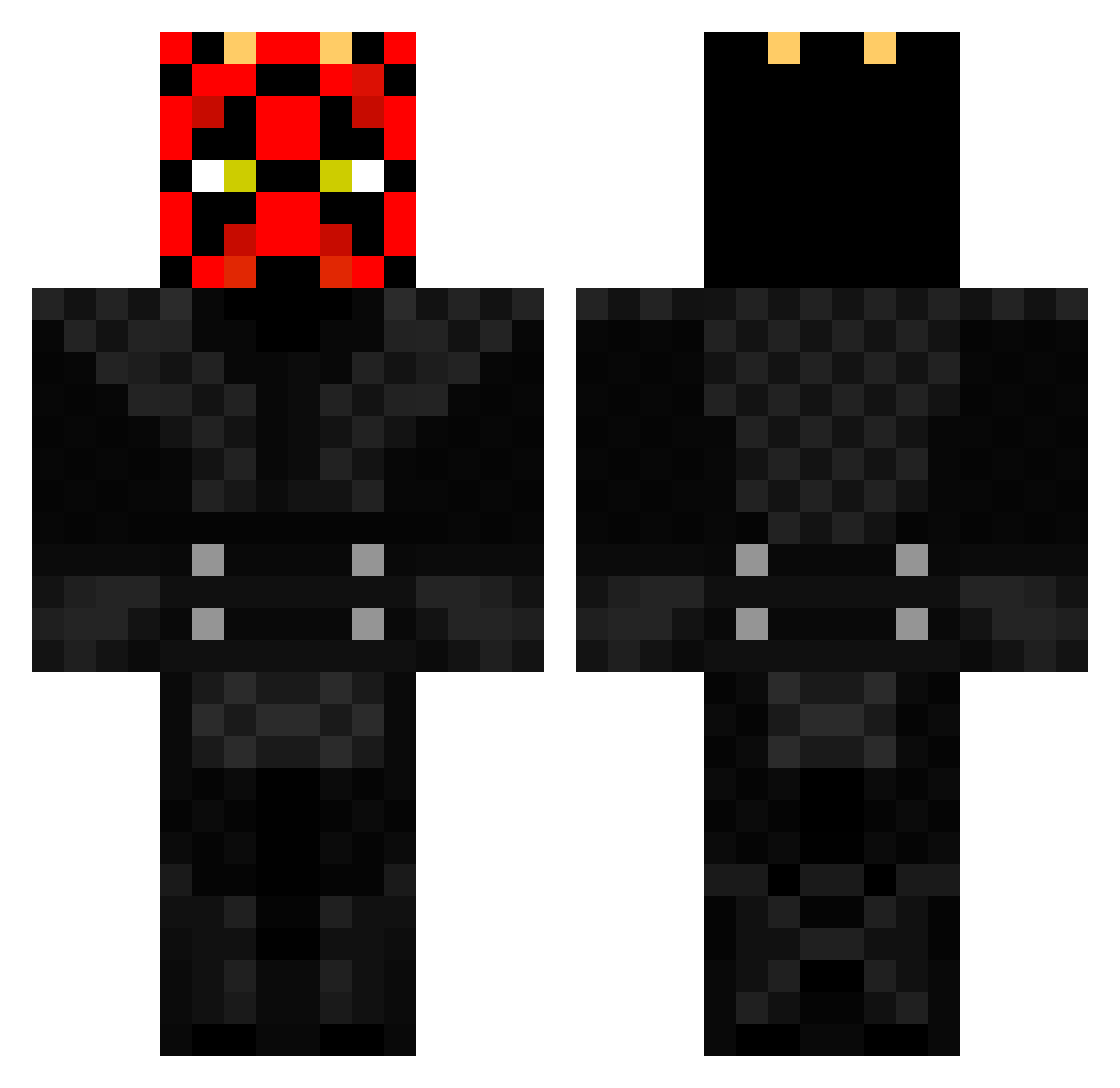
Current Minecraft skin of the player llpmoin, loaded from the official Mojang API. Rotate the 3D model with your mouse or finger, then download the skin as a PNG file and use it in Minecraft: Bedrock Edition or Java Edition for free. When llpmoin changes their skin, this page updates automatically and the old skin stays in the history below.
Other players with this skin (206)
llpmoin was the 148th player we have seen with this skin, first spotted on 12.10.2026. The same skin was seen on these players. Open a nickname to see their current skin and skin history.
 Septsang Ethan7480 Rynaar Heggors vietnamnarcotic ChaddieTheBaddie Chofrodex Mastershot1 pinewoodboyz sanderseen SteffenHSV KEKKOENIG RaizelNight Revan1501 Zacattack515 nottyplaya alexallb zullie doelzee Hawkeye339 KBomb3 gigio55267 MedicTR mindcraft_guru Aero0Assassin Jmeeks44 Wesley644 Equippedsky Zoky0406 Yoshi2478 crybvnx Dik111 SgtKetch BenjaBeast88 DarthMaul_ Joschi_g4one MarcinMeina plxqsy_ BatschL2004 FoxFeet Brznnan SendNewtsPls Seper22 MAFIRS17 Marten_27 Skraaaphaug RomaCuchi_17 lnformed cheeseiscool66 senn_hoj sdjones11 JuanAndDone EliteExpress Darth_Epik AngryBlockhead MinecraftWilleC TCrane L0rd0fficial Sea_Geezy OkiDoki4656
More Darth Maul Minecraft skins
How to install the llpmoin skin
- Press the Download button above to save the skin as a PNG file.
- Minecraft: Bedrock Edition (PE): open the Dressing Room from the main menu (or tap your character → Edit Character), go to Classic Skins → Owned, press the + (new skin) button, choose the downloaded PNG and pick the Classic (Steve) model. Works on PC and mobile; consoles cannot import custom skins.
- Minecraft: Java Edition: open the Minecraft Launcher, go to the Skins tab, click New Skin, load the PNG, pick the Classic (Steve) model and press Save & Use. You can also upload it at minecraft.net → Profile → Change Skin.
The skin does not show up after import - what should I do?
Restart Minecraft and open the Dressing Room again - imported skins sometimes appear only after a restart. Also make sure you selected the imported skin and picked the Classic (Steve) model.
Which model should I choose, Classic or Slim?
This skin is designed for the Classic (Steve) model. If you pick the wrong model, the arms of the skin will look stretched or squeezed.
Is the skin of llpmoin free to download?
Yes. Press Download, save the PNG file and use it in Minecraft: Bedrock Edition or Java Edition - no payment or registration needed. The skin also works on multiplayer servers and Realms.
More skins
Looking for more? Go back to all Minecraft skins and check the top skins of the week, month and all time, or find any player's skin by nickname.