
lividin25 - Minecraft Skins & Skin History
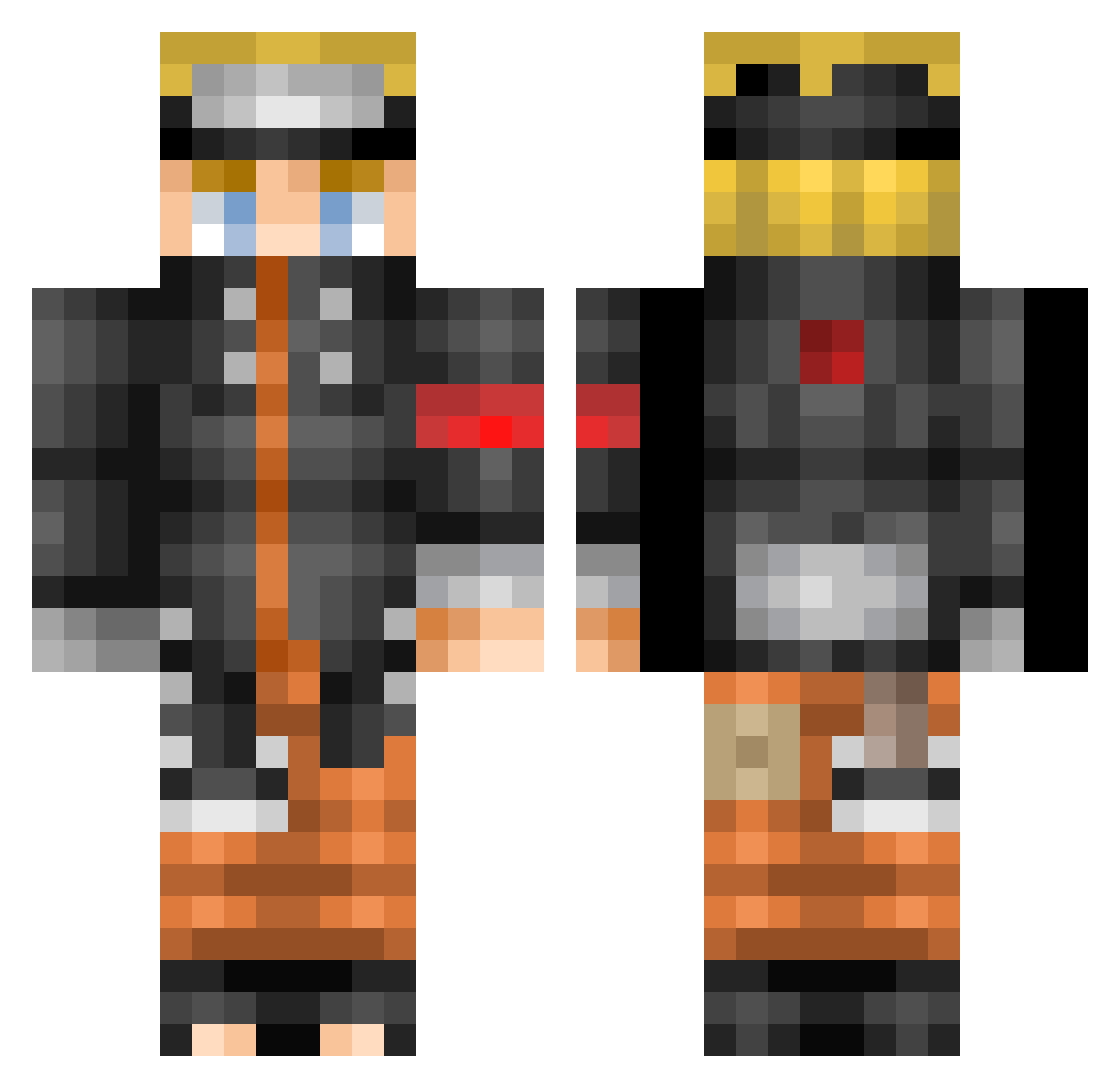
Current Minecraft skin of the player lividin25, loaded from the official Mojang API. Rotate the 3D model with your mouse or finger, then download the skin as a PNG file and use it in Minecraft: Bedrock Edition or Java Edition for free. When lividin25 changes their skin, this page updates automatically and the old skin stays in the history below.
Other players with this skin (523)
lividin25 was the 217th player we have seen with this skin, first spotted on 05.09.2026. The same skin was seen on these players. Open a nickname to see their current skin and skin history.
 HARRYSAN23 Naruto2286 ShuNi_TaNk pedroliot14 IronSergio M1KA3L lukitasdi turiddu1991 LkC_VoV MaximusCR1 Rodcraft13 2smooth4u Nori_hime eojjeolagoo ValeryT07 yoooogrn KAGE_ZERO Watty22 Liderus NonStopGamer350 NARutoTae remidog77 gabiepm Psyckox mu_gamers Martinete03 neetmsk Alvaro_Saez Bidou63 Noman13 TallMidget11 zayaanw victime_56 kaikai945ya YounaIK mat_theslayer Kyaputen_Zekkusu LEHUY14 szymkowiak111 ThemisJR FirstSonOfSet stongenboi Sang_Hu JingOneeee Tekishodannette Naicnar PhelixW Tourkfire Aramarak PlayBoi12 xVanavn End192 EjackChirac Benjott981 Faith_Dropper ismotasecas Deepfryer69 lefistus crane2chauve ChS2_
More Naruto Uzumaki Minecraft skins
See all 473 Naruto Uzumaki skins
How to install the lividin25 skin
- Press the Download button above to save the skin as a PNG file.
- Minecraft: Bedrock Edition (PE): open the Dressing Room from the main menu (or tap your character → Edit Character), go to Classic Skins → Owned, press the + (new skin) button, choose the downloaded PNG and pick the Classic (Steve) model. Works on PC and mobile; consoles cannot import custom skins.
- Minecraft: Java Edition: open the Minecraft Launcher, go to the Skins tab, click New Skin, load the PNG, pick the Classic (Steve) model and press Save & Use. You can also upload it at minecraft.net → Profile → Change Skin.
The skin does not show up after import - what should I do?
Restart Minecraft and open the Dressing Room again - imported skins sometimes appear only after a restart. Also make sure you selected the imported skin and picked the Classic (Steve) model.
Which model should I choose, Classic or Slim?
This skin is designed for the Classic (Steve) model. If you pick the wrong model, the arms of the skin will look stretched or squeezed.
Is the skin of lividin25 free to download?
Yes. Press Download, save the PNG file and use it in Minecraft: Bedrock Edition or Java Edition - no payment or registration needed. The skin also works on multiplayer servers and Realms.
More skins
Looking for more? Go back to all Minecraft skins and check the top skins of the week, month and all time, or find any player's skin by nickname.