
littleamyminer - Minecraft Skins & Skin History
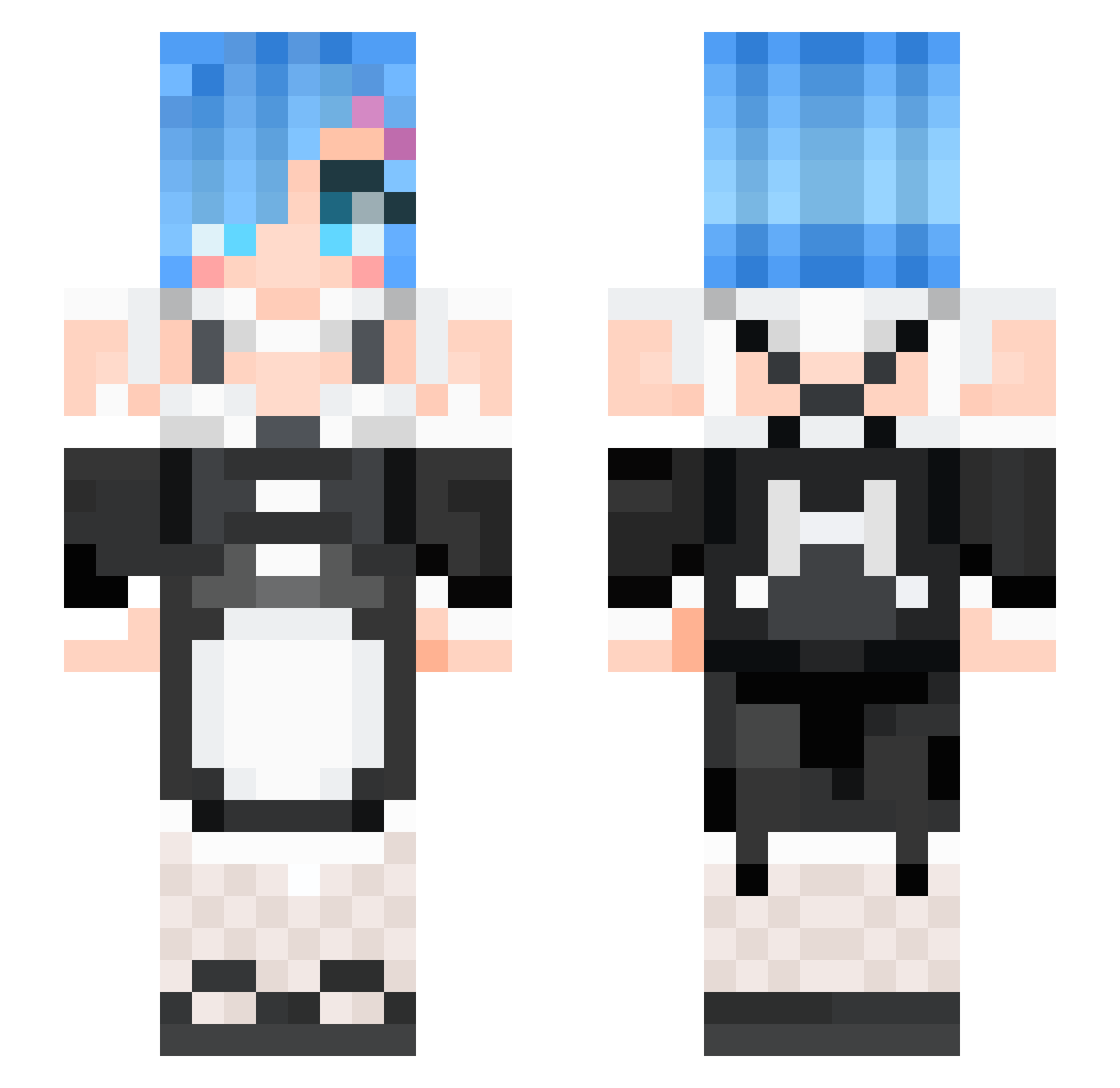
Current Minecraft skin of the player littleamyminer, loaded from the official Mojang API. Rotate the 3D model with your mouse or finger, then download the skin as a PNG file and use it in Minecraft: Bedrock Edition or Java Edition for free. When littleamyminer changes their skin, this page updates automatically and the old skin stays in the history below.
Other players with this skin (82)
littleamyminer was the 37th player we have seen with this skin, first spotted on 31.08.2026. The same skin was seen on these players. Open a nickname to see their current skin and skin history.
 joey719 Sharyss RemNyah mingz3434 KEIGO0921 AscendDapper kokui3 RWBY_83 RemFanb0y ItzNano sepianrouge Biohazzard666 sindarwin REDNALCHI ecool2411 LuoLuoMoe oblivion3k JI_GEON uHua Masonman87 iix9t iceotope IRI_US Aryethor Soundedexpert2 AE86trueno RemrektsRias Blanc_Lis BeholdenCypress SneakiestWolf HookGOM Insominis leo60808 Lovelolii JayCG watame_ efn_____ _jUSTKA CodeCraft Remismine Coltsu _Poison lam_chi_hong Hyperike hawk6416 AADISORN PikaPoka RemFeiKs Rose_AR Orara_24 KiInBi CaroPs321 FeikuRaito sunnydogzz prooheckcp bamyeon Kuyadere LunaNASA flxury huajuanjuan
More Anime Maid Minecraft skins
How to install the littleamyminer skin
- Press the Download button above to save the skin as a PNG file.
- Minecraft: Bedrock Edition (PE): open the Dressing Room from the main menu (or tap your character → Edit Character), go to Classic Skins → Owned, press the + (new skin) button, choose the downloaded PNG and pick the Slim (Alex) model. Works on PC and mobile; consoles cannot import custom skins.
- Minecraft: Java Edition: open the Minecraft Launcher, go to the Skins tab, click New Skin, load the PNG, pick the Slim (Alex) model and press Save & Use. You can also upload it at minecraft.net → Profile → Change Skin.
The skin does not show up after import - what should I do?
Restart Minecraft and open the Dressing Room again - imported skins sometimes appear only after a restart. Also make sure you selected the imported skin and picked the Slim (Alex) model.
Which model should I choose, Classic or Slim?
This skin is designed for the Slim (Alex) model. If you pick the wrong model, the arms of the skin will look stretched or squeezed.
Is the skin of littleamyminer free to download?
Yes. Press Download, save the PNG file and use it in Minecraft: Bedrock Edition or Java Edition - no payment or registration needed. The skin also works on multiplayer servers and Realms.
More skins
Looking for more? Go back to all Minecraft skins and check the top skins of the week, month and all time, or find any player's skin by nickname.