
lilpeanut112 - Minecraft Skins & Skin History
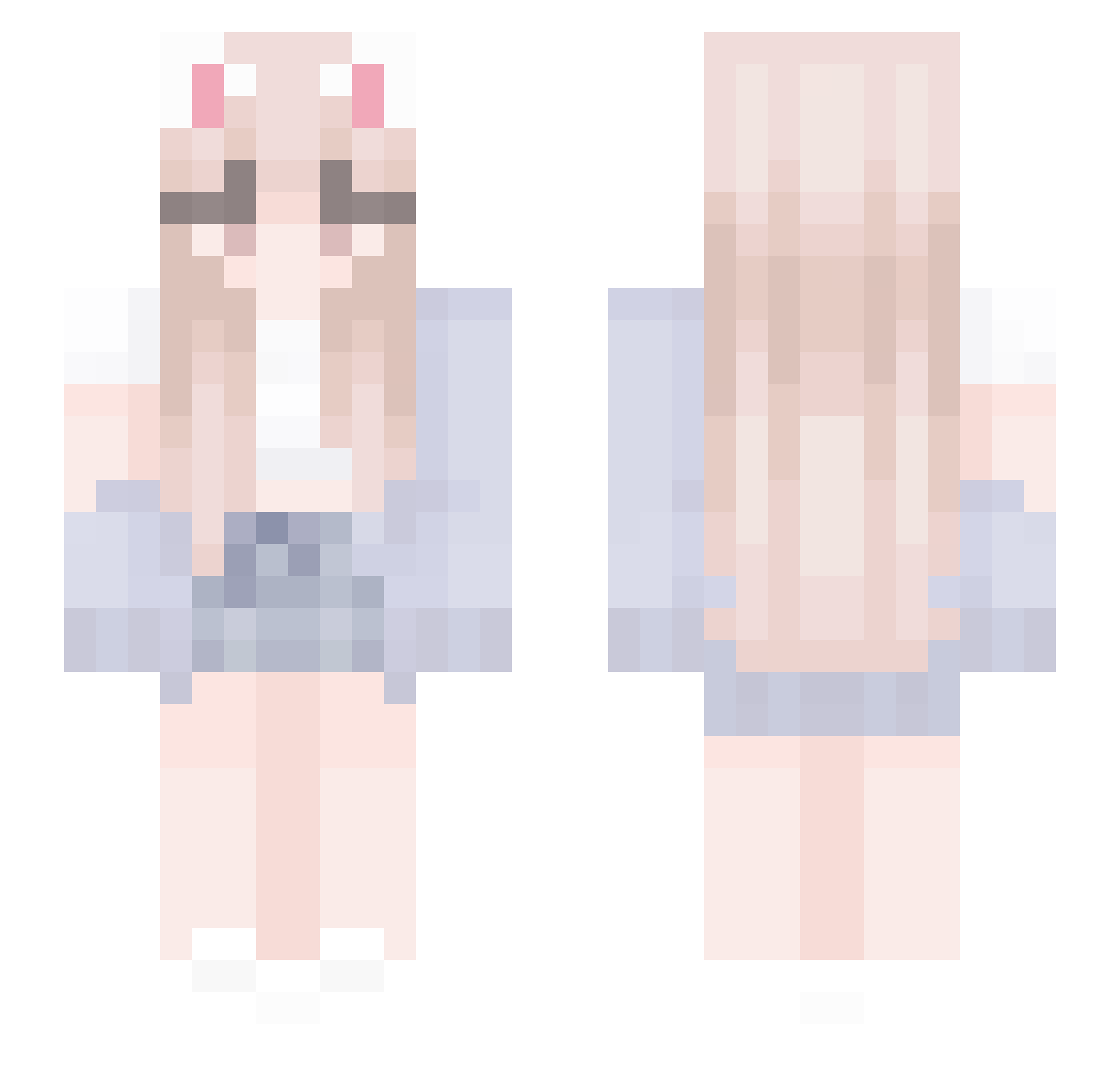
Current Minecraft skin of the player lilpeanut112, loaded from the official Mojang API. Rotate the 3D model with your mouse or finger, then download the skin as a PNG file and use it in Minecraft: Bedrock Edition or Java Edition for free. When lilpeanut112 changes their skin, this page updates automatically and the old skin stays in the history below.
Other players with this skin (529)
lilpeanut112 was the 445th player we have seen with this skin, first spotted on 02.11.2026. The same skin was seen on these players. Open a nickname to see their current skin and skin history.
 kosles God_YZ bw519 jummum poongdeng Seraphina_01 Ezio_____ Chenying_lovely QueenLucyyy happygirl2 getcuddle BoldyMajestY Kangdonghun LanceW221 KFCVW50 ChenYii Ghuni ab7758258 1CHEN Omasaar JJEE_02 Haroroo reykova SuperPiggy19 J0JI LucidMon Myjowski OmO_OwO Haru_Iluvatar jiaxiaojiu Cl4t_ zily1 WolfxSpirits YexnHwa feena0127 aalexa0ndraa LinLey_J Mercurax clarket SevenTomato3649 oliver643031 eyhme Qanxc Andi504 AmengA stary0315 Kumagamii ftpmarissaa KelvinLin Adaadader duckychc3 jospina Saullyte glqwing shourukaa SeaQueen3 feelx3 PAPA_0w0_ DoctorGagne Madzia004
More Cardigan Minecraft skins
How to install the lilpeanut112 skin
- Press the Download button above to save the skin as a PNG file.
- Minecraft: Bedrock Edition (PE): open the Dressing Room from the main menu (or tap your character → Edit Character), go to Classic Skins → Owned, press the + (new skin) button, choose the downloaded PNG and pick the Slim (Alex) model. Works on PC and mobile; consoles cannot import custom skins.
- Minecraft: Java Edition: open the Minecraft Launcher, go to the Skins tab, click New Skin, load the PNG, pick the Slim (Alex) model and press Save & Use. You can also upload it at minecraft.net → Profile → Change Skin.
The skin does not show up after import - what should I do?
Restart Minecraft and open the Dressing Room again - imported skins sometimes appear only after a restart. Also make sure you selected the imported skin and picked the Slim (Alex) model.
Which model should I choose, Classic or Slim?
This skin is designed for the Slim (Alex) model. If you pick the wrong model, the arms of the skin will look stretched or squeezed.
Is the skin of lilpeanut112 free to download?
Yes. Press Download, save the PNG file and use it in Minecraft: Bedrock Edition or Java Edition - no payment or registration needed. The skin also works on multiplayer servers and Realms.
More skins
Looking for more? Go back to all Minecraft skins and check the top skins of the week, month and all time, or find any player's skin by nickname.