
lighty____ - Minecraft Skins & Skin History
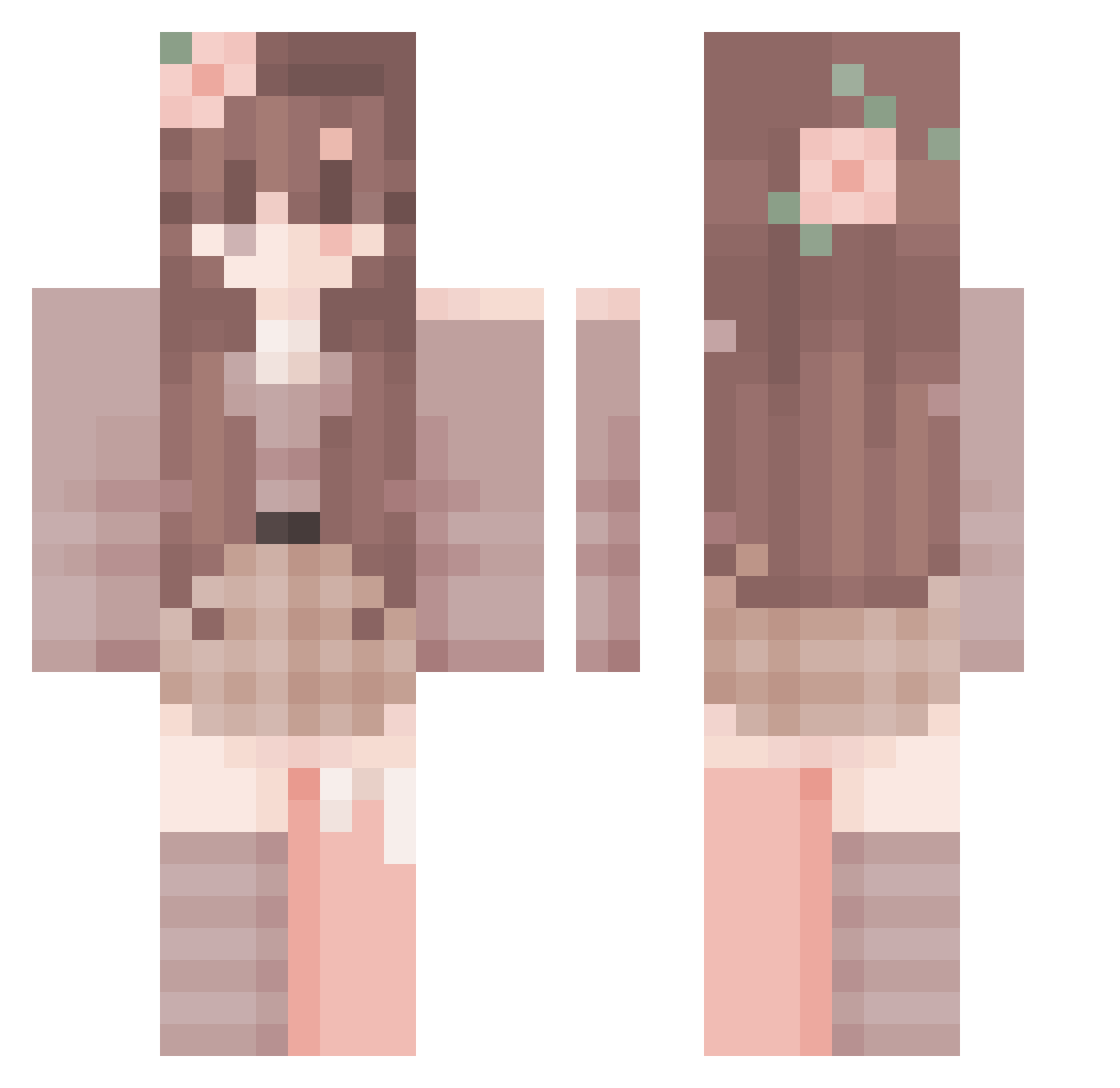
Current Minecraft skin of the player lighty____, loaded from the official Mojang API. Rotate the 3D model with your mouse or finger, then download the skin as a PNG file and use it in Minecraft: Bedrock Edition or Java Edition for free. When lighty____ changes their skin, this page updates automatically and the old skin stays in the history below.
Other players with this skin (288)
lighty____ was the 50th player we have seen with this skin, first spotted on 08.08.2026. The same skin was seen on these players. Open a nickname to see their current skin and skin history.
 Zentardy audfyle LillyLillia Riverlake34 ShafirX
 Bonori2 FlowerChild02 riv1rr Lord_Foxy frillzzz nickypaws Kkrasnal ssiannaa
 WLBA nonofdefs
 yukijjang29 raqy99
 echoisms NHKT elul12 sleepykeklia
 Cheese_Maker _W1xen_ 4ysm3try JJyo0203 Saenseluvis FKCR1234 Donutina4000 Maiichu
 zPlxa YOYO_18 Moonstar021 Darcie yushiqi
 ralucaioana Reyxius dragsonek
 SolarWho smokgejmer Taraiscooler Aestesio Zosocoda GuQiao12 Hiyohye Heloisgood Fishy_Dory Novus0095 anax312 Ma_dzia5
 GamingDail ThatAmazingGirl Nene123 KasiaHanta
 HandsomeAiFan Tinxas KingAsta player9821 Rebee705 Vesperae_ kruser511
More Flower Crown Minecraft skins
See all 3468 Flower Crown skins
How to install the lighty____ skin
- Press the Download button above to save the skin as a PNG file.
- Minecraft: Bedrock Edition (PE): open the Dressing Room from the main menu (or tap your character → Edit Character), go to Classic Skins → Owned, press the + (new skin) button, choose the downloaded PNG and pick the Classic (Steve) model. Works on PC and mobile; consoles cannot import custom skins.
- Minecraft: Java Edition: open the Minecraft Launcher, go to the Skins tab, click New Skin, load the PNG, pick the Classic (Steve) model and press Save & Use. You can also upload it at minecraft.net → Profile → Change Skin.
The skin does not show up after import - what should I do?
Restart Minecraft and open the Dressing Room again - imported skins sometimes appear only after a restart. Also make sure you selected the imported skin and picked the Classic (Steve) model.
Which model should I choose, Classic or Slim?
This skin is designed for the Classic (Steve) model. If you pick the wrong model, the arms of the skin will look stretched or squeezed.
Is the skin of lighty____ free to download?
Yes. Press Download, save the PNG file and use it in Minecraft: Bedrock Edition or Java Edition - no payment or registration needed. The skin also works on multiplayer servers and Realms.
More skins
Looking for more? Go back to all Minecraft skins and check the top skins of the week, month and all time, or find any player's skin by nickname.