
lights_resolve - Minecraft Skins & Skin History
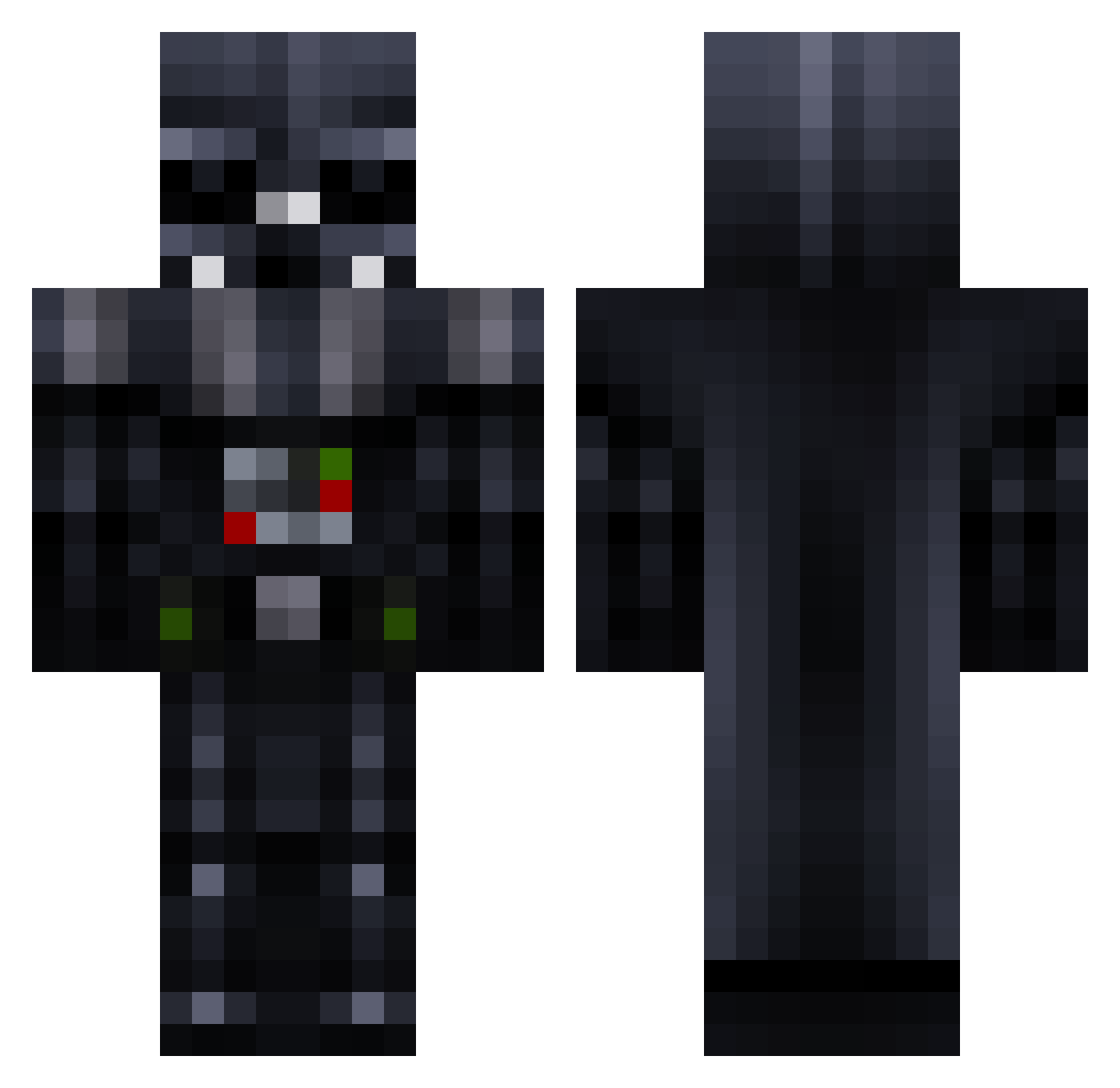
Current Minecraft skin of the player lights_resolve, loaded from the official Mojang API. Rotate the 3D model with your mouse or finger, then download the skin as a PNG file and use it in Minecraft: Bedrock Edition or Java Edition for free. When lights_resolve changes their skin, this page updates automatically and the old skin stays in the history below.
Other players with this skin (780)
lights_resolve was the 73rd player we have seen with this skin, first spotted on 03.08.2026. The same skin was seen on these players. Open a nickname to see their current skin and skin history.
 BrickBuilder151 LukeLeia21 norvous911 Noblest TheRaZOreDge Blightdragon42 GamingKing_YT ANGRY_FELIX etch_rat Metal0011 GoldenBearZero orannis GnomeAttack69 trevorcarpenter Darth_Vador_333 zachyben manicmartion TheDaveinator melcon_ AlternEZ Rumarks victora227ax12 Rawwar24 FuryDragon01 Rarcleg wyxflk003 Ullbourne TheCycle66 Kriper31 smallshrimper ojebar BooWalls Skar_Viperz JoeTheCaveman sunde37 H_D_K Usleiss stewiep IKnowTheManager CrafterFranko Queershy fishwish48 Mattias2708 ZomgFunZ pedrocosta222 Grunt_96 CharlieBroken GhostLegend noyboy74 Toxik93 DDarthVader xDarksoulsx18 Craftybo lauriecopley deathshot45 mesurechiffon XxReDfoxX9 TROG17 Sandro057 Veyroush
More Darth Vader Minecraft skins
How to install the lights_resolve skin
- Press the Download button above to save the skin as a PNG file.
- Minecraft: Bedrock Edition (PE): open the Dressing Room from the main menu (or tap your character → Edit Character), go to Classic Skins → Owned, press the + (new skin) button, choose the downloaded PNG and pick the Classic (Steve) model. Works on PC and mobile; consoles cannot import custom skins.
- Minecraft: Java Edition: open the Minecraft Launcher, go to the Skins tab, click New Skin, load the PNG, pick the Classic (Steve) model and press Save & Use. You can also upload it at minecraft.net → Profile → Change Skin.
The skin does not show up after import - what should I do?
Restart Minecraft and open the Dressing Room again - imported skins sometimes appear only after a restart. Also make sure you selected the imported skin and picked the Classic (Steve) model.
Which model should I choose, Classic or Slim?
This skin is designed for the Classic (Steve) model. If you pick the wrong model, the arms of the skin will look stretched or squeezed.
Is the skin of lights_resolve free to download?
Yes. Press Download, save the PNG file and use it in Minecraft: Bedrock Edition or Java Edition - no payment or registration needed. The skin also works on multiplayer servers and Realms.
More skins
Looking for more? Go back to all Minecraft skins and check the top skins of the week, month and all time, or find any player's skin by nickname.