
lighteren1234 - Minecraft Skins & Skin History
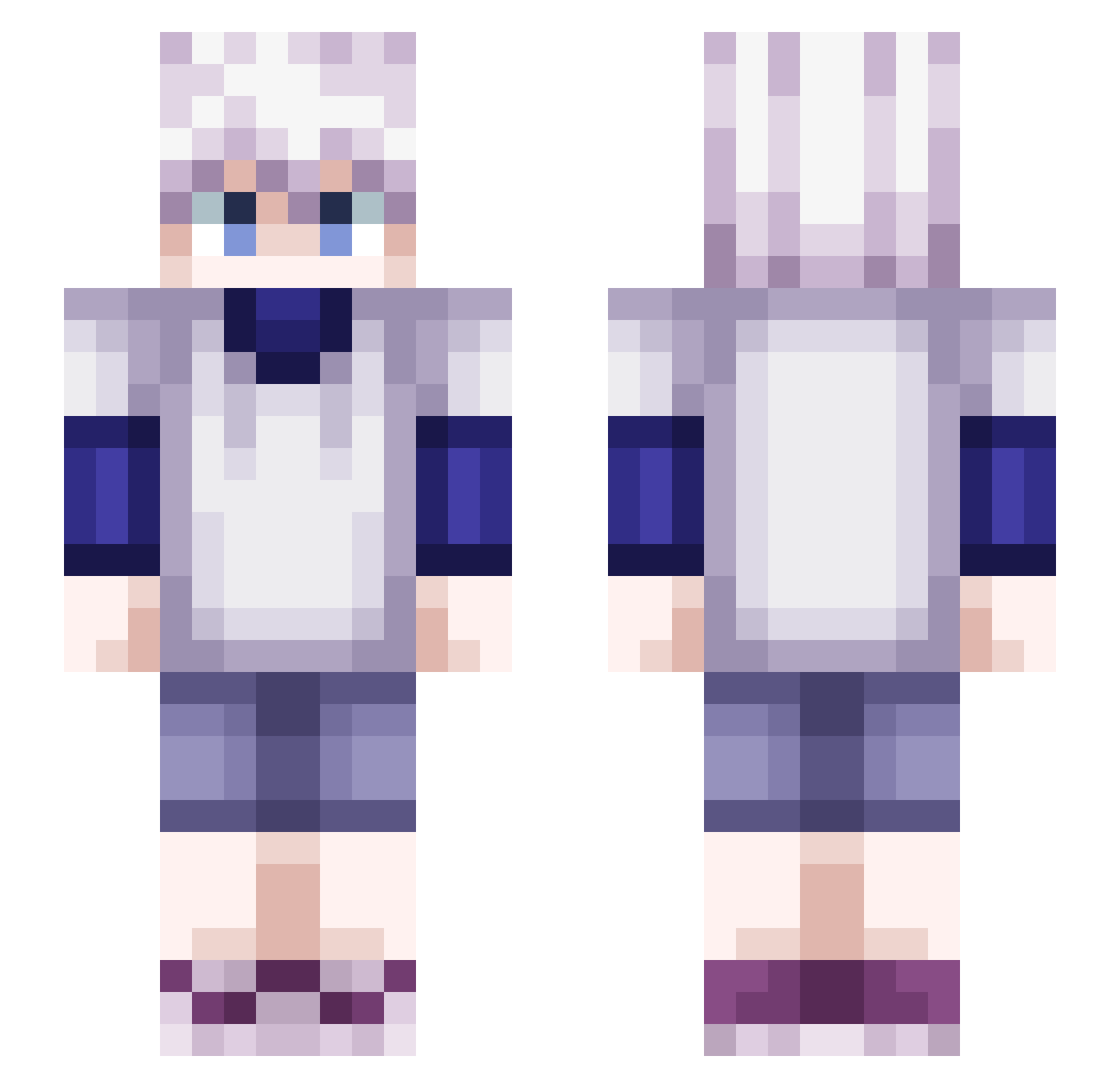
Current Minecraft skin of the player lighteren1234, loaded from the official Mojang API. Rotate the 3D model with your mouse or finger, then download the skin as a PNG file and use it in Minecraft: Bedrock Edition or Java Edition for free. When lighteren1234 changes their skin, this page updates automatically and the old skin stays in the history below.
Other players with this skin (543)
lighteren1234 was the 507th player we have seen with this skin, first spotted on 03.11.2026. The same skin was seen on these players. Open a nickname to see their current skin and skin history.
 itsvex2 sathvik69 KazokuMC kontek_ keGasperrr emilieponette DonkeyMerda YuuXSpr NateshMago KgWickXP RuneTheRat jessica729 And1mon RaiNer845 Ki11ua_ NorthernLight59 ItsEvoniix cabritoxbox jacky_luis4 IIpoFu janpizzz Micah___ yotubaa AzraelTeloc Dakusuto rupon119 WhatDaF4cK Erenjr92 ImNaikO Luda123456 Evans4522 CristoJoven23 DwindlingSoul Agtgalaxy DarkEvilX7 _INTRUSO Skuubz _TheSnup_ yhrd Ammar_Thunder raisykovv eikichi24 iTsAlex279 Gloubs robaboy666 EpLsXD NikTV29 RIMURU_RU killuaXzk Toutai97 Goaatie K1LLUA_Zoldyck yskillsBLATANT Ki1ua TheBigBig__ Mikaeru99 _XTOSHIROX_ Sohoony PloP_yt Twiisterz974
More Killua Zoldyck Minecraft skins
See all 190 Killua Zoldyck skins
How to install the lighteren1234 skin
- Press the Download button above to save the skin as a PNG file.
- Minecraft: Bedrock Edition (PE): open the Dressing Room from the main menu (or tap your character → Edit Character), go to Classic Skins → Owned, press the + (new skin) button, choose the downloaded PNG and pick the Slim (Alex) model. Works on PC and mobile; consoles cannot import custom skins.
- Minecraft: Java Edition: open the Minecraft Launcher, go to the Skins tab, click New Skin, load the PNG, pick the Slim (Alex) model and press Save & Use. You can also upload it at minecraft.net → Profile → Change Skin.
The skin does not show up after import - what should I do?
Restart Minecraft and open the Dressing Room again - imported skins sometimes appear only after a restart. Also make sure you selected the imported skin and picked the Slim (Alex) model.
Which model should I choose, Classic or Slim?
This skin is designed for the Slim (Alex) model. If you pick the wrong model, the arms of the skin will look stretched or squeezed.
Is the skin of lighteren1234 free to download?
Yes. Press Download, save the PNG file and use it in Minecraft: Bedrock Edition or Java Edition - no payment or registration needed. The skin also works on multiplayer servers and Realms.
More skins
Looking for more? Go back to all Minecraft skins and check the top skins of the week, month and all time, or find any player's skin by nickname.