
lie25250213 - Minecraft Skins & Skin History
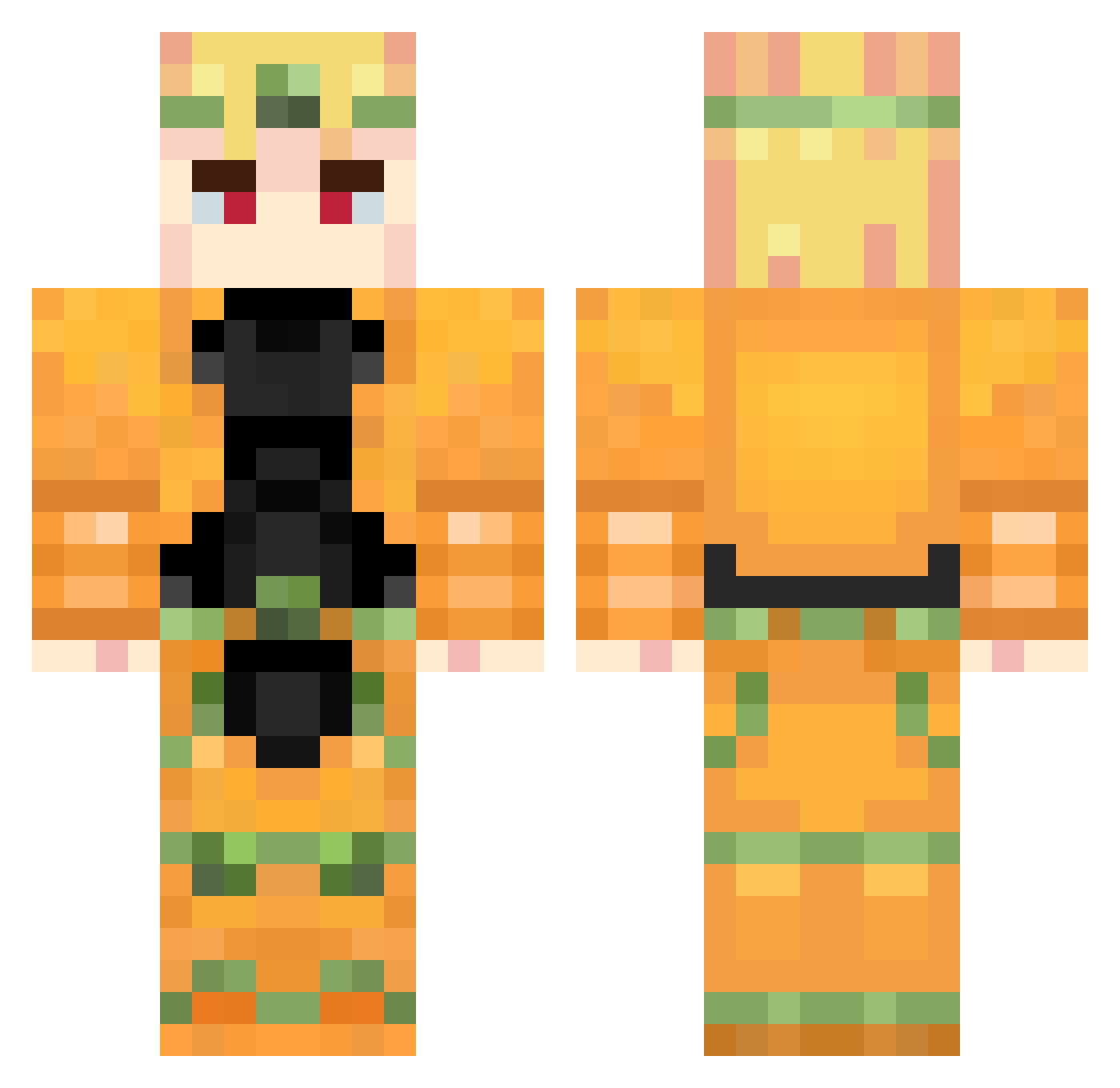
Current Minecraft skin of the player lie25250213, loaded from the official Mojang API. Rotate the 3D model with your mouse or finger, then download the skin as a PNG file and use it in Minecraft: Bedrock Edition or Java Edition for free. When lie25250213 changes their skin, this page updates automatically and the old skin stays in the history below.
Other players with this skin (738)
lie25250213 was the 229th player we have seen with this skin, first spotted on 23.08.2026. The same skin was seen on these players. Open a nickname to see their current skin and skin history.
 CaptainRocket7 Danielcalmonusa Bezogo69 Soul3TER BaddestKid sSDREAMSs Trick355 Filos981 Dio_Brando_228 Zekryev TF2isforCasuals gokayattar bigkelp789 HaItWasMeDio caualindo MrChancla miokoj Bulletz Deur_Matt papiwo falsifys Minecartmstr1000 u1ban Twomroc Beelze_Real _LaFF4ik_ dio_zhouji_laoda RiMo33 Mando616 Vipath jaks228 lekhaidinh121 Fizzy_39 kotasan55 ZaaWaarDoo BryanZayn KaRToIIIKa1406 Wryyyy124 Canjas121 Neirach
 LUNTICK_228 Safeet0o0 DiPPinGFliP Usernamesmatter ProbablyNEO marspuppyy _MsnLzn_ TORERICK Asriel6996 Arcooss Savko177 HerPlane pocketnife URASHIMA0822 Donizets Halowar78 DIO_SENPAI Fergus03 QWQ369 nitoom
More Dio Brando Minecraft skins
How to install the lie25250213 skin
- Press the Download button above to save the skin as a PNG file.
- Minecraft: Bedrock Edition (PE): open the Dressing Room from the main menu (or tap your character → Edit Character), go to Classic Skins → Owned, press the + (new skin) button, choose the downloaded PNG and pick the Classic (Steve) model. Works on PC and mobile; consoles cannot import custom skins.
- Minecraft: Java Edition: open the Minecraft Launcher, go to the Skins tab, click New Skin, load the PNG, pick the Classic (Steve) model and press Save & Use. You can also upload it at minecraft.net → Profile → Change Skin.
The skin does not show up after import - what should I do?
Restart Minecraft and open the Dressing Room again - imported skins sometimes appear only after a restart. Also make sure you selected the imported skin and picked the Classic (Steve) model.
Which model should I choose, Classic or Slim?
This skin is designed for the Classic (Steve) model. If you pick the wrong model, the arms of the skin will look stretched or squeezed.
Is the skin of lie25250213 free to download?
Yes. Press Download, save the PNG file and use it in Minecraft: Bedrock Edition or Java Edition - no payment or registration needed. The skin also works on multiplayer servers and Realms.
More skins
Looking for more? Go back to all Minecraft skins and check the top skins of the week, month and all time, or find any player's skin by nickname.