
libUE4 - Minecraft Skins & Skin History
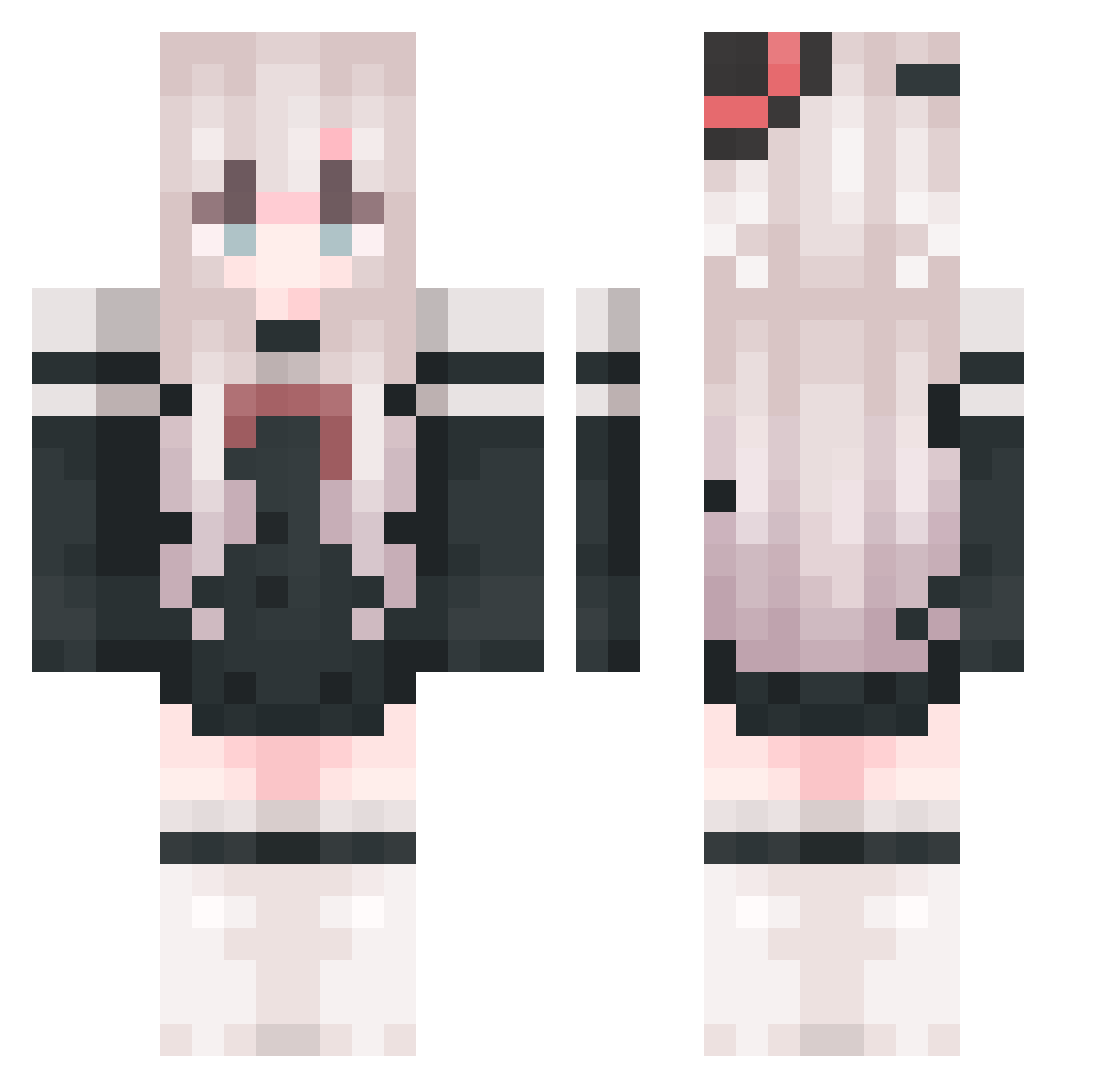
Current Minecraft skin of the player libUE4, loaded from the official Mojang API. Rotate the 3D model with your mouse or finger, then download the skin as a PNG file and use it in Minecraft: Bedrock Edition or Java Edition for free. When libUE4 changes their skin, this page updates automatically and the old skin stays in the history below.
Other players with this skin (821)
libUE4 was the 337th player we have seen with this skin, first spotted on 29.08.2026. The same skin was seen on these players. Open a nickname to see their current skin and skin history.
 Alian_official SUFAYUAN LittIePrince tudou66666 singlesmile bingdiew Lejnew LexxBioo0629 hansuo1 makailiang1030 Wo_Shi_Ruo_Zhi Madoka3757 MGO69 wuyulei nine7317 tianruoyouqing78 Kuzu521 GuWanWan LovAlicia21 mengmang233 KagamigawaNoell WhistleFlower luoning998 andaandaanda Jkllove xaio3628 Luomuyu Muxiao00 traeasd2 sodiumss S1xy__ pathfinder_404 Unlimited_code11 Scorching10 5oMaNy Xingluo528 zero_deg Micherae demons423 _Genshin_Start wieldy138 Like_zmring Mc_AeChao Nan_Tu Aurora_Limerence yiyezi SKunKitty HLsea HCISL xixen Qiuml123 leidao_666 chiyuya Plum_Rain TheCheems 00MDJ00 AN_zaz_zheng chanm_520 Thefairy6 YSMILEL
More Top Hat Minecraft skins
How to install the libUE4 skin
- Press the Download button above to save the skin as a PNG file.
- Minecraft: Bedrock Edition (PE): open the Dressing Room from the main menu (or tap your character → Edit Character), go to Classic Skins → Owned, press the + (new skin) button, choose the downloaded PNG and pick the Classic (Steve) model. Works on PC and mobile; consoles cannot import custom skins.
- Minecraft: Java Edition: open the Minecraft Launcher, go to the Skins tab, click New Skin, load the PNG, pick the Classic (Steve) model and press Save & Use. You can also upload it at minecraft.net → Profile → Change Skin.
The skin does not show up after import - what should I do?
Restart Minecraft and open the Dressing Room again - imported skins sometimes appear only after a restart. Also make sure you selected the imported skin and picked the Classic (Steve) model.
Which model should I choose, Classic or Slim?
This skin is designed for the Classic (Steve) model. If you pick the wrong model, the arms of the skin will look stretched or squeezed.
Is the skin of libUE4 free to download?
Yes. Press Download, save the PNG file and use it in Minecraft: Bedrock Edition or Java Edition - no payment or registration needed. The skin also works on multiplayer servers and Realms.
More skins
Looking for more? Go back to all Minecraft skins and check the top skins of the week, month and all time, or find any player's skin by nickname.