
leuunam - Minecraft Skins & Skin History
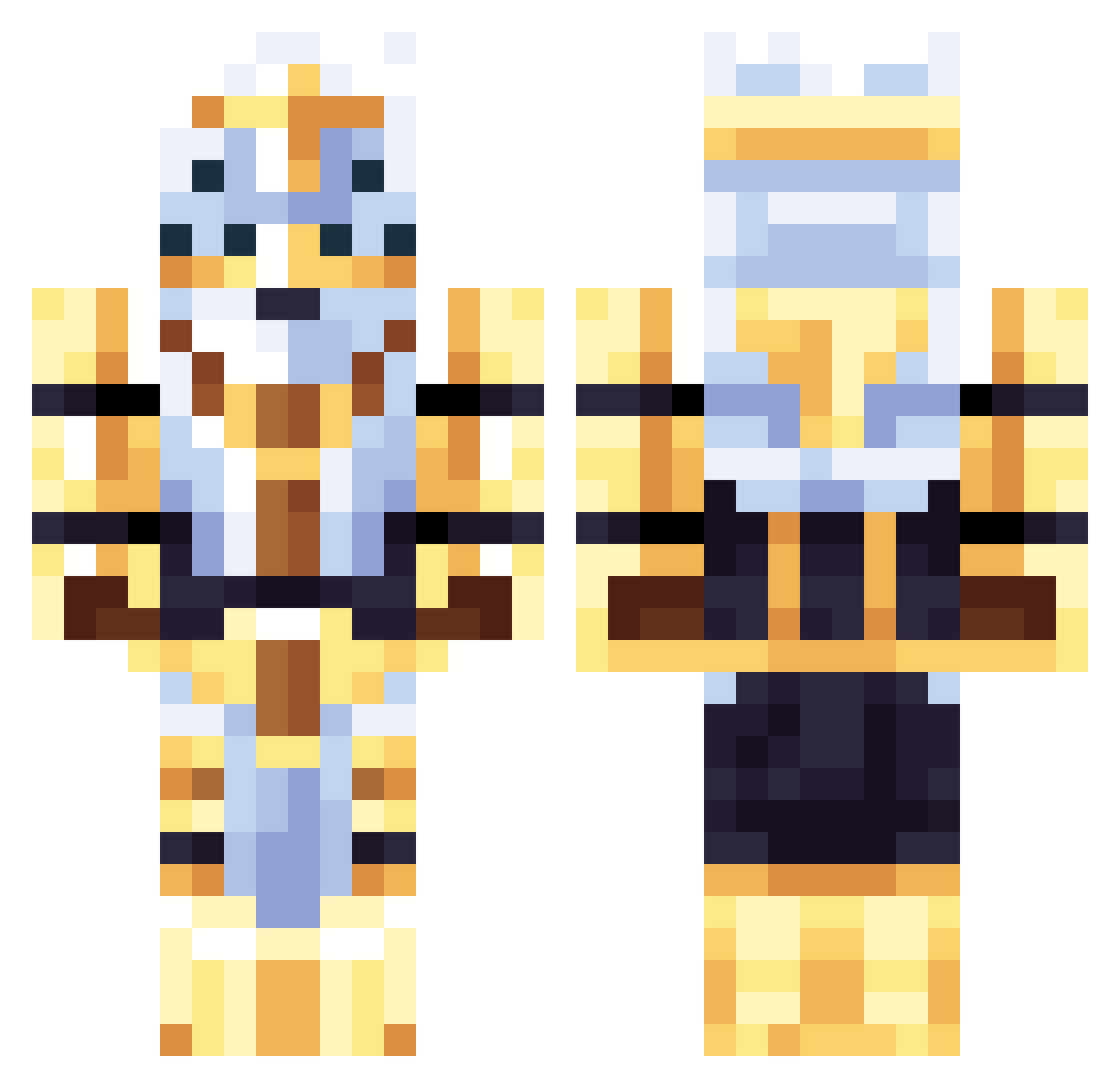
Current Minecraft skin of the player leuunam, loaded from the official Mojang API. Rotate the 3D model with your mouse or finger, then download the skin as a PNG file and use it in Minecraft: Bedrock Edition or Java Edition for free. When leuunam changes their skin, this page updates automatically and the old skin stays in the history below.
Other players with this skin (108)
leuunam was the 82nd player we have seen with this skin, first spotted on 04.10.2026. The same skin was seen on these players. Open a nickname to see their current skin and skin history.
 GasparPM Drive250 azadeju Iamsftrn _Proko_ Uniq1 dimplycelery584 Lo_amy StanWitPan Sir2Guest Eesaia ejecge LordChanks Subzero5997 Jazzymonkey69420 Bole523 v2se Dogge_liza Gabriel_Nao pioterelel Statenr6 z6sk4vnunuhr3w98 TenthMantis ArrivingLoki01 Amopizza Dodolol1 kook310 OATHOFVENGEANCE TorpTheMod apexplasmamaster ROYER4423 loaloase BorD12 Cookedbylexy Th3Ginger EnderCreeper007 15baka catync henettio Kaxtion Lolik_11 SavageInferno96 MrNiceGuy_I Wasdaxby KillBooy VerbotenSleet36 SkeletonPlays26 NoOne366768 Vettahepticine AaronDaBoi DR_UNDERPANTS artyomwastaken MGR32 DaFyte SeraphRaven indominus262 XLEBOPAXA SoundMask siurekogurek Nomanssky_101
More The Lich King Minecraft skins
See all 17 The Lich King skins
How to install the leuunam skin
- Press the Download button above to save the skin as a PNG file.
- Minecraft: Bedrock Edition (PE): open the Dressing Room from the main menu (or tap your character → Edit Character), go to Classic Skins → Owned, press the + (new skin) button, choose the downloaded PNG and pick the Classic (Steve) model. Works on PC and mobile; consoles cannot import custom skins.
- Minecraft: Java Edition: open the Minecraft Launcher, go to the Skins tab, click New Skin, load the PNG, pick the Classic (Steve) model and press Save & Use. You can also upload it at minecraft.net → Profile → Change Skin.
The skin does not show up after import - what should I do?
Restart Minecraft and open the Dressing Room again - imported skins sometimes appear only after a restart. Also make sure you selected the imported skin and picked the Classic (Steve) model.
Which model should I choose, Classic or Slim?
This skin is designed for the Classic (Steve) model. If you pick the wrong model, the arms of the skin will look stretched or squeezed.
Is the skin of leuunam free to download?
Yes. Press Download, save the PNG file and use it in Minecraft: Bedrock Edition or Java Edition - no payment or registration needed. The skin also works on multiplayer servers and Realms.
More skins
Looking for more? Go back to all Minecraft skins and check the top skins of the week, month and all time, or find any player's skin by nickname.