
lestone - Minecraft Skins & Skin History
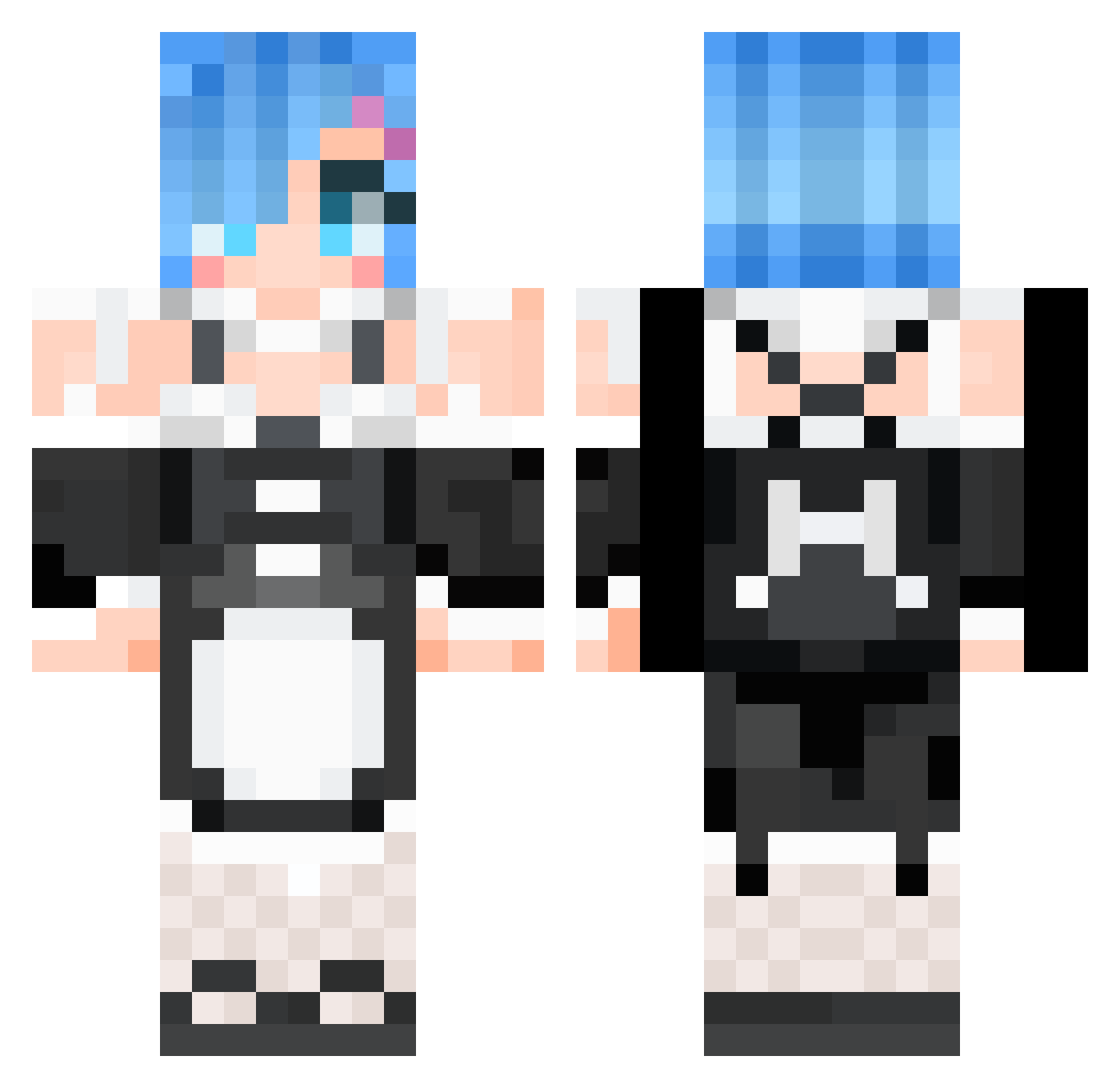
Current Minecraft skin of the player lestone, loaded from the official Mojang API. Rotate the 3D model with your mouse or finger, then download the skin as a PNG file and use it in Minecraft: Bedrock Edition or Java Edition for free. When lestone changes their skin, this page updates automatically and the old skin stays in the history below.
Other players with this skin (529)
lestone was the 39th player we have seen with this skin, first spotted on 01.08.2026. The same skin was seen on these players. Open a nickname to see their current skin and skin history.
 TheNext214 Archer_Yang _pz Lilsadcarrot M4d_Rabbit ANaTurezaMorta Nafiol poisonousRose20 xrealerx Asukasocute Heathen___ 3itsuha Uten_ yuuri0647 ishinism04 LuminantStella Layton1113 Rem0154 oldsuzi Euesus Dawudang Masquerade167 joeche Azumaru_ sonicjammer archfill m00nbunniee bom2bom GuanTsai terrorzuado hjy_0907 kms2023sad GiovaniGuedess _Boxxy_ SparrowWasTaken SekinoRoko Ms_Blue_ Hyalexlex LouisChow1102 racso574 divorcedmywife qoa546 xiao_qing123 RunChangOvO akfk007 SkunNito NoodleDaddy9595 Crime_heart Pclipse sityu014 korukuchan CaptCrackHead Scarlett_Cat Kl3inerFuchs J_h_M Cofeeeeee Anggimoddi23 junsik3121 hectorgolf GlizzyGobbler03
More Rem Minecraft skins
How to install the lestone skin
- Press the Download button above to save the skin as a PNG file.
- Minecraft: Bedrock Edition (PE): open the Dressing Room from the main menu (or tap your character → Edit Character), go to Classic Skins → Owned, press the + (new skin) button, choose the downloaded PNG and pick the Classic (Steve) model. Works on PC and mobile; consoles cannot import custom skins.
- Minecraft: Java Edition: open the Minecraft Launcher, go to the Skins tab, click New Skin, load the PNG, pick the Classic (Steve) model and press Save & Use. You can also upload it at minecraft.net → Profile → Change Skin.
The skin does not show up after import - what should I do?
Restart Minecraft and open the Dressing Room again - imported skins sometimes appear only after a restart. Also make sure you selected the imported skin and picked the Classic (Steve) model.
Which model should I choose, Classic or Slim?
This skin is designed for the Classic (Steve) model. If you pick the wrong model, the arms of the skin will look stretched or squeezed.
Is the skin of lestone free to download?
Yes. Press Download, save the PNG file and use it in Minecraft: Bedrock Edition or Java Edition - no payment or registration needed. The skin also works on multiplayer servers and Realms.
More skins
Looking for more? Go back to all Minecraft skins and check the top skins of the week, month and all time, or find any player's skin by nickname.