
lesterbrouns - Minecraft Skins & Skin History
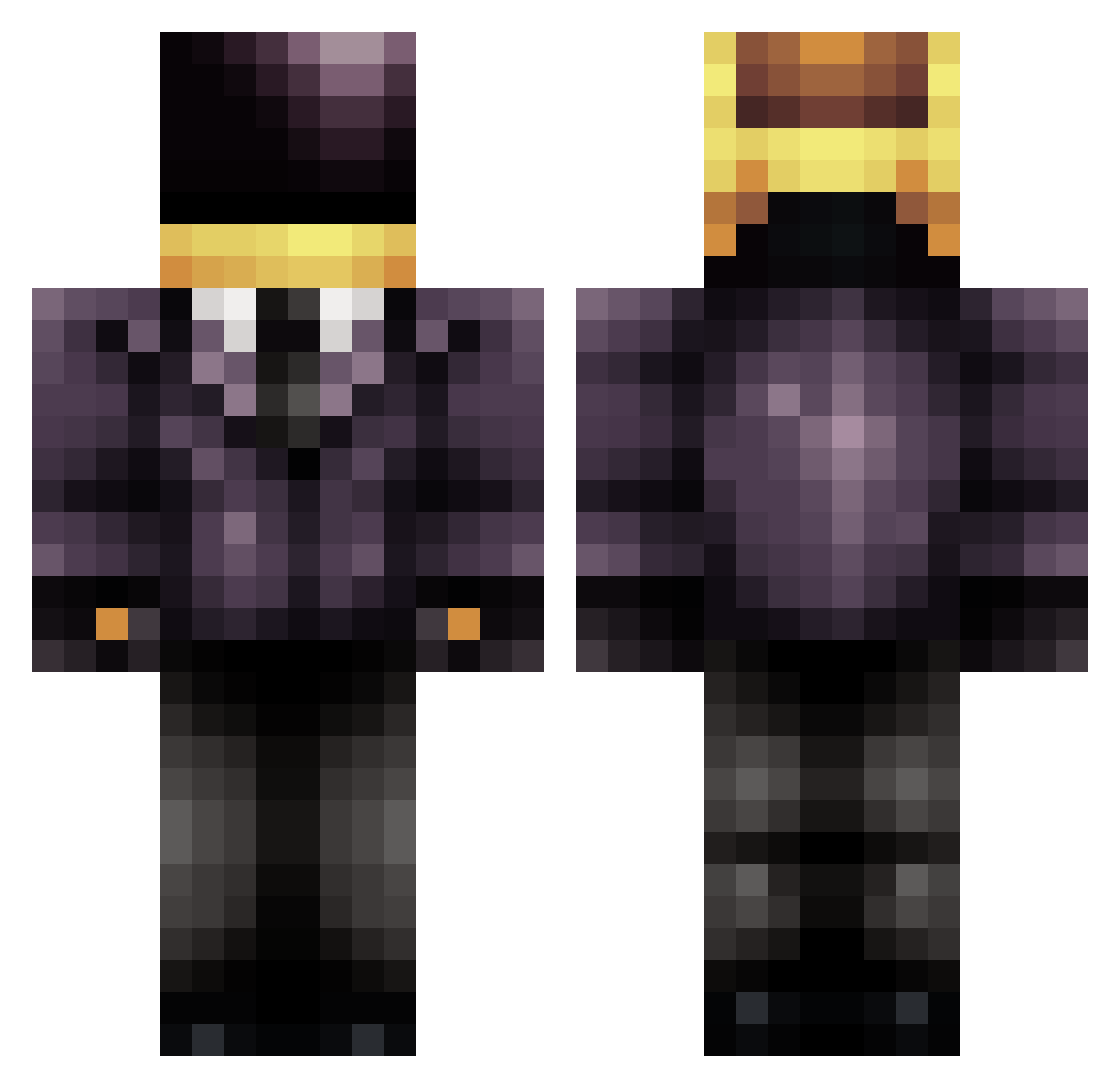
Current Minecraft skin of the player lesterbrouns, loaded from the official Mojang API. Rotate the 3D model with your mouse or finger, then download the skin as a PNG file and use it in Minecraft: Bedrock Edition or Java Edition for free. When lesterbrouns changes their skin, this page updates automatically and the old skin stays in the history below.
Other players with this skin (709)
lesterbrouns was the 480th player we have seen with this skin, first spotted on 08.10.2026. The same skin was seen on these players. Open a nickname to see their current skin and skin history.
 00Rico Dennis10 ClassSwagger AzRyider Triplukez emil7982 Eraight PaluB happyfuls LiquidGR groezy Volrath23 technopunch MR_LEMONADE OverlandPark duckmaster27 SpelkSaker CARTESIS78 Shloogorg thegirguy IronRocks rikos_sora Bronzechaos MineOrGrind MinecraftGalaxy5 Mrlizzard123 RauhWelt superstorm6 CiaranRam grymstr Fushigi01 BingoRox aezlo 09BboyAssassin09 Jibes_ Naftolemak bone168 Pipouline MiNeCrAFt_666 Inksoxi tommytank132 GoldMedalChamp6 ohquared Andres498 JOExTHExPRO Xenneos Cheavy_ eathren CurryMonster2001 zmill3223 NodeMc shadow18715 Bobby_Flay XLouisBdxX xSKULLxCRUSHERxx cody_cool masacur planii Jumping_Jax Gh0stface_Killah
More Daft Punk Minecraft skins
How to install the lesterbrouns skin
- Press the Download button above to save the skin as a PNG file.
- Minecraft: Bedrock Edition (PE): open the Dressing Room from the main menu (or tap your character → Edit Character), go to Classic Skins → Owned, press the + (new skin) button, choose the downloaded PNG and pick the Classic (Steve) model. Works on PC and mobile; consoles cannot import custom skins.
- Minecraft: Java Edition: open the Minecraft Launcher, go to the Skins tab, click New Skin, load the PNG, pick the Classic (Steve) model and press Save & Use. You can also upload it at minecraft.net → Profile → Change Skin.
The skin does not show up after import - what should I do?
Restart Minecraft and open the Dressing Room again - imported skins sometimes appear only after a restart. Also make sure you selected the imported skin and picked the Classic (Steve) model.
Which model should I choose, Classic or Slim?
This skin is designed for the Classic (Steve) model. If you pick the wrong model, the arms of the skin will look stretched or squeezed.
Is the skin of lesterbrouns free to download?
Yes. Press Download, save the PNG file and use it in Minecraft: Bedrock Edition or Java Edition - no payment or registration needed. The skin also works on multiplayer servers and Realms.
More skins
Looking for more? Go back to all Minecraft skins and check the top skins of the week, month and all time, or find any player's skin by nickname.