
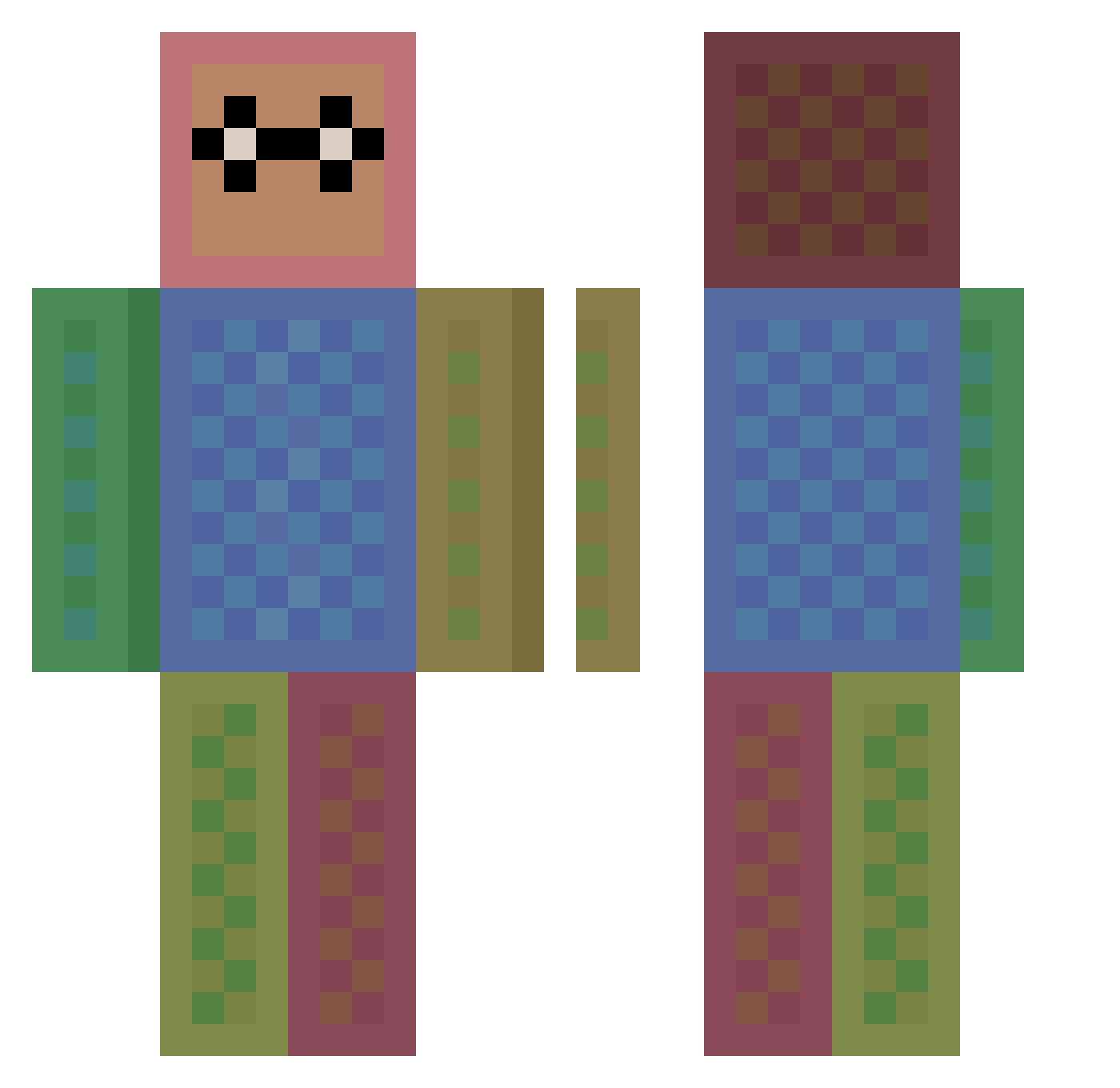
Current Minecraft skin of the player lenny57, loaded from the official Mojang API. Rotate the 3D model with your mouse or finger, then download the skin as a PNG file and use it in Minecraft: Bedrock Edition or Java Edition for free. When lenny57 changes their skin, this page updates automatically and the old skin stays in the history below.
Other players with this skin (79)
lenny57 was the 32nd player we have seen with this skin, first spotted on 21.08.2026. The same skin was seen on these players. Open a nickname to see their current skin and skin history.
 jeppu1 Daninka2007 RedCowYT2 Clay753 CerealYapper bbaq KevinGallagher KrishyFish RevoltingOne yuzufr Sam_o_shep IsaacOfNight NinjaTrey J4YLEG3ND JamieWilk Hoppili Mattigol SorcerySpeed aks_VGQto_03_04 FeBREEze15 CakehouseGrub SekHo Forest_King101 Heloise_159 cachat romankiller Darkalegend AwesomeDude271 Shiokonbu427 itsshowtime170 Kopptastic _Samuel_2006 ELVicePresidente Zippy99 Zuzuka2016 Berry0815 wydmommy Toxidianer shawndicker20 DRCtheman oxsx XxProplayer_HDxX jumpingbean31 Prommer102 DapeSichi SK00Pi jasyl RuyMons GPigRat Stevilly moon12242 Kosti1012 H31Z GoldKasmo blueflame24 ProctorR3 JIUUOO dead_tryharde Wadwad_X Gangaster04444
How to install the lenny57 skin
- Press the Download button above to save the skin as a PNG file.
- Minecraft: Bedrock Edition (PE): open the Dressing Room from the main menu (or tap your character → Edit Character), go to Classic Skins → Owned, press the + (new skin) button, choose the downloaded PNG and pick the Classic (Steve) model. Works on PC and mobile; consoles cannot import custom skins.
- Minecraft: Java Edition: open the Minecraft Launcher, go to the Skins tab, click New Skin, load the PNG, pick the Classic (Steve) model and press Save & Use. You can also upload it at minecraft.net → Profile → Change Skin.
The skin does not show up after import - what should I do?
Restart Minecraft and open the Dressing Room again - imported skins sometimes appear only after a restart. Also make sure you selected the imported skin and picked the Classic (Steve) model.
Which model should I choose, Classic or Slim?
This skin is designed for the Classic (Steve) model. If you pick the wrong model, the arms of the skin will look stretched or squeezed.
Is the skin of lenny57 free to download?
Yes. Press Download, save the PNG file and use it in Minecraft: Bedrock Edition or Java Edition - no payment or registration needed. The skin also works on multiplayer servers and Realms.
More skins
Looking for more? Go back to all Minecraft skins and check the top skins of the week, month and all time, or find any player's skin by nickname.