
lego_lego_lego - Minecraft Skins & Skin History
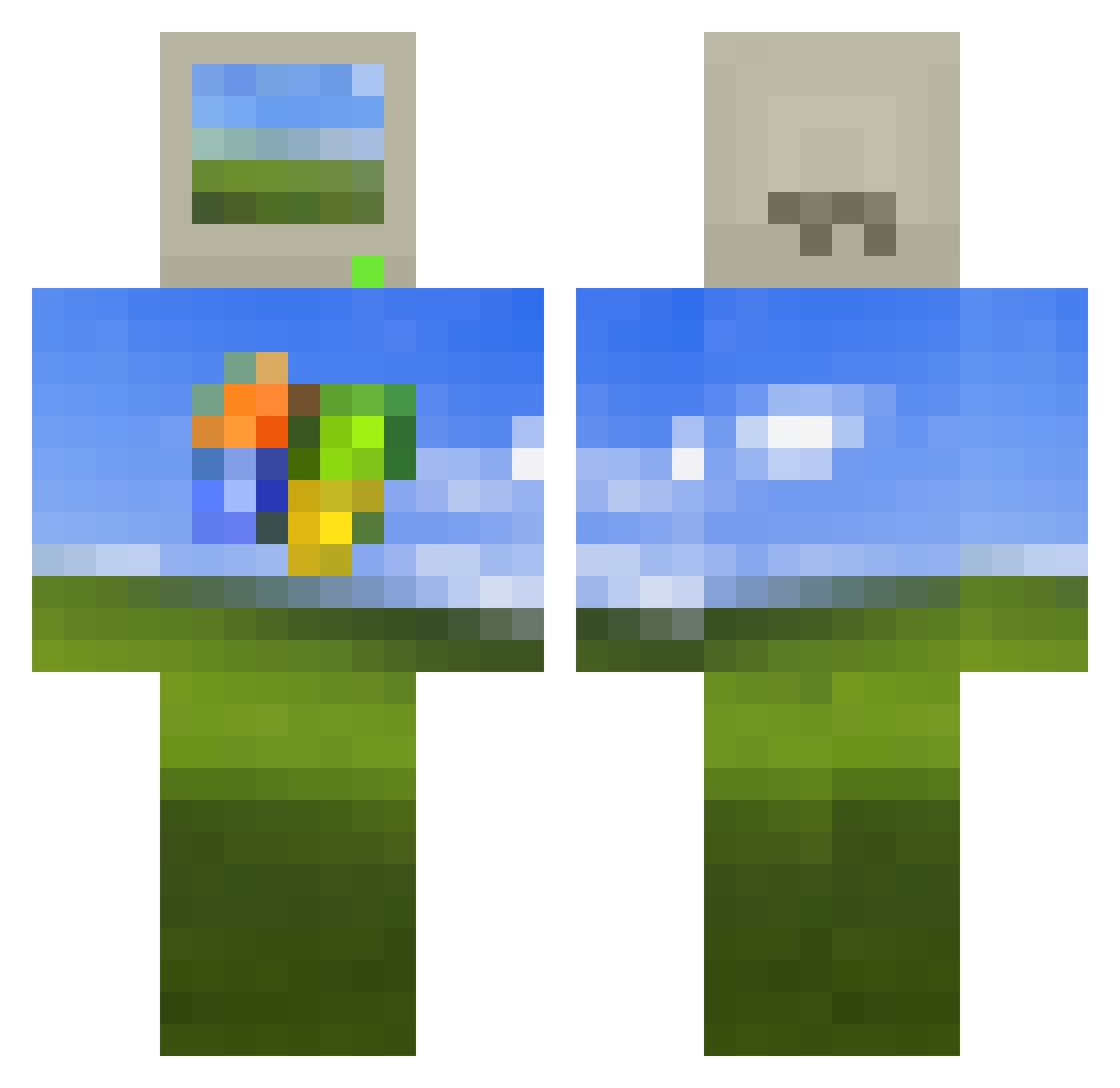
Current Minecraft skin of the player lego_lego_lego, loaded from the official Mojang API. Rotate the 3D model with your mouse or finger, then download the skin as a PNG file and use it in Minecraft: Bedrock Edition or Java Edition for free. When lego_lego_lego changes their skin, this page updates automatically and the old skin stays in the history below.
Other players with this skin (514)
lego_lego_lego was the 133rd player we have seen with this skin, first spotted on 22.08.2026. The same skin was seen on these players. Open a nickname to see their current skin and skin history.
 BaguetteBernd senseimarius Henry209809 mkorty715 BrotherEugh gremlinmothmann Zagajnik CrazyCarrotGame TSUNAMI51 pizzaroll1163 oof040704 DonElPapi Popsoda231 callmepains atthecrossroads QBL_ kamiondzija Choppeonme PureRage chengpeng88 crossyroad25 Wzhaoyu Apollo_Joe1 Hunterality qudav moonocracy Sounppoy hartker random_iiii Dogukan346 XwhiskeylauridsX dergrosseRatsby LancifeRay Midknight908 Sunhammer2012 BIELIK_EPI Sezaryus jjdirtbike99 NotEzBeingCheesy she1ikesbl0w SZULCZ3R ThengID Dirt__Friend JDGS11 Nanndo7 1tTzZ Gl00btheschmoobe LainsInferno BikiniKilla Avandero69 Omosessuale123 IruFiny Rod_dRoj katiew60 Jelly_Dude1 GreenvillSSnick Sesnar_04 Nocology nivMVP XHVA
More Windows XP Minecraft skins
How to install the lego_lego_lego skin
- Press the Download button above to save the skin as a PNG file.
- Minecraft: Bedrock Edition (PE): open the Dressing Room from the main menu (or tap your character → Edit Character), go to Classic Skins → Owned, press the + (new skin) button, choose the downloaded PNG and pick the Classic (Steve) model. Works on PC and mobile; consoles cannot import custom skins.
- Minecraft: Java Edition: open the Minecraft Launcher, go to the Skins tab, click New Skin, load the PNG, pick the Classic (Steve) model and press Save & Use. You can also upload it at minecraft.net → Profile → Change Skin.
The skin does not show up after import - what should I do?
Restart Minecraft and open the Dressing Room again - imported skins sometimes appear only after a restart. Also make sure you selected the imported skin and picked the Classic (Steve) model.
Which model should I choose, Classic or Slim?
This skin is designed for the Classic (Steve) model. If you pick the wrong model, the arms of the skin will look stretched or squeezed.
Is the skin of lego_lego_lego free to download?
Yes. Press Download, save the PNG file and use it in Minecraft: Bedrock Edition or Java Edition - no payment or registration needed. The skin also works on multiplayer servers and Realms.
More skins
Looking for more? Go back to all Minecraft skins and check the top skins of the week, month and all time, or find any player's skin by nickname.