
leesiwoo231 - Minecraft Skins & Skin History
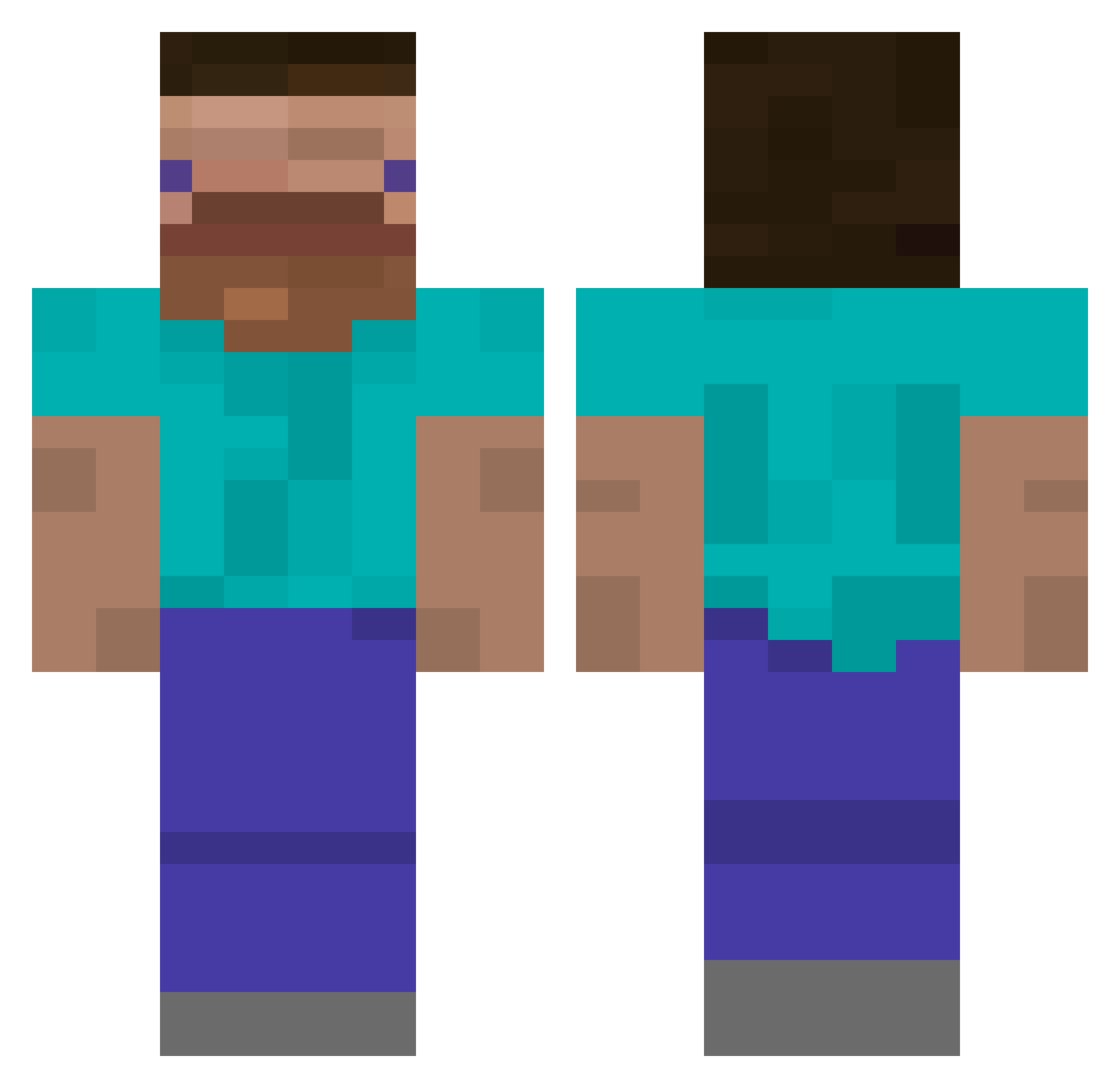
Current Minecraft skin of the player leesiwoo231, loaded from the official Mojang API. Rotate the 3D model with your mouse or finger, then download the skin as a PNG file and use it in Minecraft: Bedrock Edition or Java Edition for free. When leesiwoo231 changes their skin, this page updates automatically and the old skin stays in the history below.
Other players with this skin (385)
leesiwoo231 was the 84th player we have seen with this skin, first spotted on 11.08.2026. The same skin was seen on these players. Open a nickname to see their current skin and skin history.
 OGMaffia Peter_Long TORYspecial Papagohome MEC_MEC A7oXxX NotRoyce Takencio w922 lynZAP bxrvch littleBIGson KarlHeinzWesten bolinglak imfexed respy74 SmuckMock im_Louis _N_i_g_h_t_ DerBigBlocky b1te qwe19n TRiGanD148 Tuco___ Ducky1up SigmaWolfAlpha2 6Lv Zummer001 kurumaxs
 ray_oao911 Arcad3r Duduzezinho TheEmeraldSlash DrScreechFlap Kg_GG_God Moglosh maddox205 jemaan137 Juandark23 d_enn ILEEE Patator69 Vagzy d1mon4k vdfr Przemcio
 bk9064 Hyuck2 SamBoy64 Abrll KJoonas DySaPLay ICE_Teil bveg0788 KIMKAY123 Ensoleile SpicyOrHot Skaffafighter ruukkukaktus ABU7BEB
How to install the leesiwoo231 skin
- Press the Download button above to save the skin as a PNG file.
- Minecraft: Bedrock Edition (PE): open the Dressing Room from the main menu (or tap your character → Edit Character), go to Classic Skins → Owned, press the + (new skin) button, choose the downloaded PNG and pick the Classic (Steve) model. Works on PC and mobile; consoles cannot import custom skins.
- Minecraft: Java Edition: open the Minecraft Launcher, go to the Skins tab, click New Skin, load the PNG, pick the Classic (Steve) model and press Save & Use. You can also upload it at minecraft.net → Profile → Change Skin.
The skin does not show up after import - what should I do?
Restart Minecraft and open the Dressing Room again - imported skins sometimes appear only after a restart. Also make sure you selected the imported skin and picked the Classic (Steve) model.
Which model should I choose, Classic or Slim?
This skin is designed for the Classic (Steve) model. If you pick the wrong model, the arms of the skin will look stretched or squeezed.
Is the skin of leesiwoo231 free to download?
Yes. Press Download, save the PNG file and use it in Minecraft: Bedrock Edition or Java Edition - no payment or registration needed. The skin also works on multiplayer servers and Realms.
More skins
Looking for more? Go back to all Minecraft skins and check the top skins of the week, month and all time, or find any player's skin by nickname.