
leastero - Minecraft Skins & Skin History
Current Minecraft skin of the player leastero, loaded from the official Mojang API. Rotate the 3D model with your mouse or finger, then download the skin as a PNG file and use it in Minecraft: Bedrock Edition or Java Edition for free. When leastero changes their skin, this page updates automatically and the old skin stays in the history below.
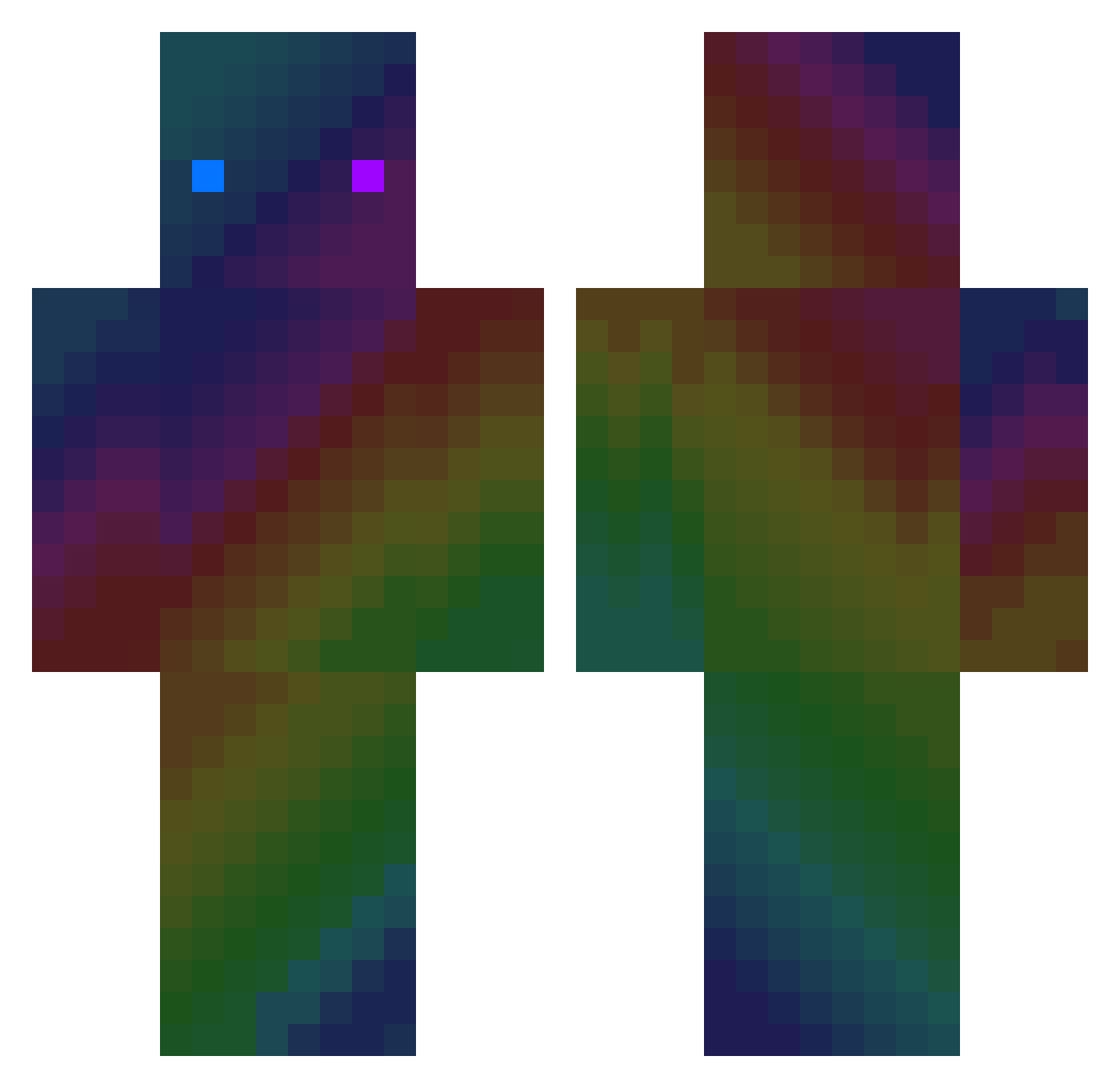
Other players with this skin (412)
leastero was the 336th player we have seen with this skin, first spotted on 25.10.2026. The same skin was seen on these players. Open a nickname to see their current skin and skin history.
 alice_ring teng0623 FastJo YulGok_db MIKIBRK wolves232 HYDROGAME mi3216 CosmosMonk220 Gbt06 lenapops kanapka002 SUND_AY sebula840 JDORKA69 KylerBoost MICS238 pyrol4ne kevin1231239 Slime_ghost Loufoque18 fixatedsense KakuNim FritzieBabie Lzuxe bitedeez12345 Sandy44tt D4ni3l_W13 Muzon jaeyun1221 AlejandroGM0 mercurialplay VishuIsPog360 Jackinatox EkiSpeC JimmyTheDoggy AUKYJL DD_98 Deanm0 Bigmacyt libertaMX cytryn_ lord_pou16 ydh1201 TorAk__ Blyat_Man__ jellydosam SlateSugar35484 AfroPuffDGK khxn_ MaThAiRRRR yunkai1999 Chakraboys zwergo20 3Daen Langzi2000 chlrkddlrkd lhb1224 xVeroNy CrisLeam
How to install the leastero skin
- Press the Download button above to save the skin as a PNG file.
- Minecraft: Bedrock Edition (PE): open the Dressing Room from the main menu (or tap your character → Edit Character), go to Classic Skins → Owned, press the + (new skin) button, choose the downloaded PNG and pick the Classic (Steve) model. Works on PC and mobile; consoles cannot import custom skins.
- Minecraft: Java Edition: open the Minecraft Launcher, go to the Skins tab, click New Skin, load the PNG, pick the Classic (Steve) model and press Save & Use. You can also upload it at minecraft.net → Profile → Change Skin.
The skin does not show up after import - what should I do?
Restart Minecraft and open the Dressing Room again - imported skins sometimes appear only after a restart. Also make sure you selected the imported skin and picked the Classic (Steve) model.
Which model should I choose, Classic or Slim?
This skin is designed for the Classic (Steve) model. If you pick the wrong model, the arms of the skin will look stretched or squeezed.
Is the skin of leastero free to download?
Yes. Press Download, save the PNG file and use it in Minecraft: Bedrock Edition or Java Edition - no payment or registration needed. The skin also works on multiplayer servers and Realms.
More skins
Looking for more? Go back to all Minecraft skins and check the top skins of the week, month and all time, or find any player's skin by nickname.